Social media scheduling is only one part of a team's workflow. You also need to keep content organized, collect feedback, get approvals, and make sure the right version goes live. That's where choosing between Buffer and Later gets interesting. Both tools help you...
Redesign For multi-location brands
all your locations, one content flow
For multi-brand companies
content collaboration at scale
For agencies
impress your clients and take on more
“The team loved it from the start. Planable helps us overview the entire marketing efforts.“
Your graphics leave the editor looking client-ready, and that’s usually when the search for Adobe Express alternatives starts: the client wants to approve before anything goes live; a second brand needs its own calendar; the monthly report sits behind another login.
I went through Adobe’s own help pages to see where the scheduler stops for a team: free teammates can only view a shared calendar; analytics need a separate login; the pages document no approval step a client could use as your social media approval process.
For this guide, I judged each alternative as a replacement for the scheduler and left your editor alone: who can approve, and how; whether each client gets its own space; where reporting lives; how creative arrives from the tool you already use.
How do the top Adobe Express alternatives compare?
If a client has to sign off before anything goes live, start with Planable: each client gets its own workspace, and posts can wait behind an approval gate. Canva is the closest swap for making and scheduling a graphic in one editor. Loomly puts approvals on its entry plan. Sprout Social and Hootsuite suit enterprise teams needing an inbox and monitoring.
Tool
Best for
Collaboration and approvals (lowest plan listed)
Entry-plan limit
Pricing basis
Starting price
Adobe Express (for reference)
Solo creators who make and post graphics in one place
Edit or view-only shared calendars; no documented approval step
1 account per social network (Free)
Flat plans; Teams priced per license
Premium US$9.99/mo, billed monthly
Planable
Agencies running client approvals across workspaces
Optional approvals on every plan, including the free trial; Required approval on Pro; multi-level approvals on Enterprise; clients set up as approvers approve from a link without an account
Free trial capped at 50 posts in total
Per workspace, unlimited users
$39 per workspace per month (Basic)
Canva
Teams that want graphics and scheduling in one editor
Team-publishable accounts; approvals on Business
Scheduling starts on Pro; Free links one account per platform
Per person
$144 per year for one person (Pro)
Loomly
Small teams that need approvals on the entry plan
Approval workflows and roles on Starter
12 social accounts and 3 users (Starter)
Flat tier
$49 per month, billed yearly (Starter)
SocialPilot
Budget agencies that send white-label reports
Team collaboration on Standard; Client Approval on Premium
5 social accounts and 1 user (Essentials)
Flat tier
$17 per month, billed annually (Essentials)
Buffer
Lean teams that pay per channel
Approval workflows on Team
10 scheduled posts per channel (Free)
Per channel
Free plan; $5 per month per channel, billed yearly (Essentials)
Later
Visual-first Instagram and TikTok planning
Collaboration and approvals from Growth
30 posts per profile per month and 1 user (Starter)
Flat tier
$18.75 per month, billed yearly (Starter)
Metricool
Teams that care most about analytics
Post approval system on Advanced
20 posts per month for 1 brand (Free)
Not disclosed
$20/month (Starter)
Sprout Social
Enterprise teams managing reviews and an inbox
Collaboration tools from Standard
5 social profiles (Standard)
Per seat
$79 per seat per month, billed annually (Essentials)
Hootsuite
Enterprise teams that need trend forecasting
Approvals on higher tiers (plans page: Advanced)
10 social accounts (Standard)
Per user
$99 per user per month, annual billing (Standard)
Adobe Express (for reference)
Best for
Solo creators who make and post graphics in one place
Collaboration and approvals (lowest plan listed)
Edit or view-only shared calendars; no documented approval step
Entry-plan limit
1 account per social network (Free)
Pricing basis
Flat plans; Teams priced per license
Starting price
Premium US$9.99/mo, billed monthly
Planable
Best for
Agencies running client approvals across workspaces
Collaboration and approvals (lowest plan listed)
Optional approvals on every plan, including the free trial; Required approval on Pro; multi-level approvals on Enterprise; clients set up as approvers approve from a link without an account
Entry-plan limit
Free trial capped at 50 posts in total
Pricing basis
Per workspace, unlimited users
Starting price
$39 per workspace per month (Basic)
Canva
Best for
Teams that want graphics and scheduling in one editor
Collaboration and approvals (lowest plan listed)
Team-publishable accounts; approvals on Business
Entry-plan limit
Scheduling starts on Pro; Free links one account per platform
Pricing basis
Per person
Starting price
$144 per year for one person (Pro)
Loomly
Best for
Small teams that need approvals on the entry plan
Collaboration and approvals (lowest plan listed)
Approval workflows and roles on Starter
Entry-plan limit
12 social accounts and 3 users (Starter)
Pricing basis
Flat tier
Starting price
$49 per month, billed yearly (Starter)
SocialPilot
Best for
Budget agencies that send white-label reports
Collaboration and approvals (lowest plan listed)
Team collaboration on Standard; Client Approval on Premium
Entry-plan limit
5 social accounts and 1 user (Essentials)
Pricing basis
Flat tier
Starting price
$17 per month, billed annually (Essentials)
Buffer
Best for
Lean teams that pay per channel
Collaboration and approvals (lowest plan listed)
Approval workflows on Team
Entry-plan limit
10 scheduled posts per channel (Free)
Pricing basis
Per channel
Starting price
Free plan; $5 per month per channel, billed yearly (Essentials)
Later
Best for
Visual-first Instagram and TikTok planning
Collaboration and approvals (lowest plan listed)
Collaboration and approvals from Growth
Entry-plan limit
30 posts per profile per month and 1 user (Starter)
Pricing basis
Flat tier
Starting price
$18.75 per month, billed yearly (Starter)
Metricool
Best for
Teams that care most about analytics
Collaboration and approvals (lowest plan listed)
Post approval system on Advanced
Entry-plan limit
20 posts per month for 1 brand (Free)
Pricing basis
Not disclosed
Starting price
$20/month (Starter)
Sprout Social
Best for
Enterprise teams managing reviews and an inbox
Collaboration and approvals (lowest plan listed)
Collaboration tools from Standard
Entry-plan limit
5 social profiles (Standard)
Pricing basis
Per seat
Starting price
$79 per seat per month, billed annually (Essentials)
Hootsuite
Best for
Enterprise teams that need trend forecasting
Collaboration and approvals (lowest plan listed)
Approvals on higher tiers (plans page: Advanced)
Entry-plan limit
10 social accounts (Standard)
Pricing basis
Per user
Starting price
$99 per user per month, annual billing (Standard)
Why do teams look for Adobe Express alternatives?
Adobe Express bundles Content Scheduler into its free plan, right next to the editor where your graphics get made. On G2, it holds a 4.5/5 rating from 856 reviews. People like it as a creative tool. The scheduler, though, is a posting tool, and the client workflow around posting, from sign-off to reporting, is where it thins out.
You feel it in the plan limits long before you feel it in the templates:
One account per network on Free: On Free, Content Scheduler connects 1 account per social network. Premium raises that to 3 accounts per social network, which covers a small roster and stops there.
A handful of shared calendars: Free includes 1 shared social calendar, and Premium includes 3.
View-only teammates on Free: In a shared calendar, Free users have view-only access and can’t create, edit or publish posts.
A grid preview for one network: The Grid view is available only for publishing to Instagram.
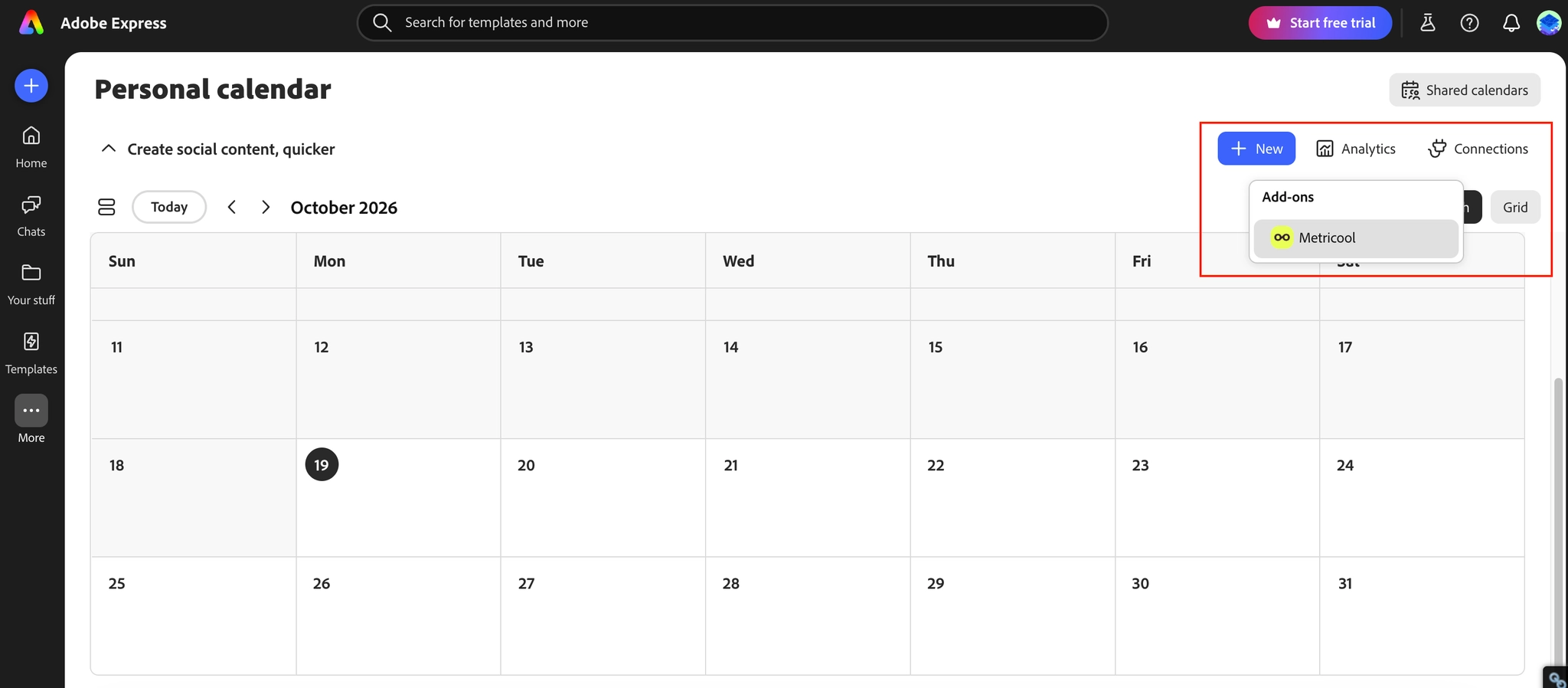
Analytics behind a second login: Performance data runs through a Metricool add-on, and your Metricool login is separate from your Adobe Express account. X and LinkedIn analytics also need premium access to that add-on.
Adobe Express Content Scheduler: analytics open through the Metricool add-on, not inside the scheduler
The bigger gap for an agency is sign-off. Adobe documents edit and view-only permissions for shared calendars and no approval step beyond them, so the moment a client has to say yes, that conversation moves to email or chat. Multiply it by a few brands and you’re tracking approvals in a spreadsheet.
How did I choose these Adobe Express alternatives?
I scored each pick here as a stand-in for Content Scheduler. Templates and editing features didn’t count. Plan details and prices checked on each vendor’s own pricing and help pages, checked in mid-October, while ratings and reviewer quotes come from G2. Graphics tools without built-in scheduling were left out.
Each tool was scored on five jobs a graphics-first scheduler hands back to your team:
Publishing and network coverage: which networks it posts to natively, and which plan unlocks them.
Calendar and multi-client separation: whether each client gets its own space, or every brand shares one calendar and one set of permissions.
Approvals and collaboration: whether there’s a real approval gate, and whether someone outside your team, like a client, can use it without extra seats or logins.
Analytics and reporting: whether reports live in the same tool as the calendar or behind another login.
Graphics hand-off: how finished creative gets in from Canva or whichever editor your team already uses.
The order matters for an agency. Coverage and calendars decide whether a tool can hold your roster at all, and approvals whether it can hold your clients. Reporting and the creative hand-off only change how many other tabs stay open next to it.
What are the best Adobe Express alternatives for social media scheduling?
Nine tools made the list, in this order: Planable, Canva, Loomly, SocialPilot, Buffer, Later, Metricool, Sprout Social, Hootsuite. They fall into three groups by how much of the Adobe Express setup you’re replacing, from the scheduler alone up to the whole social stack:
The scheduler plus an approval step: collaboration-first platforms (Planable, Loomly, SocialPilot).
The scheduler alone: creative-led or lean schedulers (Canva, Buffer, Later, Metricool).
The whole social stack: enterprise suites (Sprout Social, Hootsuite, Planable).
1. Planable: for agencies running client approvals across workspaces
Planable is a social media management tool with collaboration and approvals at its core. A workspace is a collaborative space for one brand or client, so 3 clients means 3 workspaces.
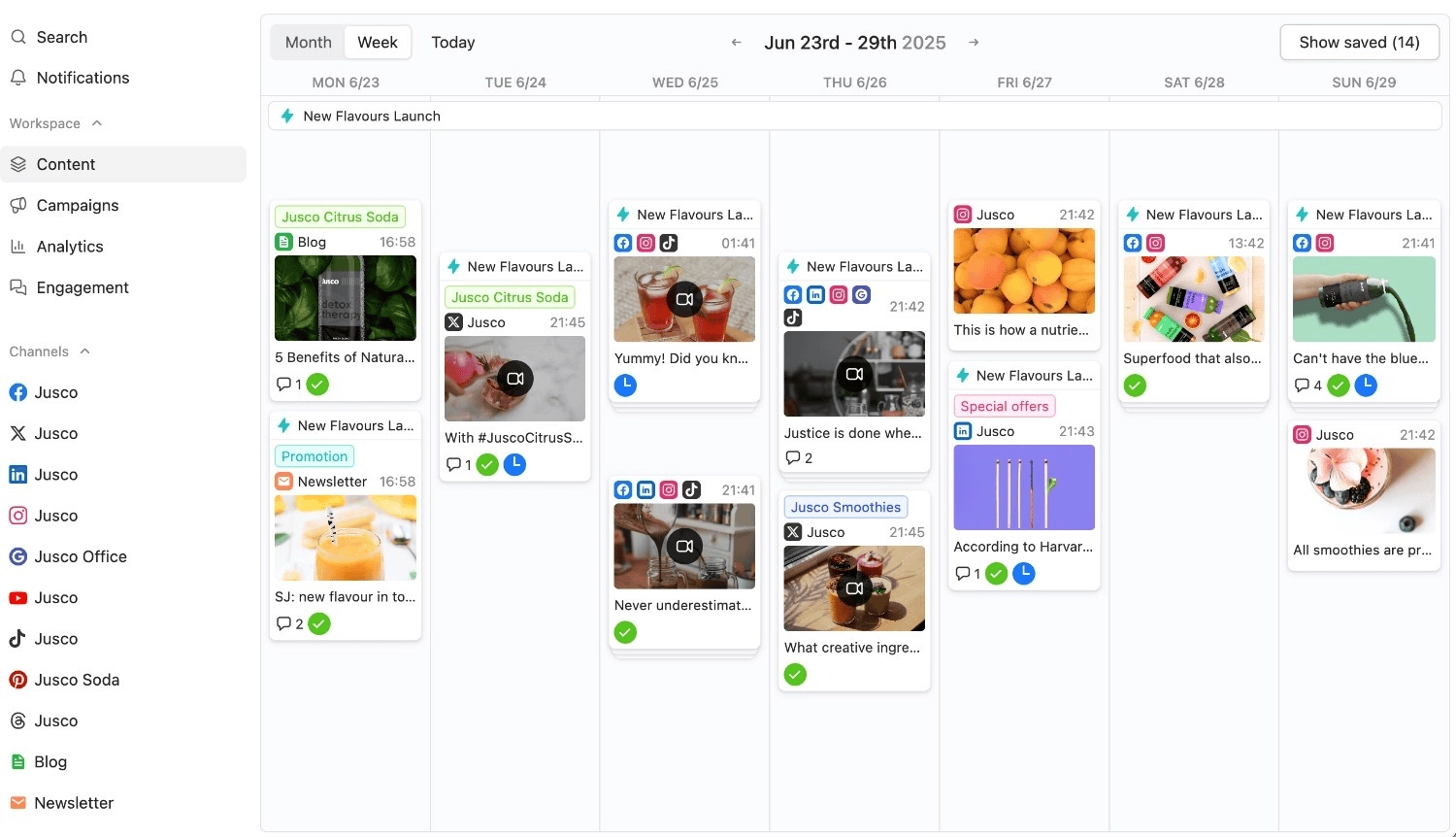
Planable week view: posts for every channel in one workspace, each with its approval status
Best for: Agencies and multi-location brands whose clients or local managers approve posts before they’re scheduled.
Why I picked Planable
Content Scheduler’s permissions stop at edit or view-only access to a shared calendar. Planable starts from the client instead: one workspace per brand, with its own approvers and an approval state on each post, so one client’s feedback stays out of another client’s calendar. The free trial includes approvals, which lets a client approve real posts before you choose a plan.
Standout features
Required approval on Pro: With Required approval on, posts can’t be scheduled or published without at least one approval.
Multi-level approvals on Enterprise: Enterprise adds sequential approval stages, for example team to legal to client.
Client sign-off without an account: Clients who are already set up as approvers in a workspace approve from a link, without logging in or signing up.
Previews that look like the network: Posts render as a realistic preview that looks like the actual platform.
Publishing coverage: Planable publishes to Facebook, Instagram, LinkedIn, X/Twitter, Google Business Profile, YouTube, TikTok, Pinterest (Business only) plus Threads.
Competitor Analytics: You can track up to 5 competitors per page, with data refreshed daily, as part of the Analytics add-on.
Integrations:Canva designs open directly from the Planable composer. Slack can receive approval and comment notifications in a channel you pick. MCP connects Claude, ChatGPT or another MCP-compatible AI tool.
Pricing: Planable prices its plans per workspace. Planable offers unlimited users, so the bill follows clients, not headcount. Basic costs $33 per workspace per month, Pro costs $49 per workspace per month, billed annually. Enterprise starts from $200 per month, or $2,500 per year. The free trial has no time limit and caps at 50 posts in total.
Planable pros and cons
Pros
Cons
One approval queue across clients: My approvals is a dedicated cross-workspace approval queue, so an approver with eight brands works from one list.
Analytics costs extra: Analytics, including Competitor Analytics, is an add-on at $14 per workspace per month on Basic and Pro.
Internal talk stays internal: On Pro and above, internal comments are only visible to team members, so caption debates stay off the client’s screen.
Branded reports, not white-labeled: Analytics reports take your company logo and a custom report title, so client reports can carry your agency’s brand. The app itself isn’t white-labeled, so clients reviewing posts still see Planable.
Shorter feedback loops: Alicia S., a digital marketing business owner, wrote on G2 that Planable “has saved me from receiving 300 emails back and forth for changes, and instead I can just get an approval right in the app and schedule it right away.”
Inbox gaps: Social Inbox doesn’t cover X, Google Business, YouTube, Pinterest or Threads. DMs are supported on Facebook and Instagram only.
Pros
One approval queue across clients: My approvals is a dedicated cross-workspace approval queue, so an approver with eight brands works from one list.
Internal talk stays internal: On Pro and above, internal comments are only visible to team members, so caption debates stay off the client’s screen.
Shorter feedback loops: Alicia S., a digital marketing business owner, wrote on G2 that Planable “has saved me from receiving 300 emails back and forth for changes, and instead I can just get an approval right in the app and schedule it right away.”
Cons
Analytics costs extra: Analytics, including Competitor Analytics, is an add-on at $14 per workspace per month on Basic and Pro.
Branded reports, not white-labeled: Analytics reports take your company logo and a custom report title, so client reports can carry your agency’s brand. The app itself isn’t white-labeled, so clients reviewing posts still see Planable.
Inbox gaps: Social Inbox doesn’t cover X, Google Business, YouTube, Pinterest or Threads. DMs are supported on Facebook and Instagram only.
2. Canva: for teams that want graphics and scheduling in one editor
Canva schedules each graphic to only one social media platform at a time, so a launch going to four networks means four separate schedules. Approvals arrive only on Business, so a solo designer can stay on Pro while a team is really pricing Business. G2 reviewers give it 4.7/5 across 7,736 reviews.
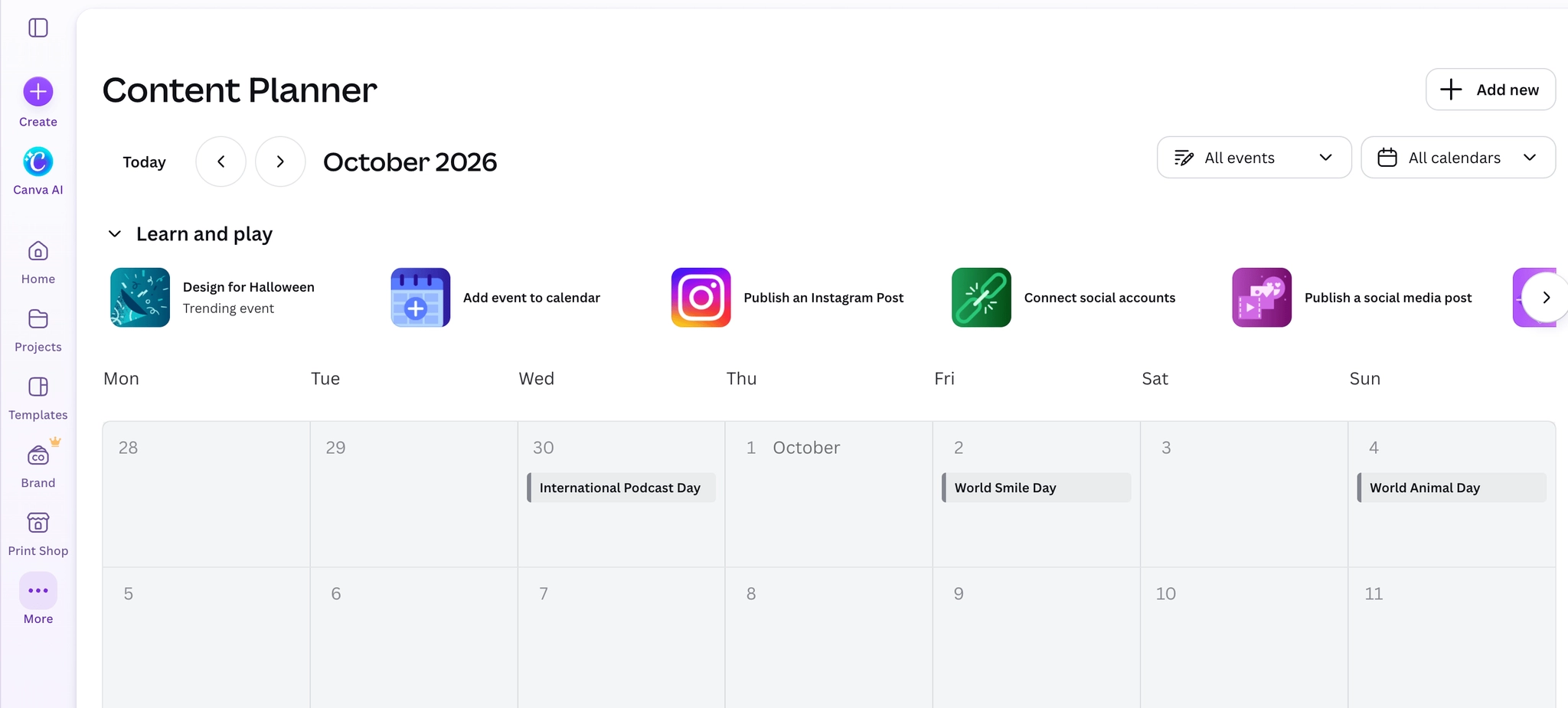
Canva Content Planner: plan and publish designs from the same place you create them
Best for: A small in-house team where the person who makes the graphic is also the person who posts it.
Why I picked Canva
Canva is a graphics editor with a Content Planner that publishes straight to social accounts. You can plan and schedule your Canva designs to social media directly from Content Planner or the editor, which is the habit Content Scheduler built in the first place. For a designer who also does the posting, the switch leaves that routine where it is, and the limits start to matter only once a client needs sign-off.
Standout features
Shared account permissions: Each connected account can be set to Private, Team-viewable or Team-publishable.
Brand Kits on Business: Canva Business adds 100 Brand Kits for teams juggling several visual identities.
Publishing destinations: Content Planner schedules to the main networks (Facebook Pages, Instagram Business, Twitter, LinkedIn, Pinterest) plus Slack and Tumblr.
Integrations: Canva sits on the other side of most hand-offs in this list, since several schedulers here (Planable, Loomly, Buffer, Later, Metricool) pull Canva work in. So if your team settles on Canva for graphics, you can still pick a different scheduler later without changing how creative gets made.
Pricing: Scheduling posts is available to Canva Pro and Canva Business, among other plans. Moving to Canva Pro costs $144 per year, for a single user. Business runs $250 per year per person.
Canva pros and cons
Pros
Cons
Room for a big roster: On paid plans, each user can connect up to 80 social media accounts per team, so a multi-brand roster fits in one login.
Instagram from desktop only: Scheduling posts to Instagram must be done from a desktop browser.
A queue the whole team can see: On a Team-publishable account, shared posts show up in each permitted teammate’s Content Planner, so the person who connected the account isn’t the only one who knows what’s going out.
Pro is a single seat: Only one person can use a Canva Pro account, so Pro can’t be shared across a team.
Pros
Room for a big roster: On paid plans, each user can connect up to 80 social media accounts per team, so a multi-brand roster fits in one login.
A queue the whole team can see: On a Team-publishable account, shared posts show up in each permitted teammate’s Content Planner, so the person who connected the account isn’t the only one who knows what’s going out.
Cons
Instagram from desktop only: Scheduling posts to Instagram must be done from a desktop browser.
Pro is a single seat: Only one person can use a Canva Pro account, so Pro can’t be shared across a team.
3. Loomly: for small teams that need approvals on the entry plan
Loomly puts approvals on its entry plan, so the sign-off step Adobe doesn’t document for Content Scheduler comes without an upgrade. Its G2 score sits at 4.6/5 from 1,796 reviews, and it pairs a social media calendar with publishing.
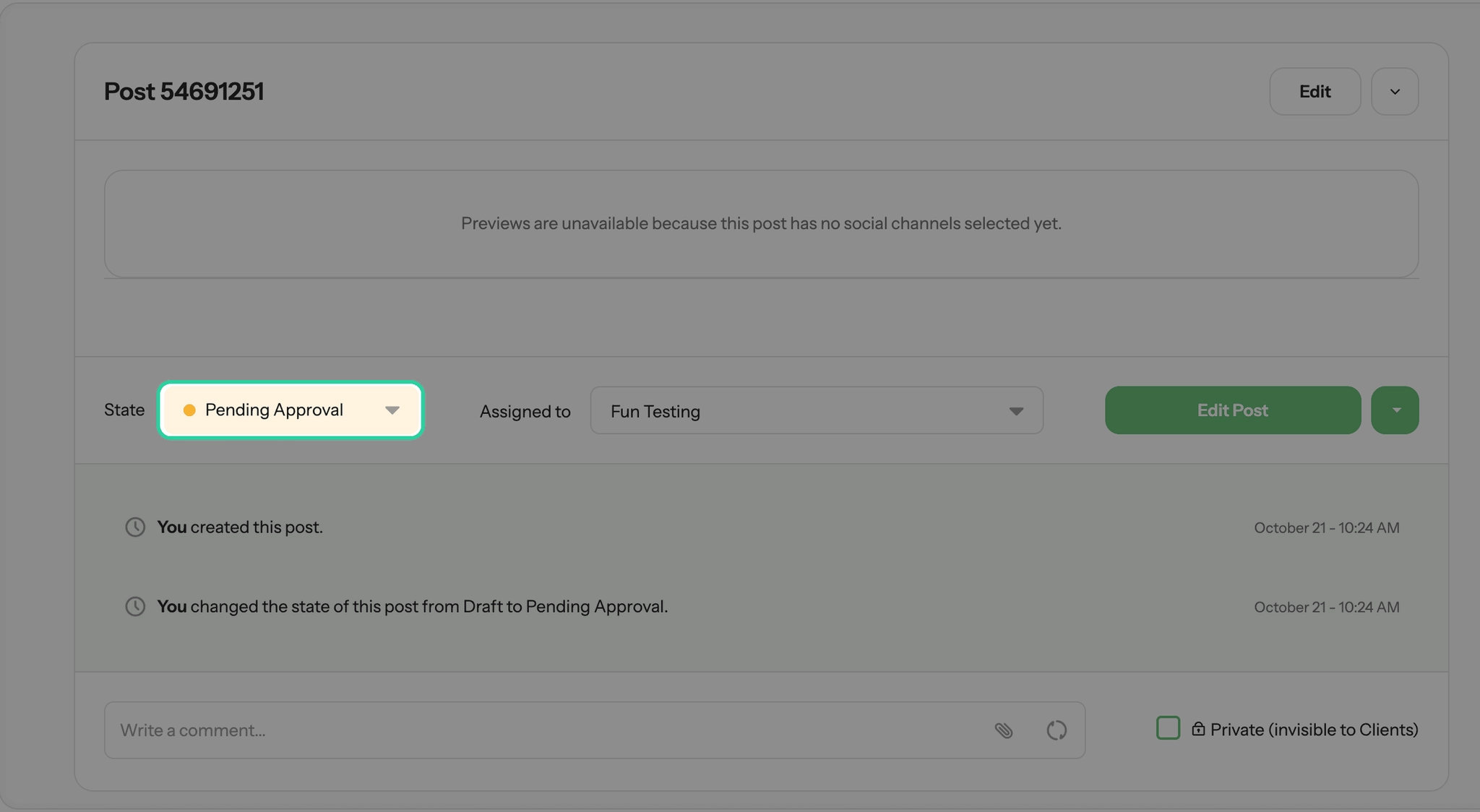
Loomly post moved from Draft to Pending Approval, with private comments hidden from clients
Best for: A boutique agency or brand team that needs a client or manager to approve posts and doesn’t want an enterprise contract, or a sales call, to get there.
Why I picked Loomly
Loomly’s approval setup grows with the plan. Beyond adds custom roles and workflows, so a client with its own legal or compliance step can get a sign-off chain shaped around it once you outgrow the standard setup. For a small team, its entry price also sits well below the per-seat suites further down this list, though the account and user caps below limit how long Starter lasts for an agency.
Standout features
Approvals from day one: Loomly Starter includes approval workflows and roles.
Room to grow: Loomly Beyond includes 60 social accounts and unlimited users.
A calendar per client: Loomly Starter and Beyond both include unlimited calendars, so each client can get its own instead of sharing one.
For a team coming from Adobe Express, the move is mostly additive. Graphics still get made where they’re made now, and the calendar takes over Content Scheduler’s job. What’s new is the step between drafted and scheduled: a post waits for the right person to approve it, and that person no longer has to reply in a separate email thread.
Integrations: Canva, through export from Canva on both Starter and Beyond, which keeps the creative hand-off you’re used to from Adobe Express.
Pricing: Loomly Starter is $65 per month, billed monthly. Billed yearly, Starter drops to $49 per month. Beyond is $249 per month, billed yearly. Enterprise has custom pricing tailored to your business.
Loomly pros and cons
Pros
Cons
Approvals without a tier jump
A tight Starter roster: Loomly Starter includes 12 social accounts and 3 users, which an agency with several clients and an approver per client fills quickly.
Easy for new users: Samiksha C., who works in security operations, wrote on G2: “I find Loomly to be very user-friendly, which makes social media management simple, especially for beginners.”
Reliability and cost complaints: Katie G., a small-business owner, wrote on G2: “Sometimes it glitches. Also its incredibly expensive.”
Pros
Approvals without a tier jump
Easy for new users: Samiksha C., who works in security operations, wrote on G2: “I find Loomly to be very user-friendly, which makes social media management simple, especially for beginners.”
Cons
A tight Starter roster: Loomly Starter includes 12 social accounts and 3 users, which an agency with several clients and an approver per client fills quickly.
Reliability and cost complaints: Katie G., a small-business owner, wrote on G2: “Sometimes it glitches. Also its incredibly expensive.”
4. SocialPilot: for budget agencies that send white-label reports
SocialPilot is a social media scheduling and publishing tool sold in flat monthly tiers, each with a fixed number of social accounts and users, which makes it a common pick for small agencies watching costs. Its client-facing features sit on Premium, which adds Client Approval and white label reports. Reviewers on G2 rate it 4.5/5 from 846 reviews.
SocialPilot’s week-view planning calendar for multi-account scheduling
Best for: A small agency on a tight budget whose clients care more about a branded monthly report than about approving every post themselves, and who’d rather pay a flat price than track seats.
Why I picked SocialPilot
For an agency that hands clients a report branded with the agency’s logo, that one Premium line can outweigh a deeper approval flow. SocialPilot prices in flat tiers, each with a fixed number of social accounts and users. The trade-off: once client-facing features are on your list, you price the tool from Premium, not from Essentials.
Standout features
Client approvals: SocialPilot Premium includes Client Approval, so clients can sign off inside the tool once you’re on that tier.
Team features on Standard: SocialPilot Standard includes team collaboration and bulk scheduling.
White label reports on Premium: SocialPilot Premium includes white label reports, so monthly client reports go out under your agency’s name.
A typical setup for an Adobe Express team: keep exporting graphics from your editor, load a month of posts with bulk scheduling on Standard, then move to Premium when clients start asking for sign-off and branded reports. If a client already wants to approve posts, budget for that jump from the first month.
Integrations: SocialPilot connects with Canva, Google Drive, Dropbox and Box for creative and media files, Slack for workflow notifications, Zapier for automation, and Bitly and Rebrandly for short links.
Pricing: SocialPilot Essentials is $20 per month, billed monthly. Billed annually, Essentials is $17 per month. Standard is $34 per month, billed annually. Standard covers 10 social accounts and 3 users. Premium is $85 per month, billed annually. Premium raises the allowance to 20 accounts and 6 users. Enterprise is custom.
SocialPilot pros and cons
Pros
Cons
Ten networks, Bluesky included: SocialPilot publishes to Facebook, Instagram, TikTok, X, LinkedIn, Threads, YouTube, Pinterest, Google Business Profile and Bluesky, so a client already testing Bluesky doesn’t need a second tool.
A single-user entry plan: SocialPilot Essentials includes 5 social accounts and 1 user, so it works for a freelancer more than a team.
Predictable steps instead of seat fees: Each tier bundles a fixed allowance of accounts and users (5 and 1 on Essentials, 10 and 3 on Standard, 20 and 6 on Premium) at a flat monthly price, so you budget by tier instead of by seat.
Feature depth: Katie F., a small-business VP of operations, said in a G2 review: “It’s pretty bare bones basic compared to some of the bigger competitors in the industry.”
Pros
Ten networks, Bluesky included: SocialPilot publishes to Facebook, Instagram, TikTok, X, LinkedIn, Threads, YouTube, Pinterest, Google Business Profile and Bluesky, so a client already testing Bluesky doesn’t need a second tool.
Predictable steps instead of seat fees: Each tier bundles a fixed allowance of accounts and users (5 and 1 on Essentials, 10 and 3 on Standard, 20 and 6 on Premium) at a flat monthly price, so you budget by tier instead of by seat.
Cons
A single-user entry plan: SocialPilot Essentials includes 5 social accounts and 1 user, so it works for a freelancer more than a team.
Feature depth: Katie F., a small-business VP of operations, said in a G2 review: “It’s pretty bare bones basic compared to some of the bigger competitors in the industry.”
5. Buffer: for lean teams that pay per channel
Buffer is a social media scheduling tool built around a visual content calendar and a free-forever plan, with paid plans billed per connected channel rather than per user. Its G2 rating stands at 4.3/5 from 1,041 reviews.
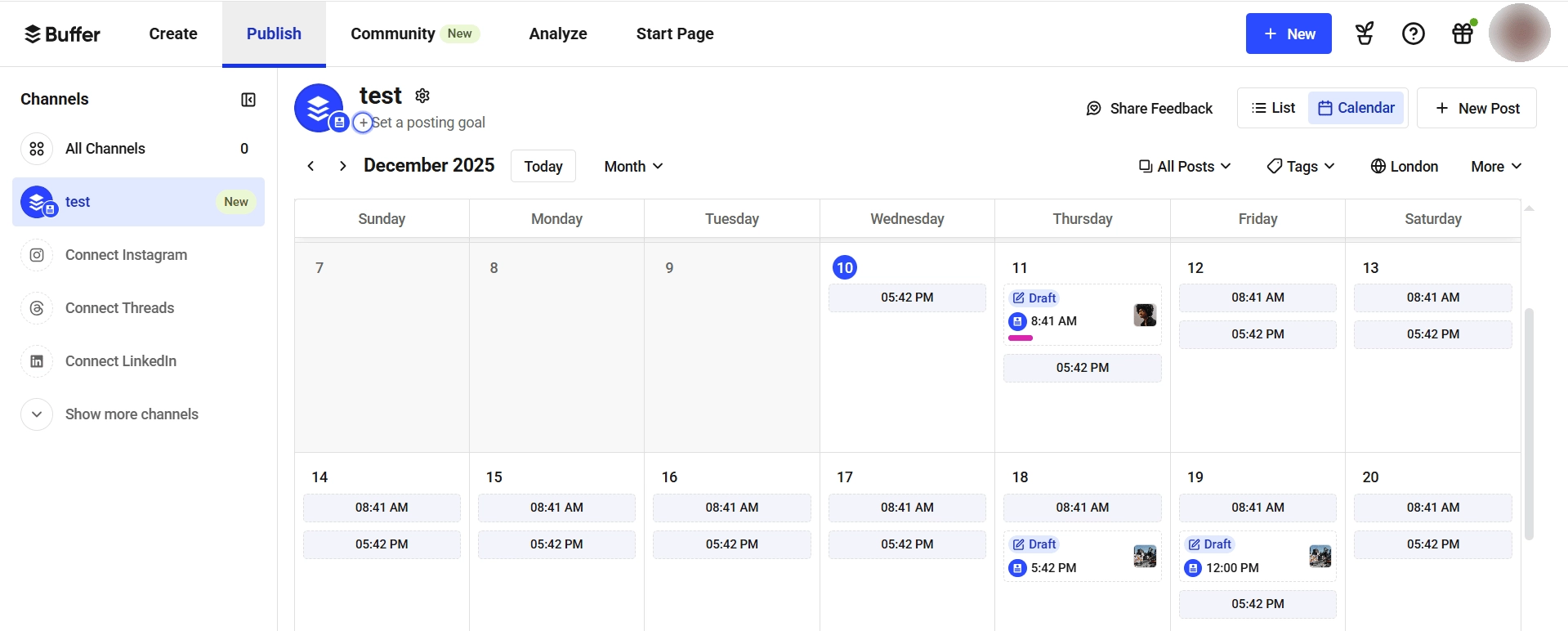
Buffer’s calendar view, with recurring time slots per channel and drafts in the queue
Best for: A lean brand team with a few social channels and several people who need to draft or review posts, where the channel count stays small even as the team grows.
Why I picked Buffer
Buffer pairs a visual calendar with a free plan, and its pricing model is the most unusual thing about it. Count your channels before you count your seats, because that’s the number your invoice follows, and it’s the opposite of how the per-seat suites in this list charge.
Standout features
Approvals on Team: Buffer’s Team plan includes content approval workflows and unlimited team members.
A calendar on every plan: Buffer includes a visual content calendar on every plan, with weekly and monthly views of the schedule.
Insights history: The Free plan keeps 30 days of insights history, while paid plans keep unlimited history.
If you manage 4 clients with 3 channels each, you pay for 12 channels whether your team is two people or ten. Add a fifth client with the same setup and the bill grows by 3 channels. On the Team plan, a new hire adds nothing.
Integrations: Buffer imports content directly from Canva on all plans, so graphics your team already keeps in Canva go straight into a post.
Pricing: Buffer Free is free forever and connects up to 3 channels. Essentials costs $5 per month per channel, $60 billed yearly. Team costs $10 per month per channel, $120 billed yearly. Paid plans have unlimited scheduled posts, with a fair-use cap of 5,000 posts per channel. Free and Essentials include 1 user, and Team has unlimited users.
Buffer pros and cons
Pros
Cons
Easy to pick up: Tricia H., a small-business marketing manager, noted on G2: “It has a smooth UX compared to other scheduling tools I’ve used in the past.”
No approvals below Team: Approval workflows and custom access are not included on Free or Essentials, so a single client reviewer pushes you to the Team price.
A free plan to start on: Buffer Free is free forever and connects up to 3 channels, so you can test the calendar before paying for a single channel.
A small free queue: The Free plan allows 10 scheduled posts per channel, which suits testing more than running a live calendar.
Pros
Easy to pick up: Tricia H., a small-business marketing manager, noted on G2: “It has a smooth UX compared to other scheduling tools I’ve used in the past.”
A free plan to start on: Buffer Free is free forever and connects up to 3 channels, so you can test the calendar before paying for a single channel.
Cons
No approvals below Team: Approval workflows and custom access are not included on Free or Essentials, so a single client reviewer pushes you to the Team price.
A small free queue: The Free plan allows 10 scheduled posts per channel, which suits testing more than running a live calendar.
6. Later: for visual-first Instagram and TikTok planning
Later is a visual social media planner for Instagram, TikTok and the other image and short-video networks, built around how the feed will look before anything goes out. Users are capped by plan: Starter includes 1 user and Growth includes 2, with extra users on Growth at $3.75 per month each, billed yearly, so adding a third reviewer doesn’t mean moving up a tier. The planner carries a 4.5/5 rating from 384 reviews on G2.
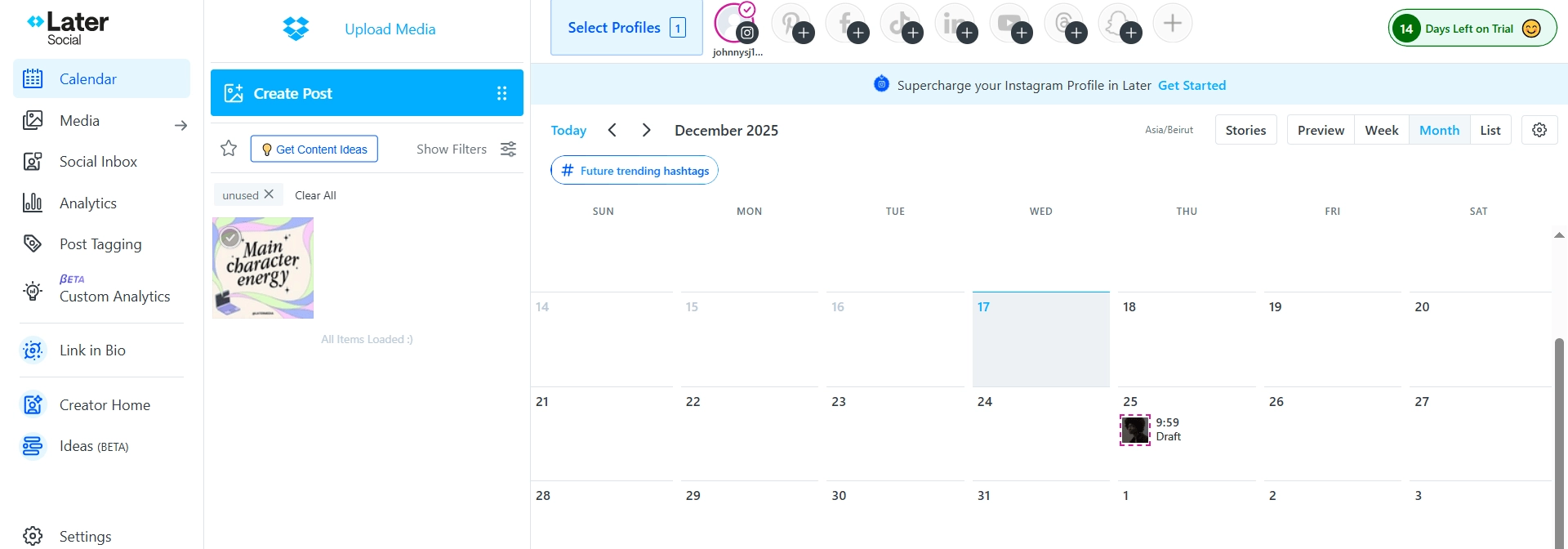
Later’s visual calendar with the media library next to it for dragging content onto the schedule
Best for: A one- or two-person brand team posting mostly visual content to Instagram and TikTok, with Pinterest on the side, where approval comes from one manager or one client instead of a chain of reviewers.
Why I picked Later
Brands whose feed is the product are Later’s natural fit. If the creative itself is the deliverable, that trade is often worth making: you get a planner built around how the feed looks, at a price well below the enterprise suites.
Standout features
Best times across profiles: Later’s Growth plan has multi-profile Best Times to Post, which answers a question Content Scheduler leaves to guesswork once you manage more than one profile.
Collaboration on Growth: Later’s Growth plan adds internal and external collaboration and approvals, so a client can review posts without a separate tool.
Inbox and UGC on Growth: Later Growth adds a social inbox and UGC collection, so replies and creator content sit next to the planner.
Integrations: Later accepts Canva designs through the Canva App Directory on every plan, so graphics move from Canva into the planner without a download step.
Pricing: Later Starter is $18.75 per month, billed yearly. Growth is $37.50 per month, billed yearly. Growth allows up to 180 scheduled posts per profile per month and 2 users. The next tier up is $82.50 per month, billed yearly. That tier has unlimited posts and 4 users.
Later pros and cons
Pros
Cons
Eight networks, Snapchat included: Later supports eight networks (Instagram, Facebook, TikTok, Threads, YouTube, Pinterest, LinkedIn, Snapchat), and Snapchat appears in none of the other network lists in this guide, so a brand testing it can keep it in the same planner.
A small Starter queue: Later Starter allows up to 30 scheduled posts per profile per month, which a calendar with several clients on one profile can run through quickly.
Per-platform tweaks: Jessica G., a small-business communications coordinator, wrote on G2: “It also makes it simple to tweak individual posts for the different social media platforms I use.”
No X publishing: Later’s supported networks are Instagram, Facebook, TikTok, Threads, YouTube, Pinterest, LinkedIn and Snapchat, so posts for X still need a second scheduler.
Pros
Eight networks, Snapchat included: Later supports eight networks (Instagram, Facebook, TikTok, Threads, YouTube, Pinterest, LinkedIn, Snapchat), and Snapchat appears in none of the other network lists in this guide, so a brand testing it can keep it in the same planner.
Per-platform tweaks: Jessica G., a small-business communications coordinator, wrote on G2: “It also makes it simple to tweak individual posts for the different social media platforms I use.”
Cons
A small Starter queue: Later Starter allows up to 30 scheduled posts per profile per month, which a calendar with several clients on one profile can run through quickly.
No X publishing: Later’s supported networks are Instagram, Facebook, TikTok, Threads, YouTube, Pinterest, LinkedIn and Snapchat, so posts for X still need a second scheduler.
7. Metricool: for teams that care most about analytics
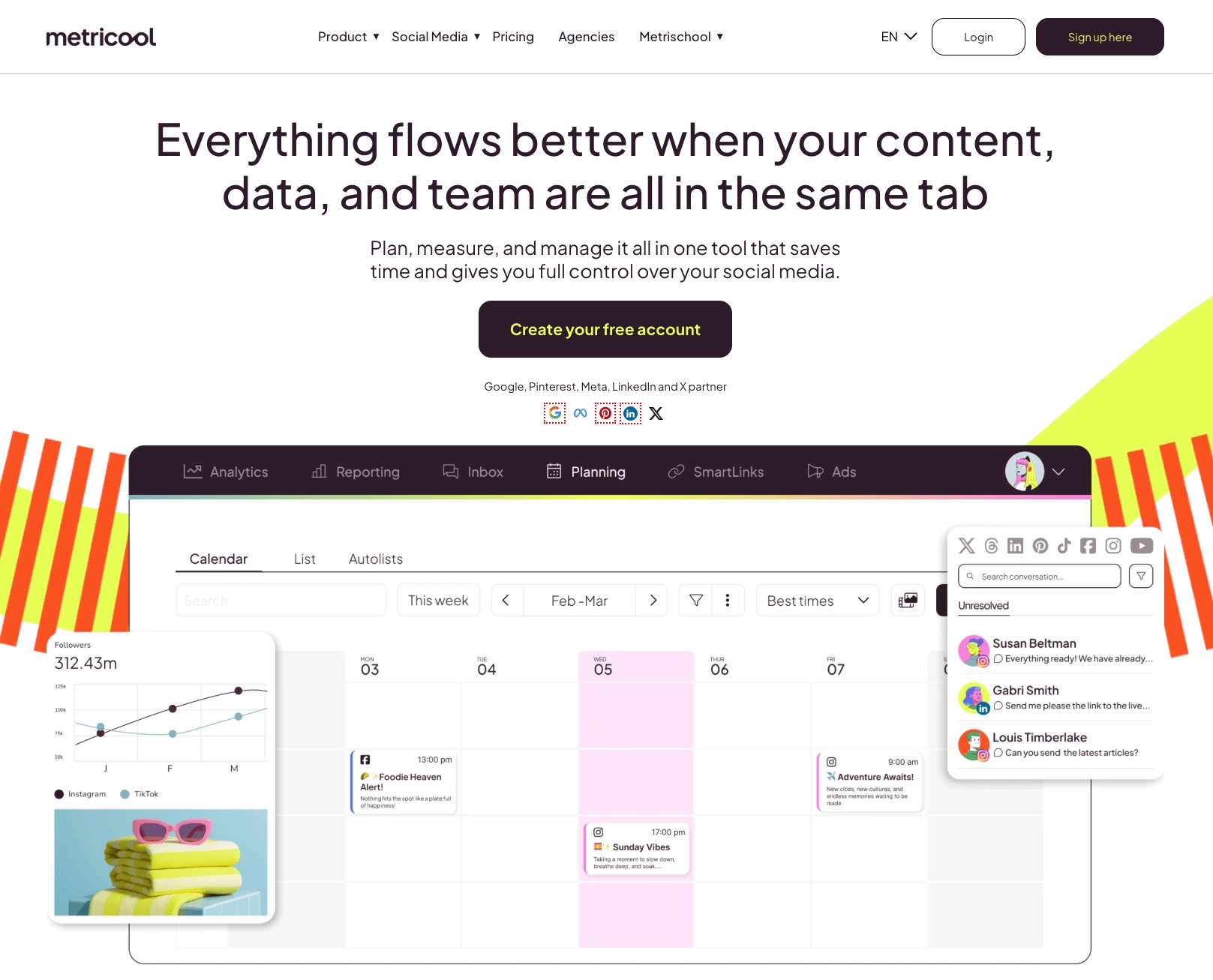
Metricool is a social media analytics and scheduling tool, and it’s also the engine behind Adobe Express’s analytics: Express’s free Metricool add-on tracks impressions and follower count, plus interactions and top-performing content across connected accounts. It’s rated 4.5/5 from 101 reviews on G2. Because the Free plan costs nothing, you can run it next to Express for a month and compare the reports side by side before you move a client over.
Metricool puts the planning calendar next to analytics and the social inbox
Best for: A small marketing team or freelancer that judges social media by the numbers and wants reports clients can read without a walkthrough or a call.
Why I picked Metricool
Competitor tracking starts on the free tier, and using Metricool directly keeps the reports an Express user already knows and puts the scheduler next to them.
Standout features
Unlimited publishing on Starter: Metricool Starter adds unlimited content publishing and a LinkedIn connection.
Approvals on Advanced: Metricool Advanced adds a post approval system and role management.
Competitor tracking on Free: Metricool Free analyzes 5 competitor profiles.
The catch for an agency is the gap between tiers. Competitor tracking starts free, but the post approval system waits on Advanced, so a workflow where clients sign off means pricing from the upper tiers instead of from Starter. If your clients only want to see results, the lower tiers can be enough. If they want to see posts before they go out, plan around Advanced from day one.
Integrations: Metricool Starter includes Google Drive and Canva integration, which covers two common places teams keep finished creative.
Pricing: Metricool Free costs $0 per month, and paid plans begin with Starter. Metricool Free manages 1 brand.
Metricool pros and cons
Pros
Cons
Reports clients can open: Christa P., a small-business owner, wrote in her G2 review: “I especially appreciate the nice, clean analytics reports I can share with my clients without the need to manually send them out.”
A small free tier: Metricool Free schedules up to 20 posts per month for 1 brand, so an agency outgrows it with its first client.
One login instead of two: Going direct drops the extra step Express adds, where your Metricool login is separate from your Adobe Express account and analytics sit outside the scheduler you post from.
Rigid report exports: Moritz U., a client account manager, wrote on G2: “The exported report templates are very inflexible, and there is no native way to push analytics data straight into our Google Docs client brief files.”
Pros
Reports clients can open: Christa P., a small-business owner, wrote in her G2 review: “I especially appreciate the nice, clean analytics reports I can share with my clients without the need to manually send them out.”
One login instead of two: Going direct drops the extra step Express adds, where your Metricool login is separate from your Adobe Express account and analytics sit outside the scheduler you post from.
Cons
A small free tier: Metricool Free schedules up to 20 posts per month for 1 brand, so an agency outgrows it with its first client.
Rigid report exports: Moritz U., a client account manager, wrote on G2: “The exported report templates are very inflexible, and there is no native way to push analytics data straight into our Google Docs client brief files.”
8. Sprout Social: for enterprise teams managing reviews and an inbox
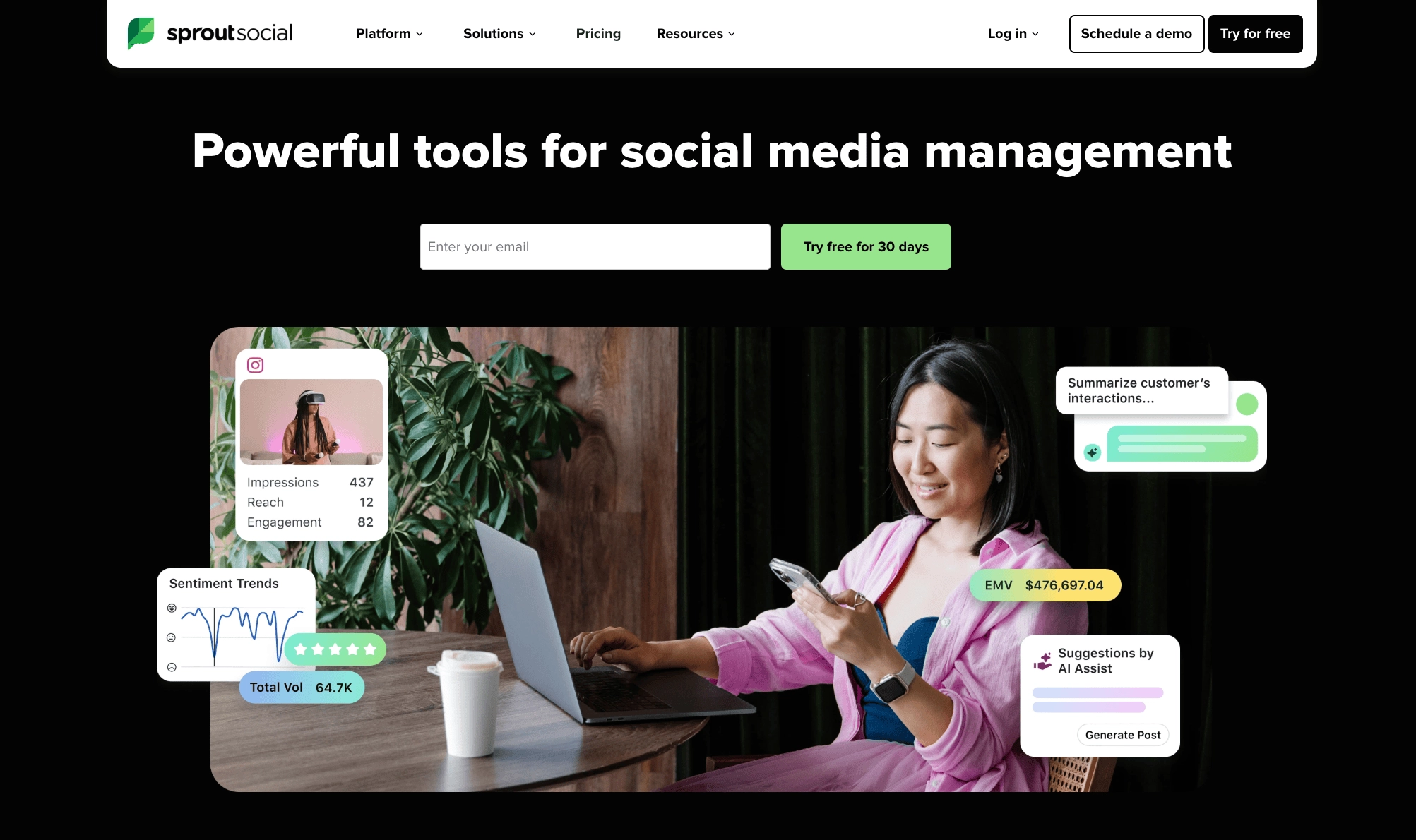
Sprout Social is an enterprise social media management suite that puts publishing, a consolidated inbox, monitoring and review management in one place, well beyond what a scheduler does. It averages 4.4/5 over 6,877 G2 reviews, and every tier is billed per seat.
Sprout Social combines post analytics, sentiment monitoring and AI Assist in one suite
Best for: A brand or agency team that answers customer messages and reviews every day across locations and needs one place for the whole conversation and its reporting.
Why I picked Sprout Social
Sprout replaces a lot more than Content Scheduler, which is both the point and the cost. If your team also manages reviews for clients or locations, that’s work Sprout absorbs on top of scheduling, and it’s the main reason its per-seat price can make sense.
For an agency, the fair comparison is what you pay today for separate inbox and review tools, not Content Scheduler’s price.
Standout features
Inbox and collaboration on Standard: Sprout Standard includes a consolidated inbox and collaboration tools.
Monitoring on Standard: Sprout Standard includes keyword and location monitoring, useful for multi-location brands tracking what’s said near each store.
Review management on Standard: Sprout Standard includes review management, so customer reviews are handled in the same tool as the calendar and inbox.
At $199 per seat per month on Standard, billed annually, list the tools Sprout would replace before you book a demo. If the answer is only the scheduler, you’re overbuying. If it also replaces an inbox tool and a review tool, the per-seat price starts to look like consolidation.
Count the seats carefully too, and ask whether someone who only approves posts or reads reports needs a paid seat.
Integrations: Sprout connects to both editors on every plan: Adobe Express and Canva can send designs straight to Sprout as draft posts, so a team keeping Adobe Express for design can still move its scheduling over. Google Drive, Dropbox and Bynder bring in approved assets, and Slack handles approval and task notifications. On Advanced, Sprout also links to Salesforce, HubSpot, Zendesk and Microsoft Dynamics 365.
Pricing: Sprout bills per seat on annual plans, from Essentials at $79 per seat per month to Advanced at $399 per seat per month, with Enterprise on custom pricing. In between, Standard costs $199 per seat per month and includes 5 social profiles, while Professional costs $299 per seat per month, both billed annually.
Sprout Social pros and cons
Pros
Cons
No profile cap on Professional: Sprout Professional includes unlimited social profiles, so adding clients doesn’t push you into a new tier past that point.
Seats multiply fast: A three-person team on Standard pays $597 per month, billed annually, at $199 per seat, before Premium Analytics or Listening.
One shared view for the team: Madison W., a marketing specialist, put it this way on G2: “Sprout Social really helps us keep our content organized in one place where our whole team can see it.”
Add-ons on top of seats: Premium Analytics and Listening are each available as individual add-ons to the Standard plan and up, so deeper reporting is a second line item.
Pros
No profile cap on Professional: Sprout Professional includes unlimited social profiles, so adding clients doesn’t push you into a new tier past that point.
One shared view for the team: Madison W., a marketing specialist, put it this way on G2: “Sprout Social really helps us keep our content organized in one place where our whole team can see it.”
Cons
Seats multiply fast: A three-person team on Standard pays $597 per month, billed annually, at $199 per seat, before Premium Analytics or Listening.
Add-ons on top of seats: Premium Analytics and Listening are each available as individual add-ons to the Standard plan and up, so deeper reporting is a second line item.
9. Hootsuite: for enterprise teams that need trend forecasting
Hootsuite is a social media management suite that puts the calendar next to a unified inbox and brand monitoring, and on Professional it also forecasts where social conversation is heading up to 90 days ahead. G2 users rate it 4.3/5 from 7,500 reviews, and like Sprout Social, it charges per user, so the team size you bring decides the bill.
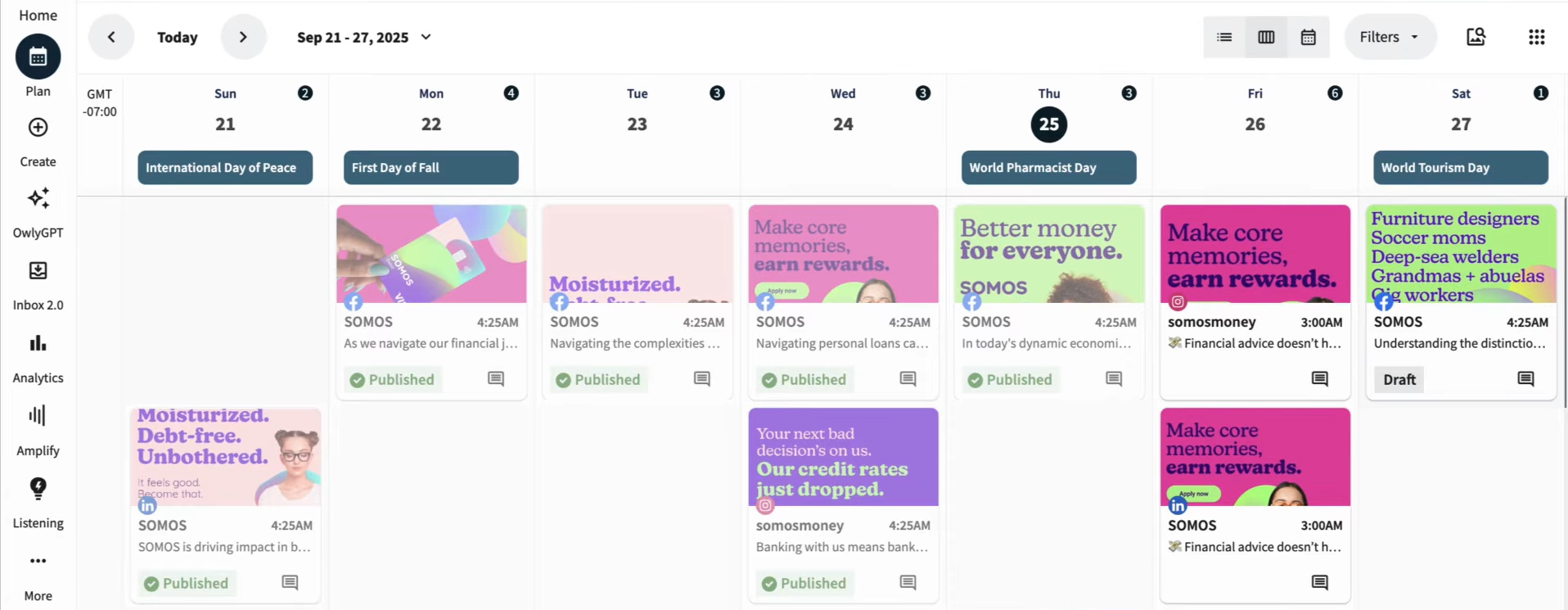
Hootsuite Planner week view with published and draft posts across networks
Best for: A larger in-house social team that plans campaigns around trends, needs monitoring and an inbox next to the calendar.
Why I picked Hootsuite
Hootsuite Standard plan already covers the posting and monitoring basics. Forecasting and the account cap are what move a team up to Professional. If your calendar is built around what’s about to trend, that’s a reason to look past the per-user price.
Standout features
Posting and inbox in one place: Hootsuite Standard includes unlimited scheduled posts, AI post generation and a unified inbox.
Custom reports and inbox automation: Hootsuite Professional adds custom performance reports and automated inbox replies and workflows, so recurring client reporting and routine replies don’t have to be built by hand each time.
Trend forecasting on Professional: Hootsuite Professional forecasts social trends up to 90 days ahead, so campaigns can be planned around what’s about to trend.
“Plan limits are also frustrating. Adding extra team seats costs a lot.”
Three users on Standard, at $99 each, come to $297 per month on annual billing, against $9.99/mo, billed monthly, for Adobe Express Premium. Put the approval question first in any demo, because the answer tells you which per-user tier you’re pricing.
Integrations: Adobe Express and Canva are both built into the Hootsuite composer, so you can pull in existing designs or create new ones without leaving the post you’re drafting. Dropbox and Bynder bring in stored assets, Slack lets the team share posts and comments, and HubSpot links social interactions to your CRM. Salesforce is available on Enterprise, and the App Directory lists 100+ more integrations.
Pricing: On annual billing, Hootsuite charges $99 per user per month for Standard, which manages up to 10 social accounts, and $199 per user per month for Professional. Advanced costs $399 per user per month on the same billing, and Enterprise is custom-priced.
Hootsuite pros and cons
Pros
Cons
Adobe Express inside the composer: Adobe Express is built into Hootsuite’s composer, so a team that keeps Express for design can open existing designs or create new ones while drafting the post, with no export step.
Approvals on the top self-serve tier: Hootsuite’s plans page lists reviewing and approving content with your team under Advanced, at $399 per user per month on annual billing, so client sign-off means pricing the most expensive self-serve plan.
WhatsApp next to the calendar: Hootsuite supports WhatsApp alongside Facebook, Instagram, X, LinkedIn, TikTok, YouTube, Threads and Pinterest, so customer chats on WhatsApp land in the same inbox as social comments.
Every reviewer is a paid seat: All plans are priced per user, from $99 per user per month on Standard, so each teammate or client who needs access adds a full seat to the bill.
Pros
Adobe Express inside the composer: Adobe Express is built into Hootsuite’s composer, so a team that keeps Express for design can open existing designs or create new ones while drafting the post, with no export step.
WhatsApp next to the calendar: Hootsuite supports WhatsApp alongside Facebook, Instagram, X, LinkedIn, TikTok, YouTube, Threads and Pinterest, so customer chats on WhatsApp land in the same inbox as social comments.
Cons
Approvals on the top self-serve tier: Hootsuite’s plans page lists reviewing and approving content with your team under Advanced, at $399 per user per month on annual billing, so client sign-off means pricing the most expensive self-serve plan.
Every reviewer is a paid seat: All plans are priced per user, from $99 per user per month on Standard, so each teammate or client who needs access adds a full seat to the bill.
How do you choose the right Adobe Express alternative for your team?
Choose by approval depth and pricing basis first, and by the graphics hand-off second. Approval depth sorts out which tools can take on your clients, and the pricing basis shows what the roster costs once it grows.
The hand-off from Canva or your current editor rarely rules a tool out, because most of the picks here can pull creative in from Canva.
1. If you’re the marketing lead across clients or locations
Governance comes first when sign-off runs through a chain: a team member, then legal, then the client or the location manager. Planable adds sequential approval stages that match that kind of chain. Sprout Social earns its place when the same team also answers reviews and messages across locations.
Pick Planable when multi-level sign-off is the problem, and Sprout Social when review management is part of the job.
2. If you’re the operations lead who owns the budget
The pricing basis matters more than the sticker price, because it’s the number your bill follows as you add clients:
Per workspace: Planable bills per workspace, so the bill tracks your client roster. Users are unlimited, so adding an approver doesn’t add a fee.
Per seat or per user: Sprout Social bills every tier per seat and Hootsuite per user, so the bill tracks headcount.
Per channel: Buffer bills per connected channel, so the bill tracks how many networks each client uses.
Flat tiers: SocialPilot sells flat tiers with a fixed allowance of accounts and users.
Pick Planable when the team and its approvers grow faster than the client list, SocialPilot when the budget is the hard ceiling, and Buffer when you run a few channels with many hands.
3. If you’re the social media manager running the calendar
You care about what a post looks like before it ships and how quickly feedback comes back.
Planable shows posts as a realistic preview of the actual platform, so the client reacts to the real thing. Later’s Growth plan adds multi-profile Best Times to Post. Canva keeps scheduling inside the editor where the graphic was made. Once posts are live, Planable’s Social Inbox add-on lets you reply inline with AI assist for suggested replies, with DMs on Facebook and Instagram only.
Pick Planable if client feedback is your bottleneck, Later if the look of the feed is, and Canva if making the graphic is most of the job.
A quick check before you book any demos:
Question
If yes, shortlist
Does a client approve posts before they go live?
Planable, Loomly
Do approvals need more than one stage, like legal review?
Planable Enterprise, Loomly Beyond
Will headcount grow faster than your client list?
Unlimited users: Planable, Buffer Team
Do clients expect reports under your agency’s logo?
SocialPilot, Planable
Is the graphic most of the work, with one person posting?
Canva, or staying on Adobe Express
Does a client approve posts before they go live?
If yes, shortlist
Planable, Loomly
Do approvals need more than one stage, like legal review?
If yes, shortlist
Planable Enterprise, Loomly Beyond
Will headcount grow faster than your client list?
If yes, shortlist
Unlimited users: Planable, Buffer Team
Do clients expect reports under your agency’s logo?
If yes, shortlist
SocialPilot, Planable
Is the graphic most of the work, with one person posting?
If yes, shortlist
Canva, or staying on Adobe Express
When is Adobe Express still the right call?
Adobe Express is still the right call when one person makes the graphics and posts them to one account per network. Its free plan already covers that job, and the case for switching only shows up once clients sign off on posts or a second brand joins. If none of those apply, keep it:
Solo creators posting at volume: The Free plan lets you post up to 1,000 posts per month across its social channels. Content Scheduler is also available on the Adobe Express mobile app. Sapna b. wrote on G2: “I also love the Content Scheduler, which makes managing my LinkedIn professional presence much faster.”
Teams that only need light reporting: Reports built with the Metricool add-on can be branded and exported as PDF or PowerPoint. The same add-on can benchmark competitor accounts.
Posts that mostly need tagging: Content Scheduler supports tagging other accounts in your posts through Social Mentions, which handles collaborations and partner shout-outs.
FAQs
Which social networks can Adobe Express Content Scheduler post to?
Adobe Content Scheduler publishes to seven social profiles: Instagram, Facebook, X (Twitter), Pinterest, LinkedIn, YouTube, TikTok.
Is there a free version of Adobe Express?
Yes. Adobe Express Free needs no monthly payment, and it includes the Content Scheduler. Premium is $9.99/mo, billed monthly. Teams regularly costs $7.99 per license per month on an annual subscription billed monthly. Neither paid tier documents an approval step, so upgrading buys more accounts and calendars without adding client sign-off.
Should you use Adobe Express or Canva for social scheduling?
For a solo creator, it’s close: both let you schedule from the editor where the graphic was made. For a team, approvals decide it. Canva puts approvals on its Business plan, while Adobe documents shared calendars with edit or view-only access and no approval step. Canva also schedules each graphic to one platform at a time.
Is there a free Adobe Express alternative for a small team?
Buffer Free and Metricool Free both schedule posts at no cost, with caps on how much you can queue. Neither Buffer Free nor Metricool Free includes approvals, so client sign-off on either means a paid tier. Planable’s free trial has no time limit and caps at 50 posts in total, and includes approvals, so a client can sign off before you pay.
Which Adobe Express alternative would I pick?
Keep making graphics wherever you like. The choice is what replaces the scheduler:
Client approvals across brands: Planable, where clients set up as approvers sign off from a link.
One editor for everything: Canva, which schedules straight from the editor.
Approvals on a small budget: Loomly, with approval workflows on Starter, or Planable on Pro plan.
Branded client reports: SocialPilot Premium, with white label reports.
Few channels, many people: Buffer, whose Team plan has unlimited users.
A visual Instagram and TikTok feed: Later, with multi-profile Best Times to Post.
Analytics first: Metricool, which already powers Adobe Express’s analytics.
Reviews and inbox: Sprout Social, with review management on Standard.
Trend-led planning: Hootsuite, which forecasts social trends up to 90 days ahead on Professional.
If client sign-off still happens over email, move one client into a workspace and route its next post through approval. Try Planable for free.
Horea is a B2B SaaS content writer and MarTech researcher. He has written for Planable since 2023, covering social media management, scheduling, listening and collaboration software. He's spent 7+ years writing about marketing technology, with work for HubSpot, Surfer and UX Pilot AI on topics from SEO and answer engine optimization to UX and web design tools. His roundups are research-first: he tests the tools and workflows himself, then writes the comparisons that help marketers choose with confidence.








 Creation
 Scheduling
 Planning
 Social Inbox
 Collaboration
 Analytics
 Approval
 Social Listening