Social media scheduling is only one part of a team's workflow. You also need to keep content organized, collect feedback, get approvals, and make sure the right version goes live. That's where choosing between Buffer and Later gets interesting. Both tools help you...
Redesign For multi-location brands
all your locations, one content flow
For multi-brand companies
content collaboration at scale
For agencies
impress your clients and take on more
“The team loved it from the start. Planable helps us overview the entire marketing efforts.“
Shopping for Brand24 alternatives usually starts with a spreadsheet that counts client brands against the keywords your plan allows. Then comes the second problem: what your team hears in a listening tool rarely reaches the calendar where replies get planned and approved.
Agency teams that run social media listening for several clients feel both at once. The cap decides how many brands you can watch, and the gap between tools decides how fast anyone acts on a spike.
This comparison checks each option’s official pricing and plan pages, its G2 rating and dated reviewer quotes, and whether its listening sits next to publishing. It translates keyword caps into how many clients a plan really covers, then routes you to a shortlist by team type.
Brand24 alternatives at a glance: which one fits your team?
Pick a Brand24 alternative by what happens after a mention lands. If your team wants mentions in the same place it plans and approves client content, Planable fits. Awario and Determ sit closest to Brand24 if you want a like-for-like monitoring tool. Research and PR teams that need depth will get more from an enterprise listening suite.
Check the billing basis before you compare prices: monthly and annual figures for the same plan differ a lot across this list.
Tool
Best for
Standout listening feature
Pricing model
Starting price
Planable
Agencies that want listening beside their content calendar
Competitors tab with share-of-voice and channel-mix cards
Add-on billed per workspace, on top of a plan
$99 per workspace per month add-on, on a plan from $39 per workspace per month
Awario
Budget brand monitoring with white-label reports
Boolean search on every plan
Flat plans with a discount for yearly billing
From $29/mo, billed yearly
Mention
Review-site and web mention alerts
Monitoring of 75+ review sites
One Company plan sold through a demo
Not disclosed (demo request)
Determ
Teams that want unlimited users and real-time AI features
AI features with real-time updates
Flat plans with unlimited users
$249 per month, billed annually
Sprout Social
Enterprise social teams adding listening to publishing
Smart Categories for influential topics
Per seat, with Listening as a paid add-on
$199 per seat per month, billed annually (Standard), plus a Listening add-on (price not published)
Brandwatch
Deep consumer research
Unlimited search queries
Standard to enterprise plans, quote only
Not disclosed (demo)
Talkwalker
Visual and multilingual enterprise listening
Brand detection in images and videos
Tiered plans with unlimited users
Not disclosed (custom quote)
Meltwater
PR teams pairing media monitoring with social
Share-of-voice tracking
Modular, annual contracts
Indicative, from $10,000 per year
Brand24 (reference)
Like-for-like web and social monitoring
Advanced search with AI-built queries
Flat plans with keyword caps
$199 per month, billed annually
Planable
Best for
Agencies that want listening beside their content calendar
Standout listening feature
Competitors tab with share-of-voice and channel-mix cards
Pricing model
Add-on billed per workspace, on top of a plan
Starting price
$99 per workspace per month add-on, on a plan from $39 per workspace per month
Awario
Best for
Budget brand monitoring with white-label reports
Standout listening feature
Boolean search on every plan
Pricing model
Flat plans with a discount for yearly billing
Starting price
From $29/mo, billed yearly
Mention
Best for
Review-site and web mention alerts
Standout listening feature
Monitoring of 75+ review sites
Pricing model
One Company plan sold through a demo
Starting price
Not disclosed (demo request)
Determ
Best for
Teams that want unlimited users and real-time AI features
Standout listening feature
AI features with real-time updates
Pricing model
Flat plans with unlimited users
Starting price
$249 per month, billed annually
Sprout Social
Best for
Enterprise social teams adding listening to publishing
Standout listening feature
Smart Categories for influential topics
Pricing model
Per seat, with Listening as a paid add-on
Starting price
$199 per seat per month, billed annually (Standard), plus a Listening add-on (price not published)
Brandwatch
Best for
Deep consumer research
Standout listening feature
Unlimited search queries
Pricing model
Standard to enterprise plans, quote only
Starting price
Not disclosed (demo)
Talkwalker
Best for
Visual and multilingual enterprise listening
Standout listening feature
Brand detection in images and videos
Pricing model
Tiered plans with unlimited users
Starting price
Not disclosed (custom quote)
Meltwater
Best for
PR teams pairing media monitoring with social
Standout listening feature
Share-of-voice tracking
Pricing model
Modular, annual contracts
Starting price
Indicative, from $10,000 per year
Brand24 (reference)
Best for
Like-for-like web and social monitoring
Standout listening feature
Advanced search with AI-built queries
Pricing model
Flat plans with keyword caps
Starting price
$199 per month, billed annually
Why do teams look for Brand24 alternatives?
Brand24 is a web and social media monitoring tool rated 4.6/5 on G2 from 366 reviews. The reasons people give for looking elsewhere are about fit, and they turn up both in dated G2 reviews from named users and in Brand24’s own plan structure.
Keyword caps hurt common brand names. Reflex S., a marketing manager at a small business, wrote: “One challenge is the limitation on the number of keywords, especially in our case, as our company name is not unique and often appears in unrelated conversations.”
Broad keywords need manual filtering. Marek G., who manages marketing for a small company, flagged the same friction: “Some mentions need manual filtering to keep the results relevant, especially when tracking broader keywords.”
Sentiment misses nuance. Bartłomiej K., a user at a small business, noted in a review: “Sometimes the sentiment analysis isn’t fully accurate, especially with more nuanced or contextual mentions. Filtering results could be more precise.”
History is thin for new keywords. Carlos B., a lecturer and researcher at an enterprise, described it in a review: “The main limitation is historical coverage: if a keyword was not being monitored previously, the amount of past data available is much lower than the estimated real conversation volume.”
AI-answer monitoring costs extra. Brand24’s AI Visibility module, which tracks how often and how positively your brand shows up across major AI platforms, is an add-on on every plan.
Read together, the complaints describe a tool doing its job inside limits that matter more with every brand you add. A single in-house brand can live with a handful of keywords. An agency watching ten clients can’t, and it also wants what it hears to land where replies get planned. That second need is the one no keyword upgrade fixes.
Three of the four reviewers above work at small businesses, and they still hit limits. Add client brands, plus the competitors you watch for each of them, and the keyword cap becomes the pricing model.
How much does Brand24 cost, and what does each plan cap?
Brand24’s Individual plan costs $199 per month, billed annually, or $249 per month on monthly billing. It covers 3 keywords, enough for one brand and two rivals. Three more plans sit above it before Enterprise, which starts from $1,499 per month, billed annually. The caps on keywords and refresh speed matter more than the price gaps between plans.
Plan
Billed monthly
Billed annually
Individual
$249 per month
$199 per month
Team
$349 per month
$299 per month
Pro
$499 per month
$399 per month
Business
$699 per month
$599 per month
Enterprise
From $1,499 per month
From $1,499 per month
Individual
Billed monthly
$249 per month
Billed annually
$199 per month
Team
Billed monthly
$349 per month
Billed annually
$299 per month
Pro
Billed monthly
$499 per month
Billed annually
$399 per month
Business
Billed monthly
$699 per month
Billed annually
$599 per month
Enterprise
Billed monthly
From $1,499 per month
Billed annually
From $1,499 per month
Each step from Individual to Team costs another $100 per month on either billing cycle. Prices are as of October 2026. The caps that shape an agency’s bill:
The Individual plan collects up to 2K mentions per month.
The Individual plan updates every 12 hours and includes 1 user.
The Pro plan covers 12 keywords and 40K mentions per month.
API access is a paid extra on the Pro and Business plans.
To pay annually, you start the 14-day trial and then contact Brand24’s team.
Say you track one brand keyword and two competitor keywords for each client, which is 3 keywords per client. The Individual plan’s 3 keywords cover your first client, and the Pro plan’s 12 keywords run out on your fourth (4 clients × 3 keywords = 12). Ten clients at that setup need 30 keywords, more than double what Pro includes.
The alternatives below cap different things, from topics to seats, so the same per-client math decides how far each plan stretches on a ten-client roster. Run it once per entry: divide what the plan caps by what one client needs, then set the result against your roster.
What are the best Brand24 alternatives for social listening?
The eight tools below were picked against Brand24’s own plan caps. Each entry draws on official pricing and plan pages checked in October 2026. G2 supplies the rating and, where it had them, dated reviewer quotes.
One workflow question runs through all eight: does a mention reach the place where your team plans and approves posts?
1. Planable: for agencies that want listening beside their content calendar
Planable is a social media management tool with collaboration and approvals at its core. Its Social Listening add-on, a separate section from the inbox, tracks what people say about your brand and competitors across social media and the wide web.
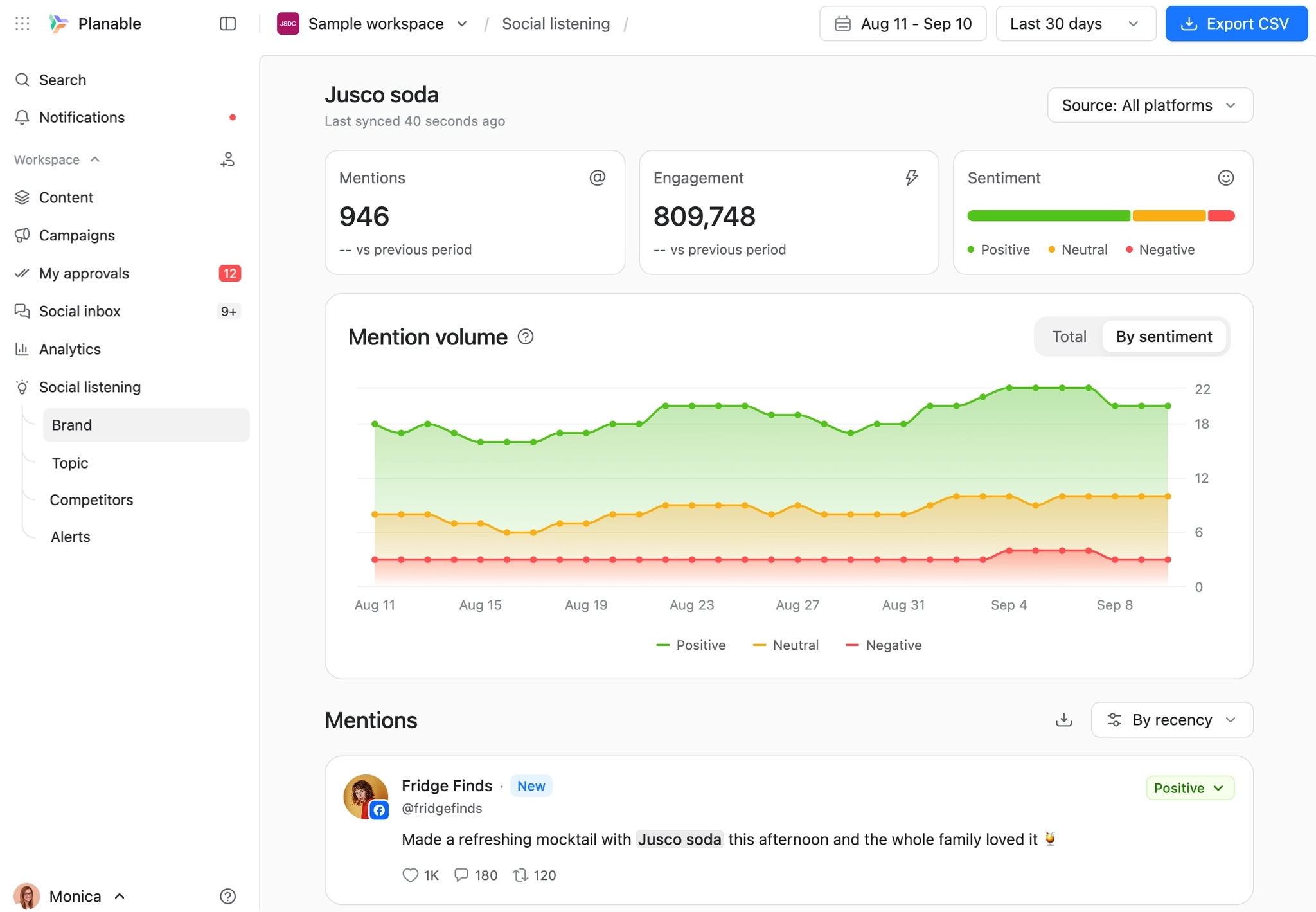
Planable’s Brand listening dashboard, tracking mentions, engagement, and sentiment over time, with individual mentions listed below.
Standout features
Eight sources including Reddit and the web: X (Twitter) and YouTube come in via API, while Reddit and four other networks (TikTok, Facebook, Instagram, LinkedIn) come through search discovery and third-party scraping. A channel filter gives you a Reddit-only feed.
Competitors dashboard: The Competitors tab puts your brand keyword beside your competitor keywords, with cards for positioning, share of voice, sentiment comparison and channel mix.
Editable AI sentiment: Each mention gets a positive, neutral or negative label, which you can correct by hand on a single mention.
Alert rules: Volume and sentiment alert rules run on the brand keyword.
Listening sits in each client’s workspace, so when a mention needs a response, your team drafts the post and gets it approved without leaving Planable. Caps apply per workspace, one client each, so ten clients get 10 brand keywords and 30 competitor keywords (10 × 1 and 10 × 3).
Best for: Agencies and multi-brand teams that want listening beside the content they already plan and get approved.
Planable pros & cons
Pros
Cons
Listening per client: Listening is billed per workspace, and each workspace manages or cancels its own subscription, so you can run it for three clients and skip the rest.
Not real-time: Brand and competitor keywords refresh every 24 hours and topic keywords every 7 days, and alert emails and Slack messages are batched to 09:00 workspace time.
Approvals where you listen: On Pro and up, Required approval blocks scheduling until at least one approval is in, so a reply to a trending mention gets the usual sign-off.
Short history at the start: Custom date ranges open only once there is more than 30 days of history, so year-over-year research needs another archive.
Competitor tracking that keeps improving: Taylor M., a client strategist at a small business, puts in: “I like how there’s constantly something new, like the Competitors section and AI brand voice.”
Pros
Listening per client: Listening is billed per workspace, and each workspace manages or cancels its own subscription, so you can run it for three clients and skip the rest.
Approvals where you listen: On Pro and up, Required approval blocks scheduling until at least one approval is in, so a reply to a trending mention gets the usual sign-off.
Competitor tracking that keeps improving: Taylor M., a client strategist at a small business, puts in: “I like how there’s constantly something new, like the Competitors section and AI brand voice.”
Cons
Not real-time: Brand and competitor keywords refresh every 24 hours and topic keywords every 7 days, and alert emails and Slack messages are batched to 09:00 workspace time.
Short history at the start: Custom date ranges open only once there is more than 30 days of history, so year-over-year research needs another archive.
Pricing
Social Listening costs $99 per workspace per month or $990 per workspace per year on top of a Planable plan. Basic is $39 per workspace per month ($390 per workspace per year). Pro is $59 per workspace per month ($590 per workspace per year), and Enterprise starts from $200 per month ($2,500 per year). Listening starts with a 30-day free trial.
Brand24 vs Planable pricing: One client workspace on Basic plus Social Listening comes to $138 per month ($39 + $99), against $249 per month for Brand24’s Individual on monthly billing ($199 billed annually). Brand24’s price covers 3 keywords and 1 user, while a Planable workspace includes unlimited users.
2. Awario: for budget brand monitoring with white-label reports
Awario is a social listening and brand monitoring tool rated 3.9/5 on G2 from 48 reviews. Its plans follow the same flat-price shape as Brand24’s, at a much lower entry point, which makes it the closest swap for a single brand.
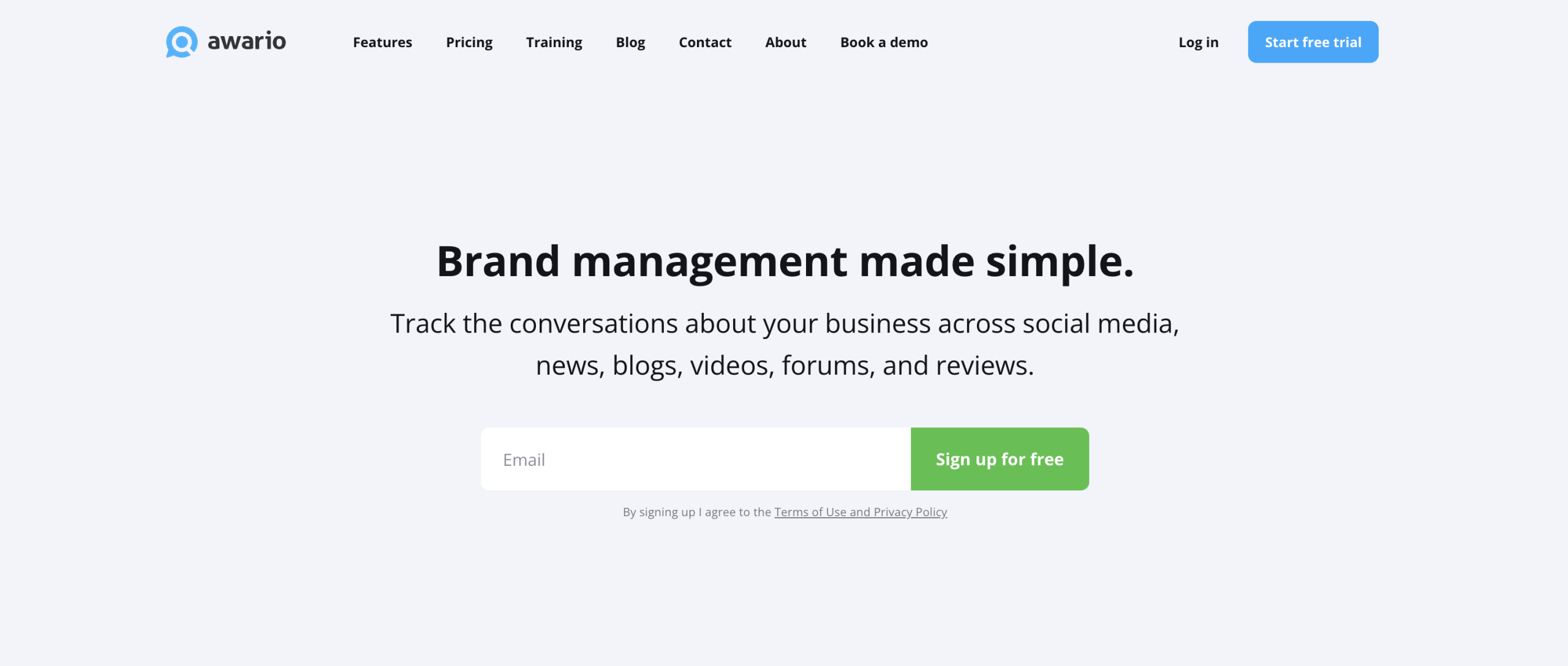
Awario brand monitoring and social listening homepage
Standout features
Boolean search: Awario plans include Boolean search, so you can filter out the unrelated meanings of a common brand name.
White-label reports: Plans include white-label reports that an agency can send to clients under its own branding.
API access: API access lets you use Awario data to build your own tools and integrations.
Awario’s published plans center on monitoring and reporting, so the reply to a flagged mention gets written in your scheduling tool.
Starter’s 3 alerts cover one client at a brand-plus-two-competitors setup, the same coverage as Brand24’s Individual (3 alerts ÷ 3 per client = 1 client). A second client’s brand and two rivals would need 3 more alerts, so check the alert count on the plan you’d actually run before the trial ends. That makes Starter a cheap way to test Awario on one agency account while the white-label reports prove their worth with that client.
Best for: In-house teams and small agencies that want Brand24-style monitoring with white-label client reports on a tight budget.
Awario pros & cons
Pros
Cons
Value for money: Nuria M., a digital marketing manager, summed it up: “Excellent value for money, as it is a very affordable social listening platform.”
No TikTok: Awario’s source list covers X, Facebook, Instagram, Reddit, YouTube, Vimeo, blogs, forums, news and the web, but not TikTok, so short-video conversations need another tool.
Fast mention pickup: Arthur A., a marketing specialist at a mid-market company, wrote: “Awario is super quick at picking up new mentions, so I can reply almost instantly.”
One seat on Starter: Starter includes 1 team member, so a second colleague means upgrading.
Export starts on Pro: The export option is available to Pro and Enterprise users only, so Starter data stays inside Awario.
Pros
Value for money: Nuria M., a digital marketing manager, summed it up: “Excellent value for money, as it is a very affordable social listening platform.”
Fast mention pickup: Arthur A., a marketing specialist at a mid-market company, wrote: “Awario is super quick at picking up new mentions, so I can reply almost instantly.”
Cons
No TikTok: Awario’s source list covers X, Facebook, Instagram, Reddit, YouTube, Vimeo, blogs, forums, news and the web, but not TikTok, so short-video conversations need another tool.
One seat on Starter: Starter includes 1 team member, so a second colleague means upgrading.
Export starts on Pro: The export option is available to Pro and Enterprise users only, so Starter data stays inside Awario.
Pricing
Starter lists $49/mo on the monthly view and $29/mo on the yearly view, which saves up to 40%. Pro lists $149/mo on monthly billing or $89/mo on yearly billing. Enterprise lists $399/mo on monthly billing or $249/mo on yearly billing.
Brand24 vs Awario pricing: Awario’s Starter at $29/mo on yearly billing undercuts Brand24’s Individual ($199 per month, billed annually), while both entry plans come with a single seat.
3. Mention: for review-site and web mention alerts
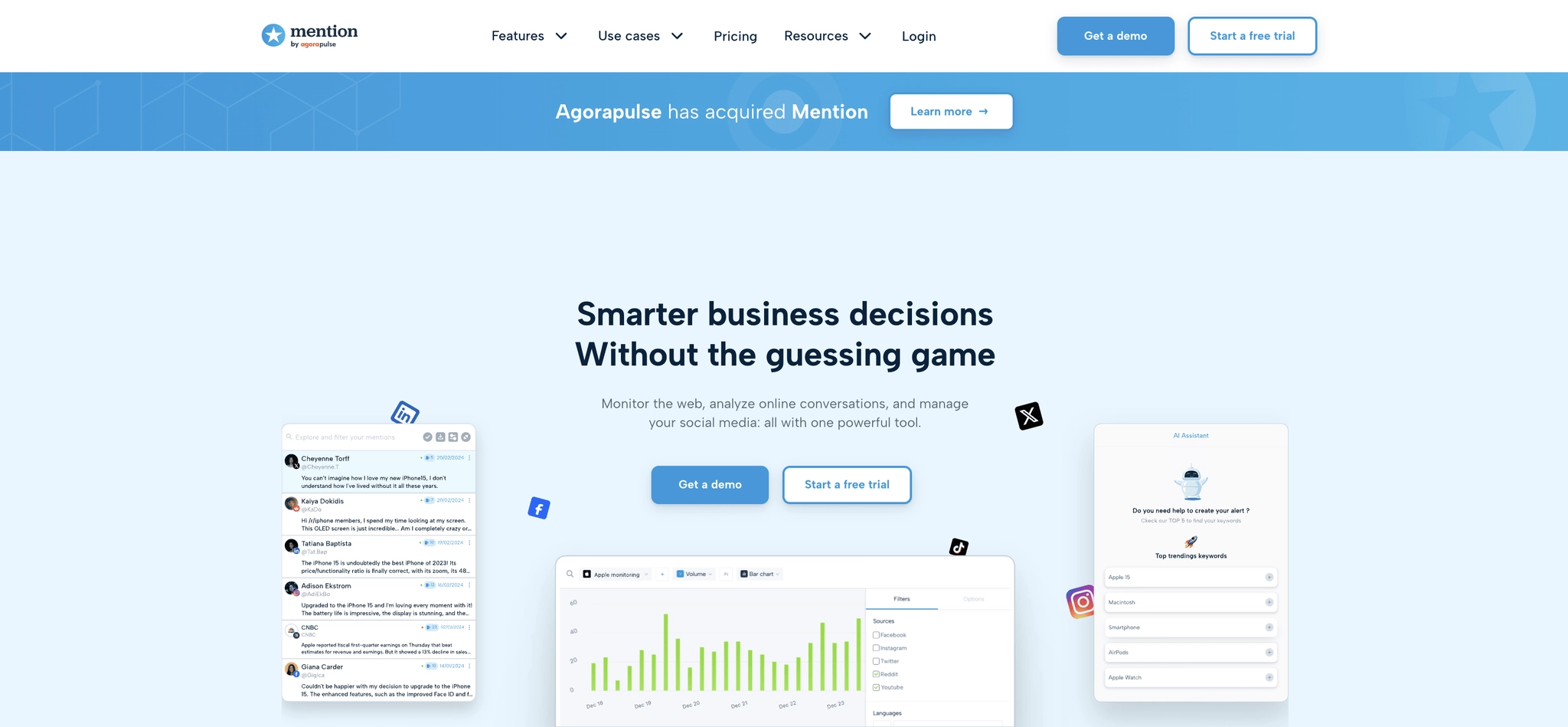
Mention is a media monitoring and social listening tool rated 4.3/5 on G2 from 442 reviews. Agorapulse has acquired Mention. It reaches past social networks into review platforms and the open web. If your clients sell through marketplaces or hire at volume, that reach covers conversations a social-only feed misses.
Mention media monitoring and social listening homepage
Standout features
Huge source base: Mention analyzes mentions from over 1 billion sources in real time.
Review sites: It monitors 75+ review sites, with Trustpilot and Glassdoor among them.
Long Boolean queries: The Advanced Alert supports custom Boolean queries of up to 2,000 characters.
Integrations: Mention connects to Slack and Zapier, among other tools.
Mention is progressively deprecating its Publish and Respond features and points customers to Agorapulse for them. Replies to a flagged post or review therefore get posted from Agorapulse or from your current scheduler, while Mention keeps the alerts and reports.
Review-site coverage is what earns Mention its place next to that scheduler. A bad Trustpilot or Glassdoor thread often weighs more with a client than a stray social post, and those threads rarely show up in a feed that only watches social networks. For a client with a heavy review footprint, that coverage alone can justify the demo.
The report templates are the part an agency’s client actually sees: review-site and web mentions roll into a templated report instead of a pasted screenshot.
Best for: PR and brand teams that need alerts from review sites and the wider web alongside social mentions.
Mention pros & cons
Pros
Cons
Fast alerts: Victor Z., a small-company COO, reported: “Alerts come in almost immediately when something is published.”
History costs extra: Historical data isn’t included in the Company plan and is sold as a paid add-on.
Quick setup: Bhavesh, a Mention user, noted: “The initial setup is generally easy, and most users can complete it in under 15–20 minutes without technical help.”
Noisy results at first: Victor Z. also warned: “Out of the box, you’ll get many irrelevant mentions. Common words, similar brand names, or weak context matches slip through.”
Pros
Fast alerts: Victor Z., a small-company COO, reported: “Alerts come in almost immediately when something is published.”
Quick setup: Bhavesh, a Mention user, noted: “The initial setup is generally easy, and most users can complete it in under 15–20 minutes without technical help.”
Cons
History costs extra: Historical data isn’t included in the Company plan and is sold as a paid add-on.
Noisy results at first: Victor Z. also warned: “Out of the box, you’ll get many irrelevant mentions. Common words, similar brand names, or weak context matches slip through.”
Pricing
Mention sells a single Company plan through a demo request, with custom pricing that isn’t published. Paying yearly gets 2 months free. API access for custom integrations isn’t included in that plan and is a paid add-on.
Brand24 vs Mention pricing: Brand24 publishes its prices, from $199 per month, billed annually, while Mention’s price only comes through a demo.
4. Determ: for teams that want real-time AI features
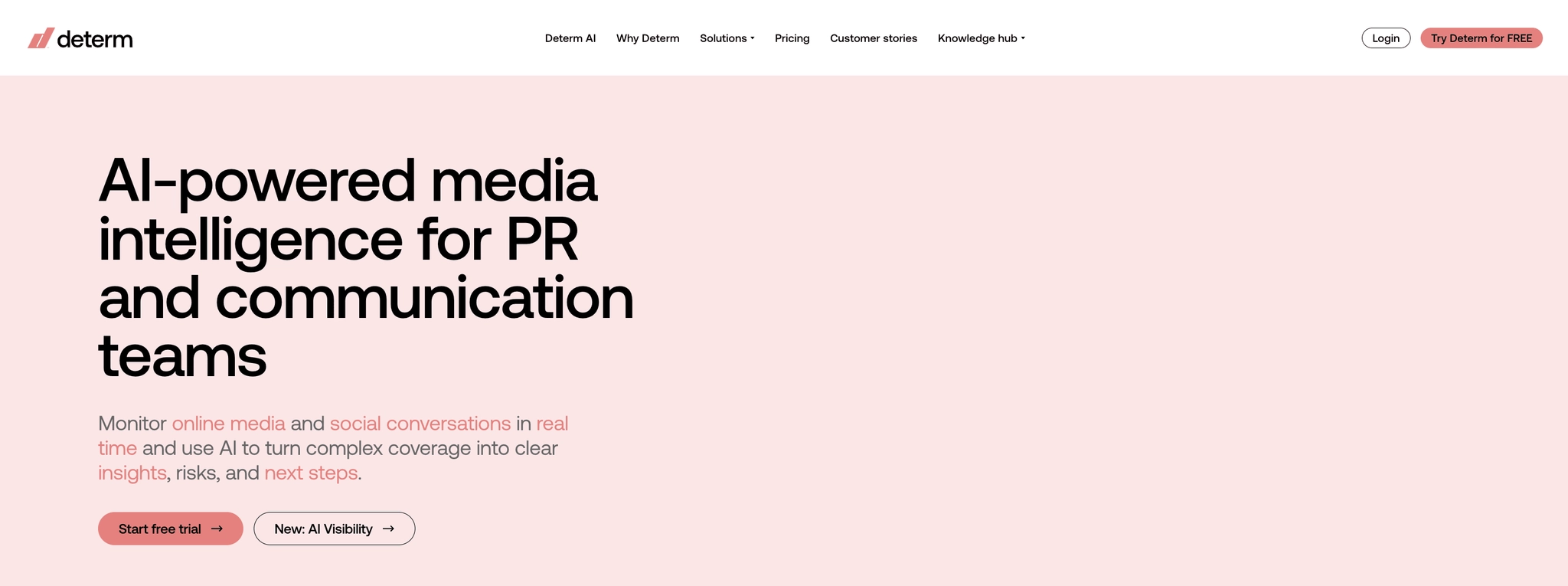
Determ is a media monitoring and social listening tool rated 4.7/5 on G2 from 44 reviews. Its plans count topics instead of seats, which changes the math for teams where many people read the same feed.
Determ media monitoring and social listening homepage
Standout features
AI features with real-time updates: Determ’s plans include all AI features and real-time updates.
News next to social: Coverage includes news from 100M websites, and the source list adds Reddit and Bluesky alongside the big social networks.
Real-time updates come with Determ’s plans, so the people reading the feed see a spike while it’s still building, which matters when a client’s reputation can turn within an afternoon. That pace suits an in-house team where the analysts reading mentions sit next to the people who write the replies.
Splitting one plan across clients burns through topics long before it runs out of users, so count topics per client the same way you’d count Brand24 keywords. A client with three product lines can take three topics on its own, so ask in the demo how Determ scopes a topic before you divide the plan.
The unlimited-users model still helps, since client stakeholders can read their own feed without each login adding to the bill.
Best for: In-house teams where many colleagues need access to the same mention feed, without paying per seat.
Determ pros & cons
Pros
Cons
Unlimited users and keywords: The Expand and Command plans include unlimited users and unlimited keywords.
Topic caps: Expand includes 5 topics, which doesn’t stretch far across several clients.
Cross-channel filters: Mile, a head of content, praised in an older G2 review “The fact that it monitors keywords across different channels and that it’s super easy to set up filters and get reports.”
Data window, in one reviewer’s account: Nagarjuna K., a digital marketing executive, reported in: “Only 90 days of data can we get from the tool.”
Pros
Unlimited users and keywords: The Expand and Command plans include unlimited users and unlimited keywords.
Cross-channel filters: Mile, a head of content, praised in an older G2 review “The fact that it monitors keywords across different channels and that it’s super easy to set up filters and get reports.”
Cons
Topic caps: Expand includes 5 topics, which doesn’t stretch far across several clients.
Data window, in one reviewer’s account: Nagarjuna K., a digital marketing executive, reported in: “Only 90 days of data can we get from the tool.”
Pricing
Expand costs $299 per month billed monthly or $249 per month billed annually. Command costs $499 per month billed monthly or $416 per month billed annually. Command doubles that to 10 topics. At one topic per client, that’s five clients on Expand and ten on Command (5 and 10 topics ÷ 1 per client). The Custom plan has no published price. The trial lasts 5 days with no credit card required.
Brand24 vs Determ pricing: Determ’s Expand at $249 per month, billed annually, opens the feed to unlimited users, while Brand24’s entry plan, at $199 per month on annual billing, includes 1 user.
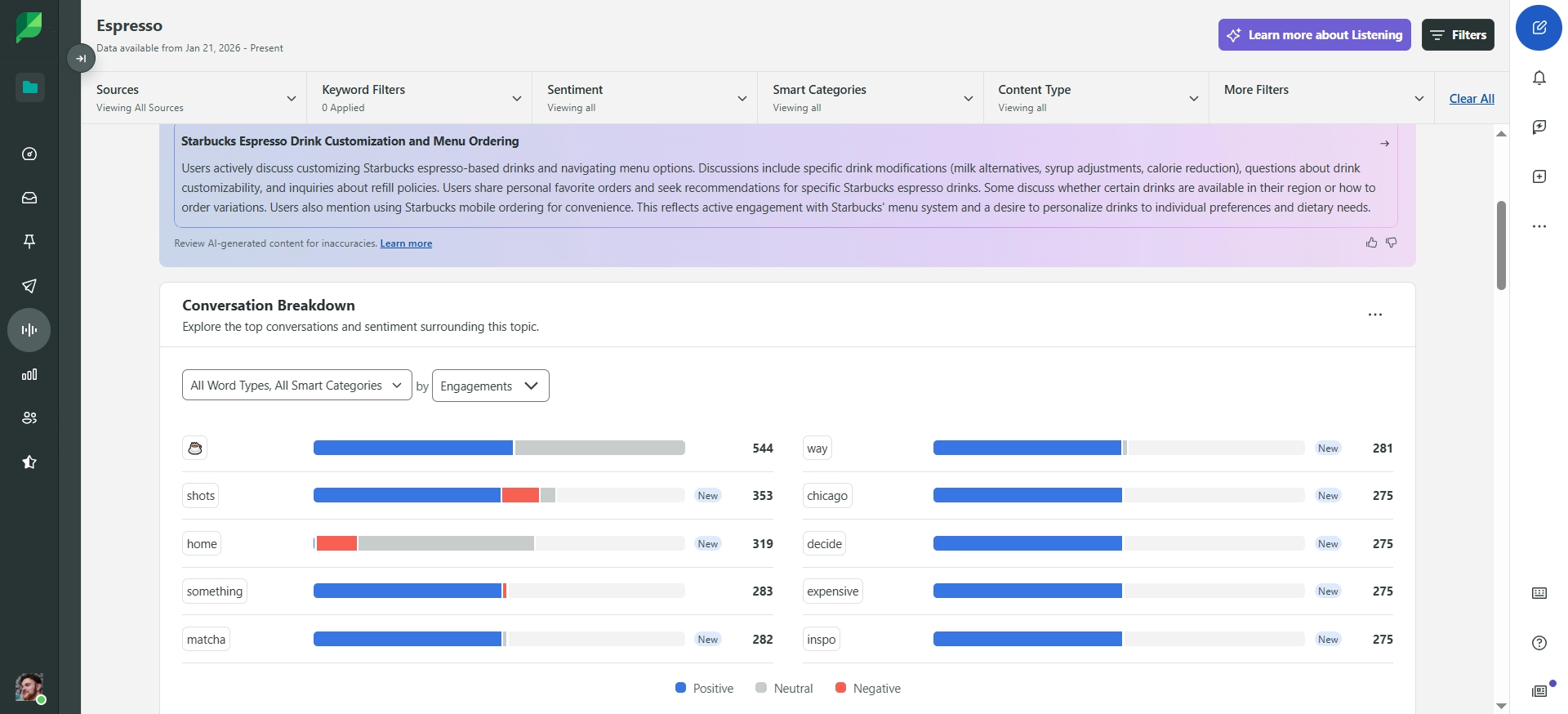
Sprout Social’s Listening module, surfacing influential topics through Smart Categories.
Standout features
Keyword and location monitoring: The Standard plan includes keyword and location monitoring.
Smart Categories: Listening identifies influential topics with Smart Categories.
Processing volume: Sprout’s Social Listening tool processes up to 50k posts per second and an average volume of 600 million messages a day.
Trellis: Trellis, Sprout’s AI agent, answers complex research questions in plain language with specific, contextual answers.
The trade-off for keeping listening and publishing under one vendor and one login is the pricing model. Each person who touches that flow needs a seat, and Listening itself is an extra line on the invoice, priced separately.
For an agency adding listening across ten clients, the seat math is the number to run first. A large in-house team that already lives in Sprout Social pays that price for one less tool to manage.
Smart Categories and Trellis lean toward research questions, which suits a brand team presenting trends to leadership more than an agency answering client mentions day to day. If your team already publishes from another tool, adding Sprout Social only for listening means paying for a suite you won’t use, so it fits best as a consolidation move.
Best for: Large social teams already paying per seat for an enterprise publishing suite that want listening inside it.
Sprout Social pros & cons
Pros
Cons
Inbox and collaboration on the Standard plan: The Standard plan bundles a consolidated inbox and collaboration tools with monitoring, so a flagged mention can move straight into a reply.
Listening is a paid add-on: Listening is sold as an individual add-on to the Standard plan and up, and its price isn’t published.
Listening in the same suite: Tegan J., a senior data analyst at a small business, wrote: “It goes beyond just organic social monitoring, allowing for moderation tools, scheduling, and even social listening!”
Profile cap: The Standard plan includes 5 social profiles. An agency running Instagram and LinkedIn for each client fits two clients before it hits the cap (5 profiles ÷ 2 per client).
Pros
Inbox and collaboration on the Standard plan: The Standard plan bundles a consolidated inbox and collaboration tools with monitoring, so a flagged mention can move straight into a reply.
Listening in the same suite: Tegan J., a senior data analyst at a small business, wrote: “It goes beyond just organic social monitoring, allowing for moderation tools, scheduling, and even social listening!”
Cons
Listening is a paid add-on: Listening is sold as an individual add-on to the Standard plan and up, and its price isn’t published.
Profile cap: The Standard plan includes 5 social profiles. An agency running Instagram and LinkedIn for each client fits two clients before it hits the cap (5 profiles ÷ 2 per client).
Pricing
Essentials costs $79 per seat per month, billed annually, or $99 per seat per month billed monthly. Standard runs $199 per seat per month on an annual contract. Professional is $299 per seat per month, billed annually. Advanced tops the list at $399 per seat per month, also billed annually. For a five-seat team, Standard comes to $995 per month, billed annually, before the Listening add-on (5 seats × $199).
Brand24 vs Sprout Social pricing: Listening on Sprout Social starts with Standard at $199 per seat per month, billed annually, plus the add-on, while Brand24’s Individual is a flat $199 per month, billed annually, with 1 user.
6. Brandwatch: for deep consumer research and unlimited queries
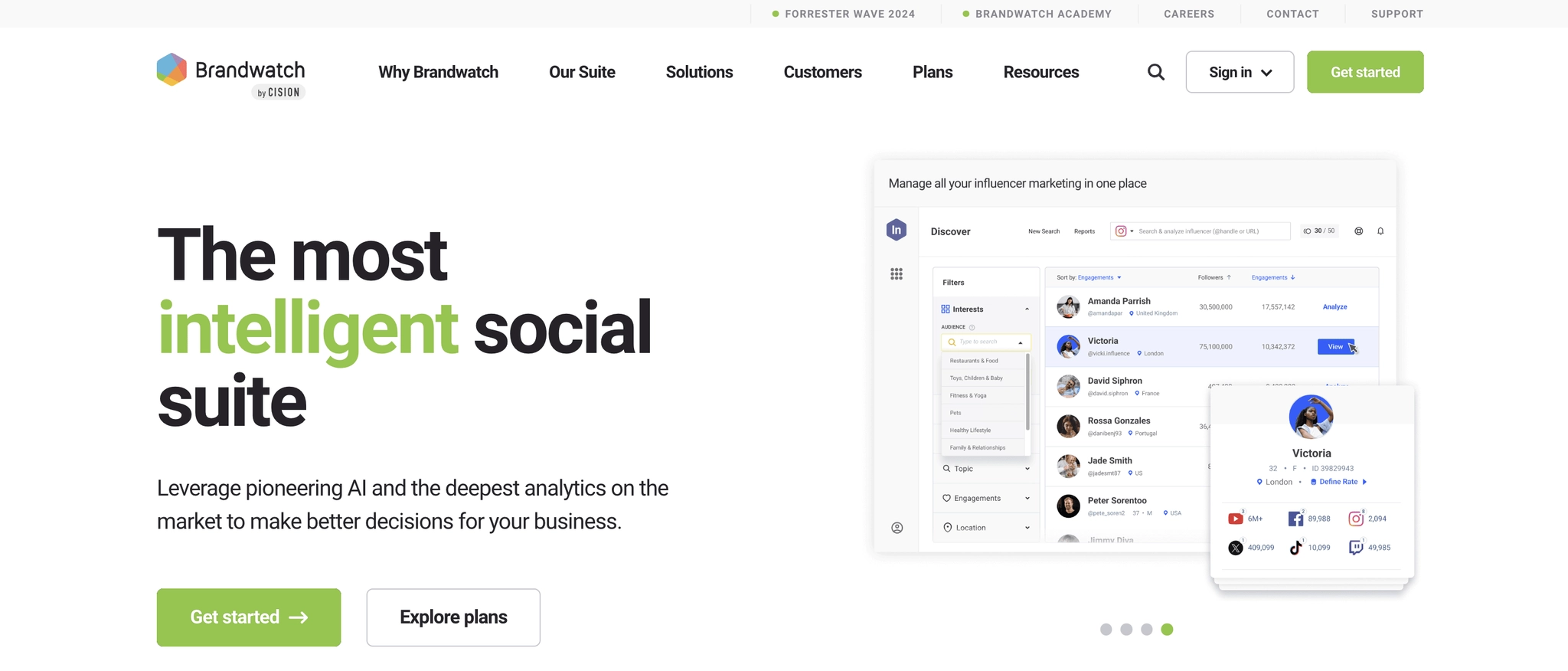
Brandwatch is a consumer intelligence platform rated 4.4/5 on G2 from 730 reviews, and Falcon is now part of it. If you’re already weighing it against its own rivals, these Brandwatch alternatives go deeper on that comparison.
Unlimited queries: You can search as many times as you want for as many things as you want.
Boolean depth: Searches can use 48 different Boolean operators.
Source coverage: Listen draws on insights from across 100 million online sources.
Engage integration: Listen integrates with Engage, Brandwatch’s social inbox, for access to mentions.
Brandwatch works best in an enterprise where an insights team runs the queries and reports findings to the rest of the business. Its 48 Boolean operators pay off most on brands with common-word names, where a plain keyword search pulls in unrelated conversations. Quote-only pricing makes it hard to pilot on one client first, so budget time for a demo before you see data on your own brands.
Best for: Insights and research teams that need long history and unlimited queries to answer open-ended questions about a market.
Brandwatch pros & cons
Pros
Cons
Clear takeaways from large datasets: Pratham D., a planning executive at an enterprise, wrote that Brandwatch “can turn huge volumes of consumer data into clear, actionable takeaways.”
Account connections: Allie H., a senior community manager, admitted in a review: “I find the account connections frustrating at time.”
Real-time dashboards: Rene M., an enterprise digital marketing expert, highlighted: “One of my favorite features is the creation of dashboards, which allows us to have a board with the main indicators in real time.”
Sentiment accuracy: Weiqing H., a marketing analyst at a mid-market company, pointed out that “the emotion/sentiment classification isn’t always accurate.”
Pros
Clear takeaways from large datasets: Pratham D., a planning executive at an enterprise, wrote that Brandwatch “can turn huge volumes of consumer data into clear, actionable takeaways.”
Real-time dashboards: Rene M., an enterprise digital marketing expert, highlighted: “One of my favorite features is the creation of dashboards, which allows us to have a board with the main indicators in real time.”
Cons
Account connections: Allie H., a senior community manager, admitted in a review: “I find the account connections frustrating at time.”
Sentiment accuracy: Weiqing H., a marketing analyst at a mid-market company, pointed out that “the emotion/sentiment classification isn’t always accurate.”
Pricing
Brandwatch doesn’t publish prices, and standard to enterprise plans are available for each of its solutions through a demo, with custom pricing.
Brand24 vs Brandwatch pricing: Brandwatch trades Brand24’s published $199 per month, billed annually, for unlimited queries and a year of history sold on a quote.
7. Talkwalker: for visual and multilingual enterprise listening
Talkwalker is an enterprise listening platform rated 4.3/5 on G2 from 137 reviews. It’s affiliated with Hootsuite, and G2 lists it as Lumen by Talkwalker.
For a Brand24 user, it’s the jump from tracking a handful of keywords to a platform priced and scoped for global brand teams, with a setup project to match.
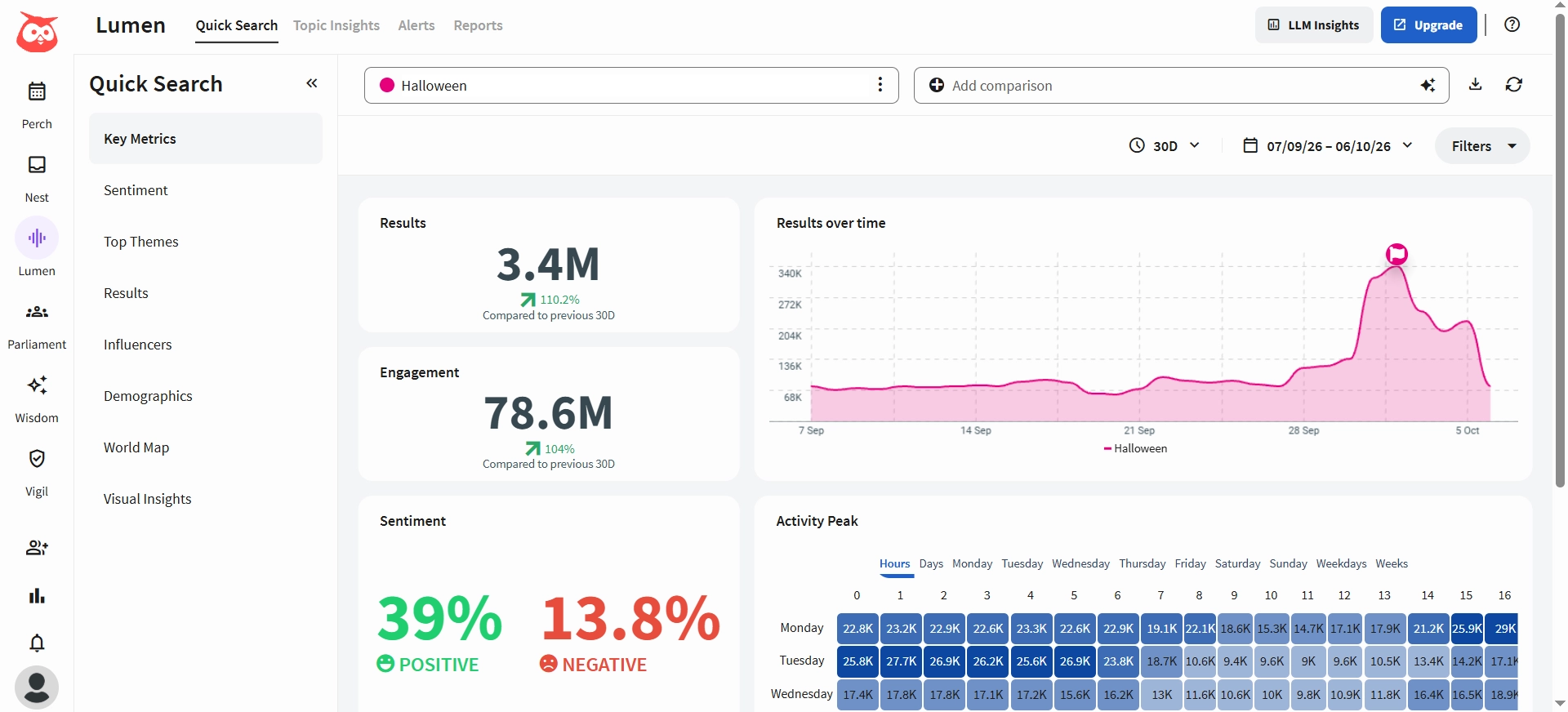
Talkwalker’s quick-search view, covering 150+ million websites and 30 social networks across 187 languages.
Standout features
187 languages: Coverage reaches 150+ million websites and 30 social networks in 187 languages, with print and broadcast on top.
AI Agent: The Core plan includes an AI Agent for asking questions and surfacing insights from your data.
LLM Insights: The Core plan also monitors how AI assistants talk about your industry and brand through LLM Insights.
Coverage across 187 languages, plus logo detection in images that carry no caption, points Talkwalker at research and brand protection across markets. The AI Agent and LLM Insights lean the same way: they help an analyst explain what’s happening across markets, including how AI assistants describe the brand.
Every plan includes unlimited users. An agency can give each client’s brand and comms leads their own login to read the clusters for their market, and adding a stakeholder never adds a seat to the invoice.
Clients who check the dashboards themselves come to the monthly report having already seen the numbers. That matters on a platform this broad, where a single topic can pull results in dozens of languages at once.
Best for: Global brands that need listening across many languages and want to catch logos in images and video.
Talkwalker pros & cons
Pros
Cons
Visual brand detection: Talkwalker identifies your brand mentions in videos and images, even without accompanying text.
Setup effort: Jennifer D., a director of digital marketing, cautioned: “The main drawback is that it’s not the easiest product to set up or manage at the start.”
Cluster analysis: Amber N., a strategic insights manager, wrote in a review: “I really love the cluster analysis and how it can synthesize key themes in a huge data set.”
No published pricing: Every plan (Core, Analyze and Business) is sold on a custom quote, so you can’t compare costs before a sales conversation.
Pros
Visual brand detection: Talkwalker identifies your brand mentions in videos and images, even without accompanying text.
Cluster analysis: Amber N., a strategic insights manager, wrote in a review: “I really love the cluster analysis and how it can synthesize key themes in a huge data set.”
Cons
Setup effort: Jennifer D., a director of digital marketing, cautioned: “The main drawback is that it’s not the easiest product to set up or manage at the start.”
No published pricing: Every plan (Core, Analyze and Business) is sold on a custom quote, so you can’t compare costs before a sales conversation.
Pricing
Talkwalker doesn’t publish prices: you pick the Core, Analyze or Business plan and get a custom quote. Analyze adds 2x non-sampled results volume over Core.
Brand24 vs Talkwalker pricing: Talkwalker adds image and video recognition with unlimited users on a custom quote, where Brand24 starts at a published $199 per month, billed annually.
8. Meltwater: for PR teams pairing media monitoring with social
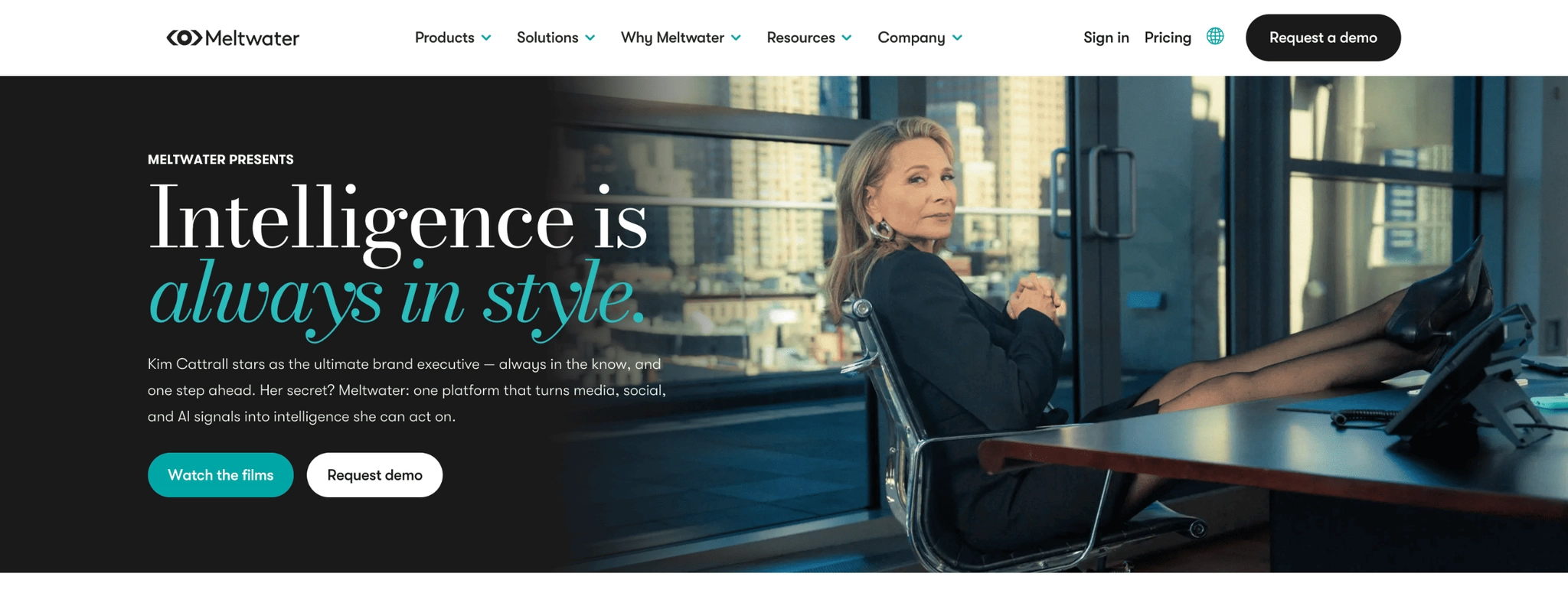
Meltwater is a media intelligence platform rated 4.1/5 on G2 from 2,676 reviews. It sells its products as modules, with media monitoring and social intelligence at the center and AI visibility tracking alongside. It comes up the moment a client starts asking for press coverage in the same report as social mentions.
Meltwater media intelligence platform homepage
Standout features
News and forums next to social: Social listening tracks news and forums next to social channels in one connected platform.
Mira Companion: Mira Companion brings AI directly into the social listening workflow.
Share of voice: Listening tracks share of voice and benchmarks competitors.
API and MCP on Enterprise: Enterprise adds full API access and MCP connections.
Meltwater sits closest to the PR desk. Media coverage and social mentions land in one set of reports, which is what a comms team presenting to leadership wants on one slide. Its modules extend into influencer marketing and media relations, so the contract can grow with the team.
Share of voice is built in on the listening side, which matters when a client asks how its coverage compares with a rival’s.
An agency that expects to run creator campaigns for clients can ask about Agency pricing from the start. A comms team that only needs press and social monitoring can leave influencer work out and keep the quote closer to the indicative Starter range. Media relations is the other module to price early when press work for clients is part of the job, so the first quote covers everything the contract has to include.
Best for: PR and comms teams that want press coverage and social mentions in one contract and one report.
Meltwater pros & cons
Pros
Cons
Coverage and reporting together: Daniel S., a small-business co-founder, said: “What I like most about Meltwater is having media coverage, social mentions, and reporting in one place.”
Annual contracts: Standard contracts are annual, so a pilot means a full-year commitment.
Insights that shape strategy: Carlo S., a CMO at a mid-market consumer goods company, wrote: “Meltwater helps me gain valuable insights into audience conversations, market trends, consumer sentiment, and brand performance.”
Price gave pause: Kirsten J., a senior partner account manager at a large company, admitted that “pricing also made us pause.”
Pros
Coverage and reporting together: Daniel S., a small-business co-founder, said: “What I like most about Meltwater is having media coverage, social mentions, and reporting in one place.”
Insights that shape strategy: Carlo S., a CMO at a mid-market consumer goods company, wrote: “Meltwater helps me gain valuable insights into audience conversations, market trends, consumer sentiment, and brand performance.”
Cons
Annual contracts: Standard contracts are annual, so a pilot means a full-year commitment.
Price gave pause: Kirsten J., a senior partner account manager at a large company, admitted that “pricing also made us pause.”
Pricing
Meltwater does not use a fixed public price list. Indicative pricing starts from $10,000 per year for Starter. Pro starts from $25,000 per year. Enterprise starts from $130,000 per year.
Brand24 vs Meltwater pricing: Meltwater’s Starter, from $10,000 per year, costs more than four times Brand24’s cheapest plan, which comes to $2,388 a year at $199 per month, billed annually ($199 × 12).
How do you choose a Brand24 alternative for your team?
Count keywords per client first: at 3 keywords per client, Brand24’s Pro plan covers four clients. Then decide how fast you need to hear about a spike, and whether listening has to sit where your team plans and approves content.
Team type
Shortlist
Deciding factor
Agency or multi-brand team planning content for 5+ clients
Planable, or Sprout Social if you already publish from an enterprise suite
Listening per client workspace, next to the calendar and approvals
In-house social team watching one brand
Awario or Determ
Low flat price versus unlimited users
PR or comms team needing coverage beyond social
Meltwater or Mention
Media and review-site coverage next to social
Insights team needing history and query volume
Brandwatch or Talkwalker
A year of history and unlimited queries, or image recognition
Crisis or hour-by-hour monitoring
A real-time specialist such as Determ
Planable refreshes brand keywords every 24 hours
Agency or multi-brand team planning content for 5+ clients
Shortlist
Planable, or Sprout Social if you already publish from an enterprise suite
Deciding factor
Listening per client workspace, next to the calendar and approvals
In-house social team watching one brand
Shortlist
Awario or Determ
Deciding factor
Low flat price versus unlimited users
PR or comms team needing coverage beyond social
Shortlist
Meltwater or Mention
Deciding factor
Media and review-site coverage next to social
Insights team needing history and query volume
Shortlist
Brandwatch or Talkwalker
Deciding factor
A year of history and unlimited queries, or image recognition
Crisis or hour-by-hour monitoring
Shortlist
A real-time specialist such as Determ
Deciding factor
Planable refreshes brand keywords every 24 hours
Run four checks before you book a demo:
Keywords per client: Brand24 runs from 3 keywords on Individual, one client at a brand-plus-two-competitors setup, to 12 on Pro, while Determ’s Expand and Command include unlimited keywords and cap topics instead.
Refresh speed: The range runs from real-time updates on Determ’s plans to every 12 hours on Brand24’s Individual plan and every 24 hours for Planable’s brand and competitor keywords.
History window: Brandwatch Listen keeps a year’s worth of historical data, while Planable opens custom ranges only after 30 days of history.
Seats or workspaces: Sprout Social charges per seat, while Determ’s Expand and Command plans and every Talkwalker plan include unlimited users.
When is Brand24 still the right call?
Brand24 is still the right call for a single brand that fits inside its caps, such as 3 keywords on Individual or 12 on Pro, and that values its extras. Those extras include an MCP connection that feeds live mention data to AI assistants and, in reviewers’ words, a responsive dedicated account manager.
You feed mention data to AI assistants. Brand24’s MCP connection gives AI assistants secure access to your live Brand24 data for up-to-date insights about your brand mentions.
You want a dedicated account manager. Kamila C., a brand manager, credited her account manager: “Our dedicated account manager is extremely helpful, responsive, and proactive.”
The price already pays off for one brand. Reflex S., the same reviewer who flagged the keyword limits, called it “Good value for money, especially considering the insights and competitive monitoring capabilities it provides.”
Brand24 alternatives FAQs
How does Brand24 work?
You build keyword projects with advanced search that supports AND, OR, NOT, exact phrases and grouped conditions, or you let AI create the query for you. Brand24 then integrates with Slack and Microsoft Teams, so new mentions reach the channels your team already watches.
Is there a free alternative to Brand24?
Awario’s trial is the closest option in this list, since it grants free access to the Starter plan with up to 3 alerts and 30,000 mentions. Planable’s Social Listening add-on also starts with a 30-day free trial, which lets an agency test listening on one client workspace before paying for it.
Should you pick Brand24 or Mention?
Brand24 suits a team that wants a published price, from $199 per month, billed annually, for 3 keywords on the Individual plan. Mention suits teams that need 75+ review sites and Boolean queries of up to 2,000 characters, but it’s sold through a demo and charges extra for historical data.
Can Planable replace Brand24?
No, not for teams with heavy listening needs: Planable’s Social Listening is the lighter option for agencies and multi-brand teams that want listening next to the content they plan and publish, with brand and competitor keywords refreshed every 24 hours, so teams that need deep historical analysis, enterprise query volume or hour-by-hour crisis monitoring are a fit for a dedicated listening specialist.
Which Brand24 alternative should you choose?
Start with one multiplication: your client count times 3 keywords, one brand and two competitors each. Past 12, Brand24’s Pro plan runs out, and the switch becomes a question of which cap you’d rather live with.
Then ask how fast a mention has to reach you. If a client’s reputation can turn within hours, a real-time tool such as Determ is the safer pick. If a daily refresh is enough and listening belongs beside the calendar where replies get planned and approved, go with Planable.
You can trial on one client workspace and see mentions of your brand and competitors, plus your topics, next to the calendar your team already approves in.
Horea is a B2B SaaS content writer and MarTech researcher. He has written for Planable since 2023, covering social media management, scheduling, listening and collaboration software. He's spent 7+ years writing about marketing technology, with work for HubSpot, Surfer and UX Pilot AI on topics from SEO and answer engine optimization to UX and web design tools. His roundups are research-first: he tests the tools and workflows himself, then writes the comparisons that help marketers choose with confidence.







 Creation
 Scheduling
 Planning
 Social Inbox
 Collaboration
 Analytics
 Approval
 Social Listening