Social media scheduling is only one part of a team's workflow. You also need to keep content organized, collect feedback, get approvals, and make sure the right version goes live. That's where choosing between Buffer and Later gets interesting. Both tools help you...
Redesign For multi-location brands
all your locations, one content flow
For multi-brand companies
content collaboration at scale
For agencies
impress your clients and take on more
“The team loved it from the start. Planable helps us overview the entire marketing efforts.“
Competitor analysis tools cover different data sources, from social benchmarks and share of voice to SEO rankings, AI search visibility, and website traffic. Our competitor analysis guide covers the process. Here, I focus on the tools.
Drawing on seven years of experience with social media management tools, I reviewed competitor tracking features, data sources, pricing models, and starting prices. I also tested account setups for one user managing multiple social channels, with entry plans supporting between 5 and 100 tracked competitors.
How do the best competitor analysis tools compare?
The best competitor analysis tools split by where their competitor data comes from. Social benchmarking tools read rival profiles, while listening tools read mentions across the web. SEO suites read search results and AI answers, and traffic panels estimate website visits. Pick the group that matches the competitor question your monthly client report answers, then compare tools inside it.
Tool
Best for
Competitor data it analyzes
Where the data comes from
Pricing model
Starting price
Planable
Benchmarking rivals in the workspace where content gets approved
Followers, posts, average engagement, top posts; share of voice with Social Listening
Competitor profiles on Instagram, Facebook, YouTube, TikTok, LinkedIn
Per workspace with unlimited users; Analytics is an add-on
$39 per workspace per month (Basic) + $14 per workspace per month (Analytics add-on)
Rival IQ
Benchmarking a fixed set of competitor companies
Competitive social metrics; content by hashtag and topic
Public social profiles of the companies you track
By tracked companies and users
$239 per month, billed monthly (Drive)
Socialinsider
Cross-network benchmarks with long history
Competitor posts grouped by topic or hashtag; industry benchmarks
Competitor accounts on every supported platform
By tracked social accounts and seats
$82 per month, billed annually (Adapt)
Sprout Social
Side-by-side competitor listening on social
Audience growth, engagement, post volume; share of voice and sentiment
Competitor profiles plus listening topics
Per seat
$79 per seat per month, billed annually (Essentials)
Hootsuite
Comparing competitors in AI answers and on social
Posting frequency, top posts; AI visibility and share of voice in LLM answers
Social networks, websites, forums, LLM answers
Per user
$99 per user per month, billed annually (Standard)
Emplifi
Enterprise benchmarking across many public profiles
Share of voice, mention volume, public profile performance
Public profiles and listening sources, Reddit included
Value tiers with unlimited seats
Starting at $1,249 per month (Essential)
Metricool
Competitor tracking on a small budget
Growth, engagement, reach of competitor accounts
Facebook, Instagram, Bluesky, Twitch, YouTube, X (add-on)
By number of brands
Listed from $25 per month (Starter, monthly tab)
SE Ranking
SEO and AI search competitor research
Rankings, ranking jumps, AI-answer visibility, competitor site audits
Search results and AI answers
Per plan, plus add-ons
$129 per month, billed monthly (Core)
Semrush
Rival keyword and ad research with traffic history
Keywords, paid strategy, backlinks, traffic trends, AI traffic
Search data and traffic trend estimates
Per plan
$139 per month, billed monthly (SEO)
Similarweb
Web traffic and market share intelligence
Traffic, engagement, user journeys, channel mix
Web-wide traffic data across 100M+ websites
Self-serve packages; custom Business packages through sales
$125 per month, billed annually (Competitive Intelligence)
Brand24
Competitor mentions beyond social networks
Mentions, sentiment, reach, share of voice
Social media, news, blogs, review sites
By tracked keywords and mention volume
$249 per month, billed monthly (Individual)
Planable
Best for
Benchmarking rivals in the workspace where content gets approved
Competitor data it analyzes
Followers, posts, average engagement, top posts; share of voice with Social Listening
Where the data comes from
Competitor profiles on Instagram, Facebook, YouTube, TikTok, LinkedIn
Pricing model
Per workspace with unlimited users; Analytics is an add-on
Starting price
$39 per workspace per month (Basic) + $14 per workspace per month (Analytics add-on)
Rival IQ
Best for
Benchmarking a fixed set of competitor companies
Competitor data it analyzes
Competitive social metrics; content by hashtag and topic
Where the data comes from
Public social profiles of the companies you track
Pricing model
By tracked companies and users
Starting price
$239 per month, billed monthly (Drive)
Socialinsider
Best for
Cross-network benchmarks with long history
Competitor data it analyzes
Competitor posts grouped by topic or hashtag; industry benchmarks
Where the data comes from
Competitor accounts on every supported platform
Pricing model
By tracked social accounts and seats
Starting price
$82 per month, billed annually (Adapt)
Sprout Social
Best for
Side-by-side competitor listening on social
Competitor data it analyzes
Audience growth, engagement, post volume; share of voice and sentiment
Where the data comes from
Competitor profiles plus listening topics
Pricing model
Per seat
Starting price
$79 per seat per month, billed annually (Essentials)
Hootsuite
Best for
Comparing competitors in AI answers and on social
Competitor data it analyzes
Posting frequency, top posts; AI visibility and share of voice in LLM answers
Where the data comes from
Social networks, websites, forums, LLM answers
Pricing model
Per user
Starting price
$99 per user per month, billed annually (Standard)
Emplifi
Best for
Enterprise benchmarking across many public profiles
Competitor data it analyzes
Share of voice, mention volume, public profile performance
Where the data comes from
Public profiles and listening sources, Reddit included
Pricing model
Value tiers with unlimited seats
Starting price
Starting at $1,249 per month (Essential)
Metricool
Best for
Competitor tracking on a small budget
Competitor data it analyzes
Growth, engagement, reach of competitor accounts
Where the data comes from
Facebook, Instagram, Bluesky, Twitch, YouTube, X (add-on)
Pricing model
By number of brands
Starting price
Listed from $25 per month (Starter, monthly tab)
SE Ranking
Best for
SEO and AI search competitor research
Competitor data it analyzes
Rankings, ranking jumps, AI-answer visibility, competitor site audits
Where the data comes from
Search results and AI answers
Pricing model
Per plan, plus add-ons
Starting price
$129 per month, billed monthly (Core)
Semrush
Best for
Rival keyword and ad research with traffic history
Competitor data it analyzes
Keywords, paid strategy, backlinks, traffic trends, AI traffic
Where the data comes from
Search data and traffic trend estimates
Pricing model
Per plan
Starting price
$139 per month, billed monthly (SEO)
Similarweb
Best for
Web traffic and market share intelligence
Competitor data it analyzes
Traffic, engagement, user journeys, channel mix
Where the data comes from
Web-wide traffic data across 100M+ websites
Pricing model
Self-serve packages; custom Business packages through sales
Starting price
$125 per month, billed annually (Competitive Intelligence)
Brand24
Best for
Competitor mentions beyond social networks
Competitor data it analyzes
Mentions, sentiment, reach, share of voice
Where the data comes from
Social media, news, blogs, review sites
Pricing model
By tracked keywords and mention volume
Starting price
$249 per month, billed monthly (Individual)
Starting price is the lowest paid plan for each tool. Prices and G2 counts are as of October 2026; check each vendor’s pricing page before buying. Every tier, with its billing basis, sits in that tool’s Pricing field below.
What should a competitor analysis tool track for your team?
The competitor question you report on decides the tool category. A client who asks how their Instagram stacks up against three rivals needs a social benchmarking tool, while a client who asks who owns the conversation in their niche needs listening. Rankings and AI answers call for an SEO suite, and traffic share calls for a traffic panel.
The question your client asks
What you compare
Tool category
How do our social pages perform against rivals?
Engagement, posting cadence, top posts
Social benchmarking
Who owns the conversation, and how do people feel about it?
Share of voice, sentiment, mention volume
Social listening
Who outranks us in search and in AI answers?
Rankings, keyword gaps, AI-answer visibility
SEO suite
Where does a competitor’s website traffic come from?
Traffic share, channel mix, audience overlap
Traffic panel
How do our social pages perform against rivals?
What you compare
Engagement, posting cadence, top posts
Tool category
Social benchmarking
Who owns the conversation, and how do people feel about it?
What you compare
Share of voice, sentiment, mention volume
Tool category
Social listening
Who outranks us in search and in AI answers?
What you compare
Rankings, keyword gaps, AI-answer visibility
Tool category
SEO suite
Where does a competitor’s website traffic come from?
What you compare
Traffic share, channel mix, audience overlap
Tool category
Traffic panel
Most social suites split competitor work in two. Benchmarking tracked profiles usually sits in analytics, while share of voice sits in listening, often sold as its own add-on. Check which half a plan includes before you compare prices, because two tools at the same price can cover different halves of a client deliverable.
Benchmarks also have to work across networks. The typical social media user visits an average of 6.66 different social platforms each month, so a client’s rivals rarely compete on one network, and a benchmark that covers only Instagram misses where they win.
Use the findings to decide your own calendar. The formats and topics that earn engagement for rivals show you where to test, while copying their posts tells you nothing about your client’s audience. If you need the process behind the report, our social media competitor analysis guide walks through it step by step.
Which tools analyze competitors on social media?
Social benchmarking tools compare rival profiles on social networks, and the number that separates them is one buyers rarely see compared: how many competitors the entry plan tracks. It runs from 5 per page to 100 per plan, which decides whether a crowded client category fits on one plan or needs a shortlist.
Planable tracks up to 5 competitors per page.
Rival IQ’s Drive plan covers 10 tracked companies.
Socialinsider’s Adapt plan covers up to 20 social accounts.
Hootsuite Standard watches up to five competitors at a time.
Emplifi’s Essential tier benchmarks up to 10 public profiles.
Metricool’s Starter plan analyzes up to 100 competitors.
Sprout Social’s competitor reports allow up to 20 competitors per group, and they start on the Professional plan.
1. Planable: for benchmarking competitors where your team plans and approves content
Planable homepage
Best for: Agencies that report social benchmarks to clients monthly and want rival data where posts get approved.
Why I picked it: Planable is a social media management tool with collaboration and approvals at its core; Competitor Analytics puts it on this list. It tracks competitor profiles on five networks (Instagram, Facebook, YouTube, TikTok, LinkedIn) and benchmarks them against your own pages, though listening specialists go deeper on sources and history.
George Danaila, Content Marketing Manager at Planable puts in:
“It helped us see which formats and topics perform best for competitors. We found that carousels outperformed single images on topics we both covered, so we adjusted our content mix. We also spotted a topic a competitor was performing well on that we hadn’t covered, so we created our own take.”
Planable Competitor Analytics
Standout features
Comparison table and trend chart: Your page sits next to each competitor on followers and posts plus average engagement, with period-over-period deltas and a trend line.
Top competitor posts: The best-performing recent posts per competitor come with engagement figures.
Competitor share of voice: With the Social Listening add-on, a Competitors tab compares your brand keyword with up to 3 competitor keywords per workspace on share of voice. Competitor keywords refresh every 24 hours on the brand keyword’s nightly run.
Competitor sections in client reports: Competitor performance charts go into customizable reports, alone or next to your page analytics, and go out as a PDF, CSV or shareable link.
Integrations: The Planable MCP gives AI assistants per-post and per-page metrics, plus competitor analytics, with the Analytics add-on. A public API and Zapier connect Planable to other tools.
Pricing: Planable bills per workspace with unlimited users. Basic is $39 per month billed monthly or $33 per month billed annually, and Pro is $59 per month billed monthly or $49 per month billed annually. Competitor Analytics needs the Analytics add-on, bought separately: $14 per month or $140 per year. Social Listening is its own add-on at $99 per month or $990 per year.
Planable pros & cons
Pros
Cons
Competitor data refreshes daily, so the monthly trend fills in without manual pulls.
Competitor Analytics sits in the Analytics add-on ($14 per month), so it isn’t included in the Basic or Pro plan price.
Your response post can require approval on Pro and above, and a client set up as an approver signs off from a link without creating an account.
Competitor Analytics leaves out X, whose pages get their own analytics view instead.
Planable suggests up to five competitors per page based on the page’s name, handle and bio, so setup doesn’t start from a blank list.
Pros
Competitor data refreshes daily, so the monthly trend fills in without manual pulls.
Your response post can require approval on Pro and above, and a client set up as an approver signs off from a link without creating an account.
Planable suggests up to five competitors per page based on the page’s name, handle and bio, so setup doesn’t start from a blank list.
Cons
Competitor Analytics sits in the Analytics add-on ($14 per month), so it isn’t included in the Basic or Pro plan price.
Competitor Analytics leaves out X, whose pages get their own analytics view instead.
2. Rival IQ: for benchmarking a fixed set of competitor companies
Rival IQ homepage
Best for: Teams that benchmark the same list of competitor companies every month and need the outside view more than analysis of their own accounts.
Why I picked it: Rival IQ is organized around tracked companies instead of connected accounts, so you name the competitors once and every benchmark runs against that fixed set. Analysis of your own handles starts on Engage, a split no other tool here makes.
Standout features
Competitive benchmarking: Drive includes competitive social metrics and benchmarking for every company you track.
Content analysis: Competitor posts break down by hashtag and topic, plus posting time.
Unlimited Landscapes: Group tracked companies into as many landscapes as you need, one per client or segment, on every plan.
Breakout-post alerts: Email alerts flag when a tracked company makes a positioning change or has a breakout social post, and scheduled exports deliver any report to your inbox.
Integrations: The Rival IQ API connects to tools such as Looker Studio and Google Sheets, among others. Private social data from your own Facebook and Instagram accounts also comes through the API, and so does LinkedIn data.
Pricing: Drive is $239 per month billed monthly or $199 per month billed annually, for 10 tracked companies, 6 months of data history, and 1 user account. Engage is $349 per month billed monthly or $299 per month billed annually, for 20 tracked companies and 12 months of history, with 2 user accounts and 2 Social Listening saved searches. Engage Pro is $559 per month billed monthly or $469 per month billed annually, and raises that to 40 tracked companies and 24 months of history, with 5 user accounts and 10 saved searches.
Every plan lets you swap 100% of tracked companies each month, so a new client’s rivals can replace an old set without changing plans.
Custom branded reports with your or your client’s logo start on Engage, not Drive.
Social metrics refresh every 12 hours on Drive, and as often as every 3 hours on Engage Pro.
A Verified User in Arts and Crafts described support on G2 as “non-existant” and warned you may “wait days to get any kind of a response.”
Pros
Every plan lets you swap 100% of tracked companies each month, so a new client’s rivals can replace an old set without changing plans.
Social metrics refresh every 12 hours on Drive, and as often as every 3 hours on Engage Pro.
Cons
Custom branded reports with your or your client’s logo start on Engage, not Drive.
A Verified User in Arts and Crafts described support on G2 as “non-existant” and warned you may “wait days to get any kind of a response.”
3. Socialinsider: for cross-network benchmarks with long history
Socialinsider homepage
Best for: Analysts who benchmark rivals across several networks and need more history than native analytics keeps.
Why I picked it:Socialinsider offers historical data beyond the usual 30-day native analytics limit, plus advanced benchmarking. It prices by tracked social accounts, so the bill follows how many profiles you watch.
Standout features
Content categories: Group competitor posts by keyword or topic (hashtags work too) to see which category performs best.
Benchmarks: Compare a profile with its industry or named competitors, or with brands you admire.
Included on every plan: Cross-network analytics and competitor benchmarking come on all plans, along with recurring reports and unlimited exports, plus an MCP connector.
All-platform tracking: Competitor accounts can be tracked on all platforms on every plan, and they count together toward the account limit.
Integrations: The Socialinsider API brings social data into business intelligence and reporting environments, and a Looker Studio connector, sold as an add-on on any plan, pulls the data into dashboards.
Pricing: On the yearly toggle, Adapt is $82 per month, billed at $990 per year ($99 billed monthly). It covers up to 20 social accounts and 3 months of historical data for 1 seat. Optimize is $124 per month, billed at $1,490 per year, for up to 30 social accounts and 6 months of historical data with 2 seats. Predict is $199 per month, billed at $2,390 per year, for up to 40 social accounts and 12 months of historical data with 5 seats.
Every plan includes monthly profile replacements (10 on Adapt, 15 on Optimize, 20 on Predict), so a client’s competitor set can change without a plan upgrade.
Extras add up: additional profiles cost $6 per month per profile, extra team members $15 per month, and API or Looker Studio access $100 per month each.
A 14-day free trial needs no credit card, so you can benchmark a client’s rivals before paying.
Nessa v., a client service director, noted on G2 that “If I delete a competitor account mid-month, the credits associated with that slot are not immediately freed up for use on a new account until the following billing cycle.”
Pros
Every plan includes monthly profile replacements (10 on Adapt, 15 on Optimize, 20 on Predict), so a client’s competitor set can change without a plan upgrade.
A 14-day free trial needs no credit card, so you can benchmark a client’s rivals before paying.
Cons
Extras add up: additional profiles cost $6 per month per profile, extra team members $15 per month, and API or Looker Studio access $100 per month each.
Nessa v., a client service director, noted on G2 that “If I delete a competitor account mid-month, the credits associated with that slot are not immediately freed up for use on a new account until the following billing cycle.”
4. Sprout Social: for side-by-side competitor listening on social
Sprout Social homepage
Best for: Teams that want competitor profile reports and competitor listening in one suite, and can budget per seat for the Professional plan.
Why I picked it:Sprout Social pairs competitor reports with listening topics you can filter by sentiment, so a monthly report can explain why a rival’s engagement jumped. If competitor analysis is why you’re buying, price the Professional plan: that’s where extensive competitor insights start.
Per-seat pricing shapes the agency math, though: every account manager who builds competitor reports needs a seat at the plan price. Sprout fits agencies already running publishing and engagement in it; buying it only for competitor analysis is the expensive route.
Standout features
Per-network competitor reports: Track audience growth and engagement alongside post volume for each network, then compare them against your own profiles.
Competitive Analysis Listening: Rivals sit side by side on share of voice and sentiment, with engagement and impressions next to them.
Filterable top posts: Listening insights surface top posts around your industry and competitors, filterable by competitor and content type as well as message type and sentiment.
Competitor averages and scheduled PDFs: Benchmark your profiles against the average of up to 20 competitors per group, then download the report as CSV or PDF or schedule a recurring PDF.
Integrations: Google Analytics and Slack integrations come with all plans. Tableau is a Premium Solution, and the HubSpot help-desk integration needs the Advanced plan.
Pricing: Essentials is $79 per seat per month billed annually, or $99 per seat per month billed monthly. Standard is $199 per seat per month and Professional $299 per seat per month, both on annual billing. Advanced is $399 per seat per month on annual billing. Three seats on Professional cost 3 × $299, or $897 per month on annual billing. Standard includes 5 social profiles, and Professional moves to unlimited profiles.
A Competitor Scorecard puts share of voice, sentiment and other competitive metrics for every rival in one table view.
Premium Analytics and Listening are each sold as individual add-ons on Standard and up.
The 30-day free trial, with no credit card required, is the longest in this list.
A Verified User in Marketing and Advertising wrote on G2 that “Sprout doesn’t have a tool where agencies can build a calendar and seek approval from clients within the platform.”
Pros
A Competitor Scorecard puts share of voice, sentiment and other competitive metrics for every rival in one table view.
The 30-day free trial, with no credit card required, is the longest in this list.
Cons
Premium Analytics and Listening are each sold as individual add-ons on Standard and up.
A Verified User in Marketing and Advertising wrote on G2 that “Sprout doesn’t have a tool where agencies can build a calendar and seek approval from clients within the platform.”
5. Hootsuite: for comparing competitors in AI answers and on social
Hootsuite homepage
Best for: Social teams whose clients now ask how they show up against competitors in AI chatbot answers as well as on social networks.
Why I picked it:Hootsuite is the social suite that compares your AI visibility and share of voice against competitors inside LLM answers, from ChatGPT to Gemini and Claude, with average position and total mentions beside them. That comparison comes through the LLM Insights add-on.
Standout features
Cross-channel tracking: Follow competitors’ performance and posting frequency on social, on websites and forums, and in print and broadcast media such as TV and podcasts.
Post analysis: See competitors’ average post length and hashtags per post, plus their top-performing posts.
Dashboards and reports: Build customizable dashboards and recurring competitive reports to share with stakeholders and track progress over time.
Hootsuite Listening: Search conversations and trends across 30+ social networks and 150 million websites.
Integrations: Over 100 apps and integrations plug into Hootsuite, with Google Analytics open to Advanced Analytics users and a Salesforce integration for Enterprise customers.
Pricing: Standard is $99 per user per month on annual billing and manages up to 10 social accounts. Professional is $199 per user per month and Advanced is $399 per user per month, both billed annually with unlimited accounts. A three-person team on Professional pays 3 × $199, or $597 per month on annual billing. Standard watches up to five competitors at a time, and Professional, Advanced and Enterprise raise that to 20.
Hootsuite pros & cons
Hootsuite sits at 7,519 G2 reviews average 4.3 out of 5.
Pros
Cons
Industry benchmarking compares your growth, engagement rate and posting frequency with your industry’s average, not only with named rivals.
Real-time alerts on specific brand mentions are an Enterprise feature.
Professional raises competitor tracking to 20 rivals and manages unlimited social accounts.
Chris C., a social media manager at an enterprise company, wishes on G2 that Hootsuite “provided more reporting capabilities, especially for paid activities and TikTok engagement, like comments.”
Pros
Industry benchmarking compares your growth, engagement rate and posting frequency with your industry’s average, not only with named rivals.
Professional raises competitor tracking to 20 rivals and manages unlimited social accounts.
Cons
Real-time alerts on specific brand mentions are an Enterprise feature.
Chris C., a social media manager at an enterprise company, wishes on G2 that Hootsuite “provided more reporting capabilities, especially for paid activities and TikTok engagement, like comments.”
6. Emplifi: for enterprise benchmarking across many public profiles
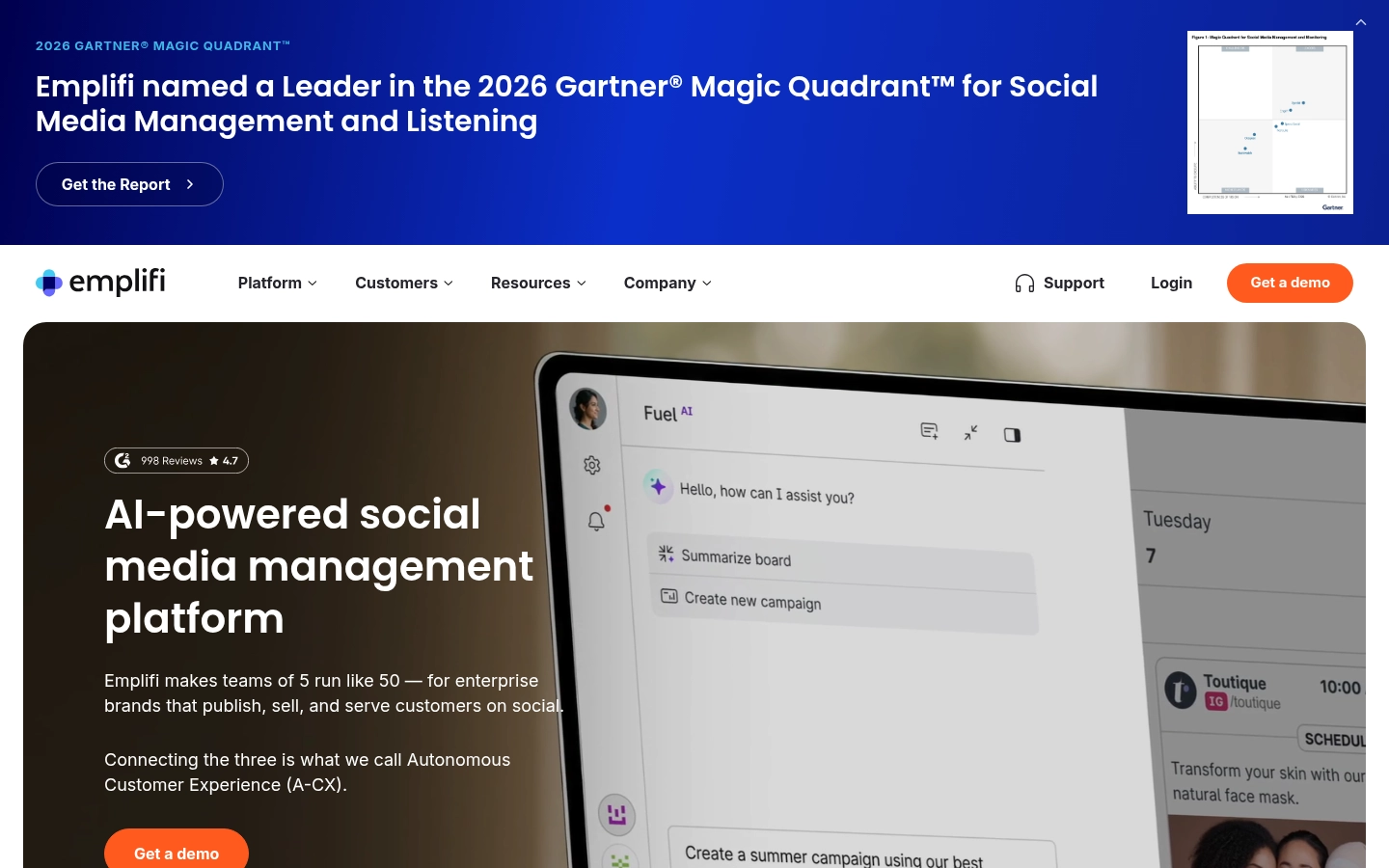
Emplifi homepage
Best for: Enterprise brands and large agencies that benchmark dozens of public profiles and can budget from $1,249 per month.
Why I picked it:Emplifi prices on value tiers instead of seats: all tiers include unlimited user seats and unlimited owned profiles, so adding analysts or brands doesn’t add seat fees. Its public-profile benchmark caps of 10, 50 and 100 profiles make it the pick when the competitor set is large.
Unlimited seats matter most when many account managers touch competitor reports, because nobody has to share a login to pull a benchmark.
The cost of that flexibility is the entry price: Essential starts at $1,249 per month, and Intelligent is still a custom quote, which makes Emplifi a candidate for procurement-led clients more than a quick self-serve pick. Get the public-profile cap in writing during the sales call, since it decides whether a client’s full competitor set fits.
Standout features
Competitive Benchmarking: Compare a brand’s share of voice and mention volume against specified rivals.
Public profile tracking: Track performance against rivals using integrated public profiles.
Content Inspiration Hub: Search over 18 billion posts, each with a performance score attached.
Trend detection: AI analysis of real-time social data flags emerging trends and signal shifts.
Integrations: The Emplifi API pulls social media metrics from the profiles you monitor into other tools, and direct API access puts key metrics into your internal systems.
Pricing: For Social Marketing, Essential starts at $1,249 per month and Advanced at $2,499 per month; Emplifi doesn’t state the billing basis. Intelligent is a custom quote.
Emplifi pros & cons
G2 reviewers score Emplifi at 4.4/5 over 382 reviews.
Pros
Cons
Every tier includes unlimited user seats and unlimited owned profiles, so adding analysts or brands doesn’t raise the bill.
Extra public profiles for benchmarking are an add-on on Advanced and Intelligent and aren’t available on Essential.
Emplifi Teams keep data separate by department, region or brand: 1 team on Essential, 3 on Advanced, unlimited on Intelligent.
The API is off by default, and Emplifi Support switches it on per request.
Pros
Every tier includes unlimited user seats and unlimited owned profiles, so adding analysts or brands doesn’t raise the bill.
Emplifi Teams keep data separate by department, region or brand: 1 team on Essential, 3 on Advanced, unlimited on Intelligent.
Cons
Extra public profiles for benchmarking are an add-on on Advanced and Intelligent and aren’t available on Essential.
The API is off by default, and Emplifi Support switches it on per request.
7. Metricool: for competitor tracking on a small budget
Metricool homepage
Best for: Small teams that want competitor tracking on a free or low-cost plan before committing budget to a bigger suite.
Why I picked it: Competitor analysis is available on Metricool‘s Free plan, which comes free for life with no credit card needed. Its Starter plan analyzes up to 100 competitors across up to 10 brands.
The free plan is still a sensible way to learn which competitor metrics a client actually reads before you pay for a heavier suite. Coverage leans toward creator networks, with Twitch next to the big platforms, which matters when a client competes for attention with streamers.
Standout features
Competitor filters: Add competitor and brand accounts (influencers too) and filter them by growth and engagement or by reach.
Network coverage: Competitor analysis covers Facebook, Instagram, Bluesky and Twitch on every plan, with YouTube on paid plans and X through a paid add-on.
Competitor post feed: Browse each competitor’s recent posts in one place, with likes, comments and shares beside them.
Competitor data over MCP: Claude can pull metrics and posts for the competitors you track in Metricool, straight from live account data.
Integrations: The Free plan includes a Metricool MCP, with limits. Google Drive and Canva connect from Starter, and the Data Studio connector comes on Advanced, while Zapier or Make automations run through the Metricool API on the Advanced plan. Website connectors include WordPress and Shopify. For agencies already reporting in Data Studio, that keeps competitor numbers in the client’s usual dashboard.
Pricing: Free is $0 per month. On the annual tab, Starter scales by brand count: up to 5 brands for $20 per month and up to 10 brands for $36 per month. On the monthly tab, Starter is listed from $25 per month and Advanced from $67 per month.
The Free plan tracks 5 competitor profiles, free for life with no credit card needed.
TikTok and LinkedIn rivals can’t be tracked, and X competitors need the Twitter/X add-on at $10 per month per connected account.
Starter analyzes up to 100 competitors across up to 10 brands, which fits an agency’s full client roster.
YouTube competitor tracking stops at 10 accounts and isn’t on the Free plan.
Pros
The Free plan tracks 5 competitor profiles, free for life with no credit card needed.
Starter analyzes up to 100 competitors across up to 10 brands, which fits an agency’s full client roster.
Cons
TikTok and LinkedIn rivals can’t be tracked, and X competitors need the Twitter/X add-on at $10 per month per connected account.
YouTube competitor tracking stops at 10 accounts and isn’t on the Free plan.
Which tools analyze competitors in search and across the web?
Outside social profiles, each competitor analysis tool here defends a different number in a client report. SE Ranking tracks rankings and visibility in AI answers. Semrush adds keyword and ad data plus traffic trend estimates. Similarweb covers 100M+ websites in 190 countries, and Brand24 follows mentions on social media and across the open web.
8. SE Ranking: for SEO and AI search competitor research
SE Ranking homepage
Best for: Agencies that need competitor rankings and AI-answer visibility for each client in the same subscription as their SEO work.
Why I picked it: A disclosure first: SE Ranking is Planable’s sister product, part of the same growth kit, so read this entry knowing the bias. It pairs traditional SEO and PPC competitor research with unlimited competitor research in AI engines: Google’s AI Overviews and AI Mode as well as ChatGPT through the AI Search add-on.
Standout features
AI-answer visibility: Measure how visible any competitor is across AI answers, and see when AI engines mention or cite a rival.
Ranking-change alerts: Spot competitors that entered the top 10 or made big ranking jumps, along with the new pages and keywords they rank for.
Competitor history: On Growth, pick any month back to February 2020 to see how a competitor’s domain and keywords evolved.
Competitor site audits: The website audit crawls a competitor’s full site for technical issues, and audits can run on a weekly or monthly schedule.
Integrations: Competitor data flows into Data Studio or AgencyAnalytics dashboards, MCP brings it into AI assistants, and the API connects Make and n8n. Google Search Console and Google Analytics data combine with it inside SE Ranking projects.
Pricing:Core is $129 per month billed monthly or $103.20 per month billed annually. Growth is $279 per month billed monthly or $223.20 per month billed annually. Site audits cover 250k pages per month on Core and 2M on Growth. Enterprise is custom pricing. The AI Search add-on is $89 per month billed monthly. The Agency Pack white-label add-on is +$69 per month on annual billing only.
Report Builder comes with every plan, with scheduled delivery and PDF, XLS or HTML exports.
Annual plans are billed upfront, and a quarterly payment schedule on an annual commitment takes a sales conversation.
The 14-day trial includes up to 10 projects, 750 tracked keywords per day and 20 AI prompts per day.
Core shows competitor history for the previous six months, and any month back to February 2020 needs Growth.
Keyword, competitor and backlink research are unlimited from Core, so a growing client roster doesn’t eat lookup quotas.
Pros
Report Builder comes with every plan, with scheduled delivery and PDF, XLS or HTML exports.
The 14-day trial includes up to 10 projects, 750 tracked keywords per day and 20 AI prompts per day.
Keyword, competitor and backlink research are unlimited from Core, so a growing client roster doesn’t eat lookup quotas.
Cons
Annual plans are billed upfront, and a quarterly payment schedule on an annual commitment takes a sales conversation.
Core shows competitor history for the previous six months, and any month back to February 2020 needs Growth.
9. Semrush: for competitor keyword and traffic research
Semrush homepage
Best for: SEO and PPC leads who need a rival’s keywords and paid strategy next to traffic trends, with years of history behind them.
Why I picked it:Semrush has a dedicated AI traffic channel tracking view in its competitor tools, so AI shows up as its own traffic source when you compare rivals. Its separately sold Traffic & Market Toolkit also holds the deepest competitor history in this list, going back to 2017.
The AI Visibility Toolkit and AI traffic view place it alongside the AI-answer trackers above, approached from the search side, which suits agencies whose clients measure growth in organic traffic first. Traffic Analytics covers channel and audience intelligence, so search-led clients may not need a separate traffic panel at all.
Standout features
Domain Overview: Get an instant snapshot of any competitor’s website, with Organic Rankings and Traffic Analytics beside it, plus the AI Visibility Toolkit.
One-view competitor data: A rival’s best keywords and paid strategy sit in one view with its backlinks and traffic trends.
Competitor monitoring: Competitor content and new pages are monitored automatically, along with ad activity.
Traffic channel split: The Traffic & Market Toolkit splits any domain’s traffic across AI, organic, paid, social, email and display.
Integrations: MCP access comes with Starter and above. Looker Studio imports data from Domain Analytics and Position Tracking as well as Site Audit, and a Zapier account can connect to a Site Audit campaign.
Pricing: The SEO plan is $139 per month billed monthly or $117.33 per month billed annually. Starter is $199 per month billed monthly or $165.17 per month billed annually. It tracks 50 AI prompts daily for 1 domain. Pro+ is $299 per month billed monthly or $248.17 per month billed annually. Advanced and Enterprise are custom pricing through a demo request.
A free plan allows 1 demo project and 10 reports per day, enough to check a competitor before buying.
Competitor depth steps up by plan: the SEO plan has only basic competitor analysis, historical SEO data starts on Pro+, and share of voice needs Advanced.
Site Audit can crawl any domain, so a competitor’s technical health sits next to your client’s.
The 2017 traffic history and AI channel data sit in the Traffic & Market Toolkit, sold separately from $289 per month.
Emil H., who works at an enterprise company, calls it on G2 “too expensive, primarily because it forces you into paying for a massive bundle of secondary tools.”
Pros
A free plan allows 1 demo project and 10 reports per day, enough to check a competitor before buying.
Site Audit can crawl any domain, so a competitor’s technical health sits next to your client’s.
Cons
Competitor depth steps up by plan: the SEO plan has only basic competitor analysis, historical SEO data starts on Pro+, and share of voice needs Advanced.
The 2017 traffic history and AI channel data sit in the Traffic & Market Toolkit, sold separately from $289 per month.
Emil H., who works at an enterprise company, calls it on G2 “too expensive, primarily because it forces you into paying for a massive bundle of secondary tools.”
10. Similarweb: for web traffic and market share intelligence
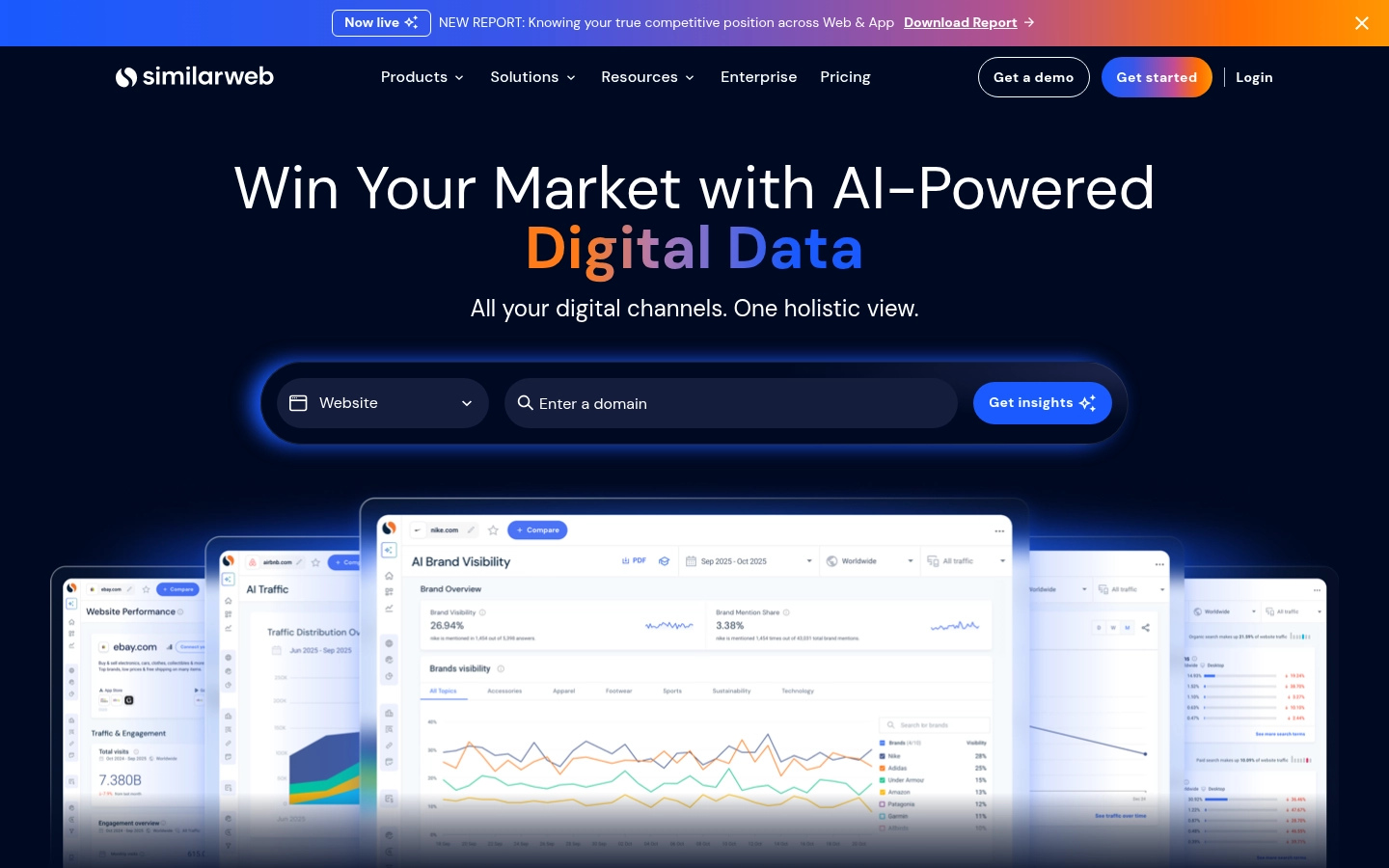
Similarweb homepage
Best for: Agencies whose clients ask for web-wide traffic share and audience trends across many countries.
Why I picked it: Similarweb measures competitors through their web traffic across the whole web, and competitor intelligence is included in all Web Intelligence packages. For most agencies it’s a second tool next to a social suite, kept for the clients whose paid and organic search budgets move on traffic share.
Standout features
Traffic benchmarking: Benchmark traffic and engagement against key competitors, along with their user journeys.
Channel analysis: Break a rival’s traffic down by channel, from organic and paid search to referrals and social.
Alerts: Automatic alerts flag a rival’s launches and press coverage as well as its traffic shifts and SEO moves.
Gen AI intelligence: Track brand visibility in AI-generated experiences against competitors, starting on the Competitive Intel & SEO & AEO plan.
Integrations: Similarweb offers MCP for AI workflows and 10+ native integrations, among them Tableau and Power BI.
Pricing: Competitive Intelligence is $125 per month billed annually or $199 billed monthly, for 1 user and 3 months of history. Competitive Intel & SEO & AEO is $333 per month billed annually or $399 billed monthly, with 6 months of history and 150 tracked AI prompts. Competitive Intel, SEO & AEO & Ads is $542 per month billed annually or $649 billed monthly. Business packages are custom-priced through sales and can add up to 37 months of historical data.
Self-serve plans start at $125 per month billed annually and come with a free trial, so the entry tier needs no sales call.
Premium features require a custom package, so locked features can’t be tried before a sales conversation.
Business packages can add up to 37 months of historical data for year-over-year competitor comparisons.
Calvin v., a client solutions partner, pointed on G2 to “The limited amount of websites I am able to select when performing the specific channel analysis of competitors.”
Pros
Self-serve plans start at $125 per month billed annually and come with a free trial, so the entry tier needs no sales call.
Business packages can add up to 37 months of historical data for year-over-year competitor comparisons.
Cons
Premium features require a custom package, so locked features can’t be tried before a sales conversation.
Calvin v., a client solutions partner, pointed on G2 to “The limited amount of websites I am able to select when performing the specific channel analysis of competitors.”
11. Brand24: for competitor mentions beyond social networks
Brand24 homepage
Best for: Social and PR teams that report a client’s share of the conversation against rivals on the open web as well as on social.
Why I picked it:Brand24 reports can be shared instantly with a link, which helps when a client wants to check a competitor spike between monthly reports. Its plans price by tracked keywords and mention volume, and refresh speed rises with the plan, from every 12 hours on Individual to every hour on Team.
It’s the listening specialist in this roundup, reading the open web from news to reviews. Keyword slots are the planning unit: the client and each rival you watch take one, so Team’s 7 keywords cover one client with a handful of competitors.
Standout features
Comparison Tab: Put a client’s mention volume and sentiment next to each competitor’s, with reach alongside.
Share of Voice: See how much attention any brand gets versus its competitors.
AI Insights: Competitor mentions turn into weekly reports with charts and written summaries.
Influencer Tab: Track influencers who mention your competitors.
Integrations: Brand24 connects with Slack and Microsoft Teams. Its API feeds dashboards in tools such as Power BI or Looker Studio once a Customer Success Manager issues the key, and API access is sold for an additional fee.
Pricing: Individual is $249 per month billed monthly or $199 per month billed annually. Team is $349 per month billed monthly or $299 per month billed annually, with 7 keywords and 10k mentions per month, plus unlimited users and updates every hour. Pro is $499 per month billed monthly or $399 per month billed annually. Business is $699 per month billed monthly or $599 per month billed annually. Enterprise starts from $1,499 per month, billed annually.
Team includes unlimited users and hourly updates, so every account manager sees fresh competitor mentions.
Individual tracks only 3 keywords and 2K mentions per month for 1 user, which runs out fast once a client has three rivals worth watching.
Reports can be shared instantly with a link, so a client can check a competitor spike between monthly reports.
Reflex S., a marketing manager, flagged on G2 “the limitation on the number of keywords, especially in our case, as our company name is not unique and often appears in unrelated conversations.”
AI Insights, which builds the weekly competitor reports, starts on Pro and covers only 2 projects there.
Pros
Team includes unlimited users and hourly updates, so every account manager sees fresh competitor mentions.
Reports can be shared instantly with a link, so a client can check a competitor spike between monthly reports.
Cons
Individual tracks only 3 keywords and 2K mentions per month for 1 user, which runs out fast once a client has three rivals worth watching.
Reflex S., a marketing manager, flagged on G2 “the limitation on the number of keywords, especially in our case, as our company name is not unique and often appears in unrelated conversations.”
AI Insights, which builds the weekly competitor reports, starts on Pro and covers only 2 projects there.
Which tools should an agency pair for monthly competitor reports?
For an agency reporting competitor benchmarks to 8-10 clients every month, pair Planable for social performance with SE Ranking for search performance.
Keep the relationship in mind: SE Ranking is Planable’s sister product, and both belong to the same growth kit.
Planable’s Competitor Analytics compares each client’s social pages with tracked competitors across followers, engagement, and top-performing posts. SE Ranking covers organic search performance, competitor rankings, and AI visibility gaps. Together, they give agencies a clearer view of how clients compare across social and search. Our guide to using Planable and SE Ranking together covers how agencies can combine both in their workflows.
SE Ranking also supports multi-client reporting:
Multi-client setup: Each client gets a separate project, with 10 projects on Core and 30 on Growth, plus granular access controls.
Reporting: Report Builder supports scheduled reports in PDF, XLS, and HTML. Agencies can also share keyword rankings through Looker dashboards and add white-label reporting with the Agency Pack.
Client access: The Agency Pack provides restricted view-only client seats, while Growth adds guest links for collaboration.
Scalability: New clients can be added as separate projects, subject to plan limits.
If you mainly report on social performance, a dedicated social analytics tool may be enough. If clients also expect organic rankings and AI search visibility, Planable and SE Ranking cover both areas.
FAQs
What are the four P’s of competitor analysis?
They’re the marketing mix applied to a rival: product and price on one side, with place and promotion on the other. Compare what a competitor sells and what it charges, then where it sells and how it promotes itself. The gap between their mix and your client’s is usually where next month’s content angle comes from.
How often should you run a competitor analysis?
Match the cadence to the data. Where a benchmark refreshes daily, a weekly glance catches sudden spikes, and listening refresh speed depends on the plan. The full analysis belongs in the monthly client report, with a deeper quarterly review of which competitors you track and why.
Which AI tool is best for competitor analysis?
It depends on whether you want to measure AI or work with it. AI-answer tracking shows how often competitors appear in chatbot answers and which prompts trigger them. AI assistants connected over MCP can read your competitor data directly and draft the summary for your report, though someone still checks the numbers before a client sees them.
Which competitor analysis tool should you choose?
Pick by the competitor question your client report answers each month:
Social and search benchmarks for every client: Planable for social, SE Ranking for search (sister products).
A fixed list of rival companies: Rival IQ.
History beyond the 30-day native window: Socialinsider.
Competitor listening with sentiment: Sprout Social.
Share of voice inside AI answers: Hootsuite.
Unlimited seats across many brands: Emplifi.
A free starting point: Metricool.
Competitor traffic history back to 2017: Semrush (Traffic & Market Toolkit).
Traffic share by country: Similarweb.
Mention reports you can share by link: Brand24.
Start with the half of the report your clients ask about most. If it’s the social half, keep the benchmarks next to the calendar and the approvals: Try Planable for free!
Horea is a B2B SaaS content writer and MarTech researcher. He has written for Planable since 2023, covering social media management, scheduling, listening and collaboration software. He's spent 7+ years writing about marketing technology, with work for HubSpot, Surfer and UX Pilot AI on topics from SEO and answer engine optimization to UX and web design tools. His roundups are research-first: he tests the tools and workflows himself, then writes the comparisons that help marketers choose with confidence.







 Creation
 Scheduling
 Planning
 Social Inbox
 Collaboration
 Analytics
 Approval
 Social Listening