Social media scheduling is only one part of a team's workflow. You also need to keep content organized, collect feedback, get approvals, and make sure the right version goes live. That's where choosing between Buffer and Later gets interesting. Both tools help you...
Redesign For multi-location brands
all your locations, one content flow
For multi-brand companies
content collaboration at scale
For agencies
impress your clients and take on more
“The team loved it from the start. Planable helps us overview the entire marketing efforts.“
Renewal time for Talkwalker, now called Lumen by Talkwalker, is when the search for Talkwalker alternatives usually begins.
It’s now folded into its owner’s new Social OS, so the product you renew sits inside a bigger suite. Every plan is a custom quote, and listening volume climbs by tier, up to 6x the entry plan’s non-sampled results.
If you run listening for agency clients, you know where that hurts. You pay for research headroom nobody opens, while the mentions that matter sit in one tool and the client approves posts in another.
This guide compares six alternatives by what happens after a mention lands, from dedicated research suites to social listening tools that live inside the platform where you already publish.
Every product fact comes from the vendor’s own pages, and every quoted reviewer links to their G2 review.
What are the best Talkwalker alternatives at a glance?
Lumen by Talkwalker, formerly Talkwalker, sells research-grade listening on custom quotes, so the right alternative depends on what your team does once a mention lands. If mentions feed client posts and approvals, Planable’s listening add-on covers it. If they feed a crisis desk or multi-year research, a suite such as Brandwatch or Meltwater still earns its price.
Here’s the short version, by job:
Planable: agencies that turn mentions into client posts and route them through approval without leaving the client’s workspace.
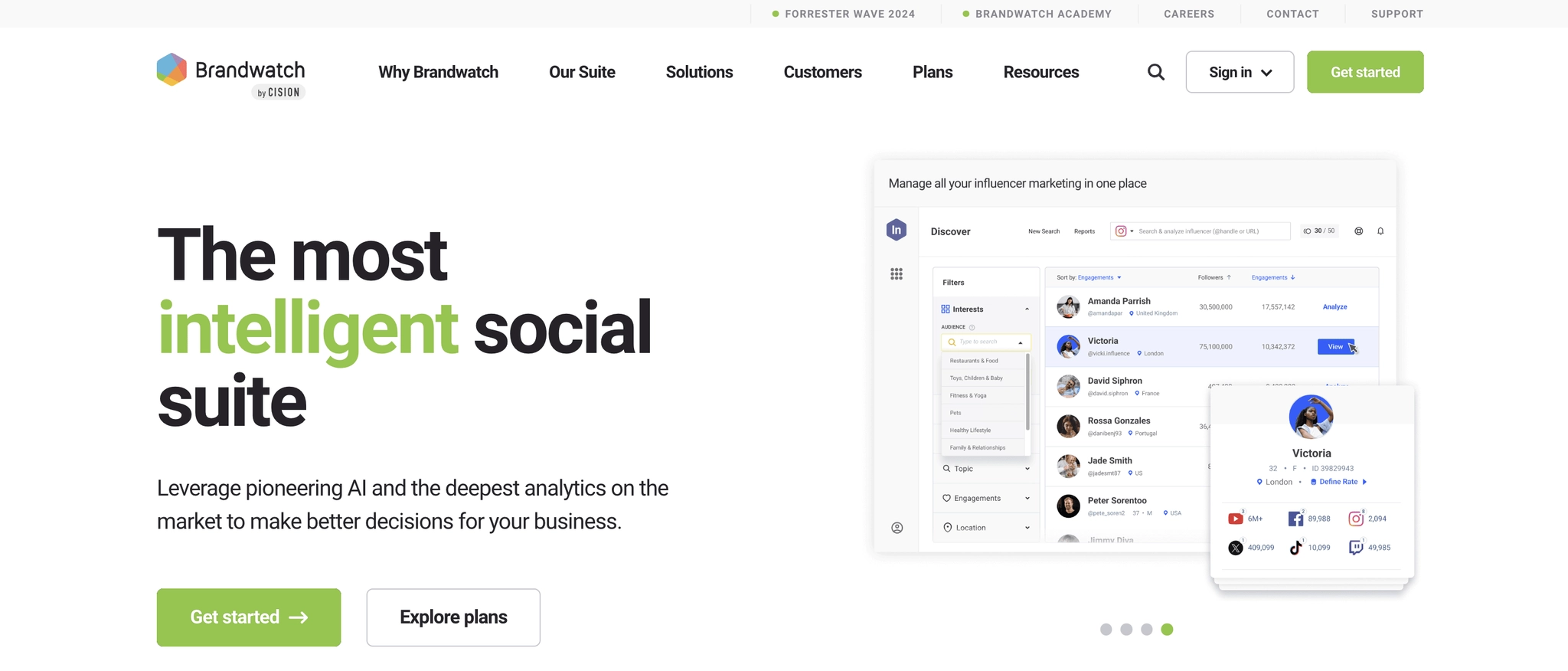
Brandwatch: consumer research that needs an archive of posts going back to 2008.
Meltwater: PR and comms teams that want social listening next to media monitoring.
Brand24: buyers who want self-serve plans with the prices on the page.
Sprout Social: teams already publishing in Sprout Social that can add Listening on Standard and up.
Mention: brands whose reputation lives on review sites as much as on social.
Lumen by Talkwalker sits in the bottom row as the baseline, so you can read each alternative against the contract you’d otherwise renew.
Tool
Best for
What it monitors
Standout listening feature
Starting price
Planable
Agencies turning mentions into approved client content
8 sources across social networks and the web
Competitors tab with share of voice, next to the client’s calendar
$99 per workspace per month for the Social Listening add-on; base plans from $39
Brandwatch
Consumer research with deep history
Over 100 million online sources, with posts back to 2008
Iris AI assistant plus image analysis
Custom pricing: contact sales for a quote
Meltwater
PR teams pairing social and earned media
Social and news sources, plus forums and Reddit
48-hour conversation forecasting
Custom pricing: contact sales for a quote
Brand24
Self-serve buyers who want listed prices
Social networks plus news sources and podcasts
AI Visibility module for AI platforms (add-on)
$199 per month, billed annually (Individual)
Sprout Social
Teams already publishing in Sprout Social
Keywords and locations on Standard, deeper topics with the Listening add-on
Smart Categories and Spike Alerts
$79 per seat per month, billed annually (Essentials); Listening is an add-on from Standard up
Mention
Brands tracking reviews alongside social
75+ review sites alongside social and the web
Share of voice and competitor benchmarking
Not disclosed: single Company plan via demo request
Lumen by Talkwalker (reference)
Crisis desks and global visual brands
30 social networks and 150+ million sources
Visual listening beyond text
Custom pricing: contact sales for a quote
Planable
Best for
Agencies turning mentions into approved client content
What it monitors
8 sources across social networks and the web
Standout listening feature
Competitors tab with share of voice, next to the client’s calendar
Starting price
$99 per workspace per month for the Social Listening add-on; base plans from $39
Brandwatch
Best for
Consumer research with deep history
What it monitors
Over 100 million online sources, with posts back to 2008
Standout listening feature
Iris AI assistant plus image analysis
Starting price
Custom pricing: contact sales for a quote
Meltwater
Best for
PR teams pairing social and earned media
What it monitors
Social and news sources, plus forums and Reddit
Standout listening feature
48-hour conversation forecasting
Starting price
Custom pricing: contact sales for a quote
Brand24
Best for
Self-serve buyers who want listed prices
What it monitors
Social networks plus news sources and podcasts
Standout listening feature
AI Visibility module for AI platforms (add-on)
Starting price
$199 per month, billed annually (Individual)
Sprout Social
Best for
Teams already publishing in Sprout Social
What it monitors
Keywords and locations on Standard, deeper topics with the Listening add-on
Standout listening feature
Smart Categories and Spike Alerts
Starting price
$79 per seat per month, billed annually (Essentials); Listening is an add-on from Standard up
Mention
Best for
Brands tracking reviews alongside social
What it monitors
75+ review sites alongside social and the web
Standout listening feature
Share of voice and competitor benchmarking
Starting price
Not disclosed: single Company plan via demo request
Lumen by Talkwalker (reference)
Best for
Crisis desks and global visual brands
What it monitors
30 social networks and 150+ million sources
Standout listening feature
Visual listening beyond text
Starting price
Custom pricing: contact sales for a quote
Read the last column before anything else. Four of these products, Lumen by Talkwalker included, won’t show you a price until you talk to sales or book a demo, and that matters when your renewal is weeks away.
What changed when Talkwalker became Lumen by Talkwalker?
Hootsuite announced that Talkwalker becomes Lumen by Talkwalker, its dedicated social intelligence product, fully integrated into Social OS and connected directly to Wisdom. Social OS is the umbrella name for Hootsuite’s rebuilt product lineup. So the name changed and the AI layer grew.
The bigger change is where the tool now sits. The same Social OS launch renamed Hootsuite’s other products too:
Publishing and planning became Perch.
Inbox became Nest.
Amplify became Parliament.
For a current customer, the renames matter most at procurement. Whatever names your renewal quote ends up using, check that each line item still matches what your team uses today. If a name on the quote doesn’t map to anything your team opens, ask what it covers before it becomes a permanent part of the bill.
Two additions come with the move. Hootsuite is also launching Model Context Protocol (MCP) connectors across Perch and Nest as well as Lumen. MCP is an open standard that lets AI assistants and agents connect to outside tools and data, so an agent can pull listening insights without someone exporting a report first.
The second is Wisdom, Hootsuite’s AI assistant. Inside Lumen by Talkwalker, you can ask Wisdom a quick question about your audience and get a plain-language answer, which helps when a client wants a read on a conversation before your analyst has built the query.
Neither announcement says what happens to existing contracts. Take these questions to your account rep ahead of the renewal:
Which of the three listed plans does your current contract map onto, and does the price move with it?
Do your data volume and your historical data stay where they are?
Which integrations and exports keep working exactly as they do today?
Are Wisdom and the MCP connectors part of your plan, or priced on top?
The tighter tie to Hootsuite is the part of the rename worth weighing: it pays off for teams that already publish in Hootsuite and adds little if your calendar lives somewhere else. If Hootsuite itself is on your review list, our guide to Hootsuite alternatives covers the publishing side of that decision.
Of the two additions, MCP matters most to agencies. If your team already runs AI agents for reporting, connectors let those agents read listening data directly and pull it into the client reports they already build.
Why do teams look for Talkwalker alternatives?
Lumen by Talkwalker holds 4.3 out of 5 on G2 across 137 reviews, so weak listening is rarely why teams leave. The trouble sits in the commercial model and the learning curve, which suit a dedicated insights team more than an agency or a social team that mostly uses mentions to feed content and reports.
Four points of friction stand out:
No published prices. Each of the three plans comes as a custom quote: there’s no list price to budget against, so every renewal starts with a sales call.
Volume is a contract decision. Listening volume rises by tier, so the plan you sign caps how much data you see:
Core: non-sampled results at a volume pitched for essential social listening.
Analyze: 2x Core’s non-sampled results volume.
Business: 6x Core’s non-sampled results volume.
A learning curve. Jennifer D., a Director of Digital Marketing at a small business, wrote on G2 that “it takes time to get comfortable, learn the system, and sort through the volume of information.” Jacqueline M., a Social Media Marketing Manager at an enterprise, said it more plainly: “It’s not the easiest platform to learn how to use.”
One vendor’s stack. After the rename, the product lives inside Hootsuite’s Social OS, which helps only if your calendar and client approvals live in Hootsuite too.
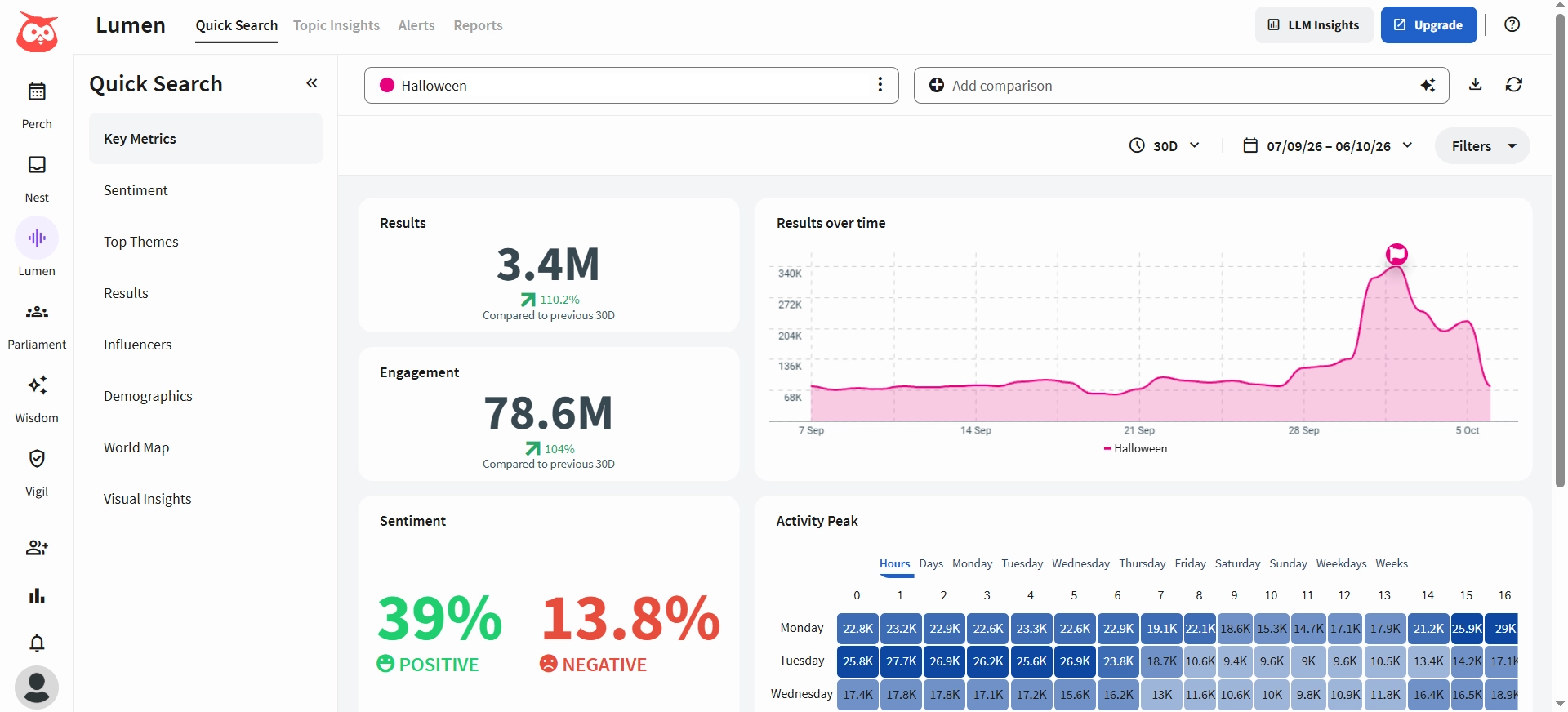
Lumen by Talkwalker social listening dashboard
The volume tiers matter more than they look. A G2 Verified User in public relations and communications listed this as a downside: “Limiting monthly/annual data caps.” If your listening mostly tracks a few client brands and their competitors, the extra volume in Analyze and Business may sit unused. If you run a crisis desk, that volume is the point.
Agencies feel this twice. Each client brand needs its own topics and filters, and if they all draw on one contracted volume, adding a client can mean renegotiating a contract instead of adding a line item. Unlimited users don’t help much here: an agency’s cost driver is the number of brands it watches, and headcount barely moves it.
So before you compare tools, settle one question: what does your team actually do with a mention? If the answer is a client post or a monthly report, you may not need a research suite at all. If the answer is an escalation call at 2 a.m., you probably do.
How do the top Lumen by Talkwalker alternatives compare in detail?
Each alternative below was checked against its vendor’s own product and pricing pages on October 15, 2026, with G2 ratings and reviewer quotes linked to the individual reviews. Every entry uses the same fields to keep the comparison fair, and each tool is judged on three questions:
What does it monitor, and where?
How fast does it tell you something changed?
What can you do with a mention once you have it?
The third question rarely makes it into comparisons, and it’s where the tools split. Speed here means refresh cadence and alert delivery, because a daily refresh and a real-time alert do different jobs.
When a vendor’s own pages didn’t state a fact, the entry leaves it out instead of guessing. Prices appear exactly as each vendor lists them, with the billing basis attached, so a monthly figure never sits next to an annual one as if they were the same thing. Where a vendor sells on custom quotes, the entry says so instead of estimating a number. Planable is our product, so it’s listed first, and its entry spells out where its listening stops.
1. Planable: listening next to approvals and publishing
Planable is a full-stack social media management platform with collaboration and approvals at its core. A mention its Social Listening add-on picks up can become a drafted post that goes through the client’s required approval without leaving that client’s workspace. On G2, Planable holds 4.6/5 from 1,125 reviews.
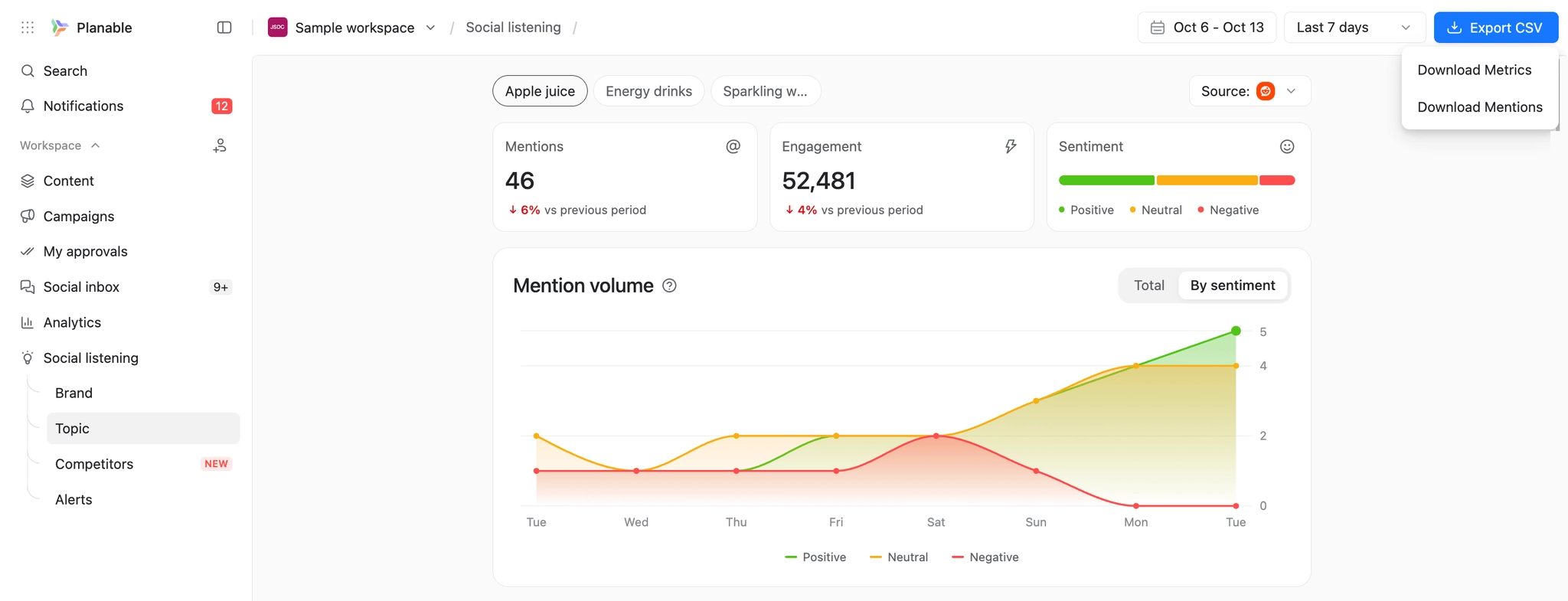
Planable’s Social Listening dashboard, with mentions and sentiment exportable to CSV alongside the client’s content calendar.
Standout features
Coverage: Tracks 8 sources, with X and YouTube via API and the rest through search discovery, from Reddit and TikTok to LinkedIn and the web.
Editable AI sentiment: Gives every mention an AI sentiment label, and you can edit the sentiment on an individual mention by hand.
Competitors tab: Compares your brand keyword against the competitor keywords you track, including a share-of-voice card and a channel-mix card.
Alert rules: Sets volume and sentiment alert rules on the brand keyword; a fired rule shows immediately in the in-app notifications drawer, while email and Slack alerts go out at 09:00 workspace time.
Its Social Listening add-on is a separate section, outside Social Inbox and Analytics, for monitoring what people say about your brand and competitors, plus the topics you follow, across social media and the web.
Because that feed shares a workspace with the client’s content calendar, nobody pastes screenshots from one tool into another. For an agency, that’s the difference between a mention that turns into a published post this week and one that turns into a line in next month’s report.
Planable pros & cons
Pros
Cons
One workspace per client: A workspace is a collaborative space for one brand or client, so 3 clients means 3 workspaces, each with its own listening keywords.
Not real-time: The brand and competitor keywords refresh every 24 hours and topic keywords every 7 days, so it’s not a fit for hour-by-hour crisis monitoring.
Required approval: On Pro and up, at least one approver must approve before a post is scheduled or published, so a reactive post can’t skip review.
Tight keyword caps: Each workspace tracks 1 brand keyword and up to 3 topic keywords, with a separate cap of 3 competitor keywords.
Client sign-off without a login: Clients who are already set up as approvers can approve with no Planable account required, straight from the invite.
Pros
One workspace per client: A workspace is a collaborative space for one brand or client, so 3 clients means 3 workspaces, each with its own listening keywords.
Required approval: On Pro and up, at least one approver must approve before a post is scheduled or published, so a reactive post can’t skip review.
Client sign-off without a login: Clients who are already set up as approvers can approve with no Planable account required, straight from the invite.
Cons
Not real-time: The brand and competitor keywords refresh every 24 hours and topic keywords every 7 days, so it’s not a fit for hour-by-hour crisis monitoring.
Tight keyword caps: Each workspace tracks 1 brand keyword and up to 3 topic keywords, with a separate cap of 3 competitor keywords.
Pricing: Social Listening costs $99 per workspace per month or $990 per workspace per year. Base plans start with Basic at $39 per workspace per month ($390 per workspace per year), and Pro costs $59 per workspace per month ($590 per workspace per year).
Best for: agencies running listening for several clients that want mentions to turn into drafted posts inside the workspace where each client already signs off.
2. Brandwatch: deep consumer research with history back to 2008
Brandwatch Consumer Research keeps an archive of 1.4+ trillion posts back to 2008, the only archive depth published in this list. G2 reviewers rate it 4.4/5 across 730 reviews.
Source coverage: Draws on over 100 million online sources for its research data.
Iris AI assistant: Iris turns data into human-readable insights, which helps when a stakeholder wants the summary before the charts.
Falcon joins the family: The former Falcon platform is now part of Brandwatch, which is relevant for teams that still run it.
Brandwatch suits a research rhythm more than a daily content rhythm. An analyst builds the queries and explores years of history, and the output usually lands as a findings deck for brand or product teams.
If your listening job looks like that today, the move from Lumen by Talkwalker is sideways in scope, and the deciding factors are archive depth and how well each suite handles your own data. If Brandwatch is the tool you’re trying to leave instead, see our list of Brandwatch alternatives.
A finding usually leaves Brandwatch as a slide or a brief, and the action that follows, a campaign tweak or a product fix, happens in other tools. That means Brandwatch earns its seat at an agency when a client pays for research projects, and it’s a heavy pick when the client mostly wants mentions turned into posts. While you evaluate it, map out who turns a finding into action and in which tool, because that step decides how much of each insight ever reaches a published post.
Brandwatch pros & cons
Pros
Cons
Image analysis: Analyzes images with models trained on billions of images, useful when your logo shows up in a photo with no brand name in the caption.
Account connections: Allie H., a Senior Community Manager at a mid-market company, wrote on G2: “I find the account connections frustrating at time.”
First-party data in the same study: Lets you upload and analyze enterprise-held data alongside online data, so a client’s own research sits next to the public conversation instead of in a separate deck.
Pros
Image analysis: Analyzes images with models trained on billions of images, useful when your logo shows up in a photo with no brand name in the caption.
First-party data in the same study: Lets you upload and analyze enterprise-held data alongside online data, so a client’s own research sits next to the public conversation instead of in a separate deck.
Cons
Account connections: Allie H., a Senior Community Manager at a mid-market company, wrote on G2: “I find the account connections frustrating at time.”
Pricing: Brandwatch, like Meltwater and Lumen by Talkwalker, has custom pricing: you need to reach out to its sales team to get a quotation.
Best for: insights teams at consumer brands that need multi-year research and want their own first-party data analyzed next to social conversation.
3. Meltwater: social listening alongside media monitoring
Meltwater tracks social and news alongside forums and Reddit in one feed, so a story and the reaction to it sit side by side. It scores 4.1/5 on G2 from 2,677 reviews.
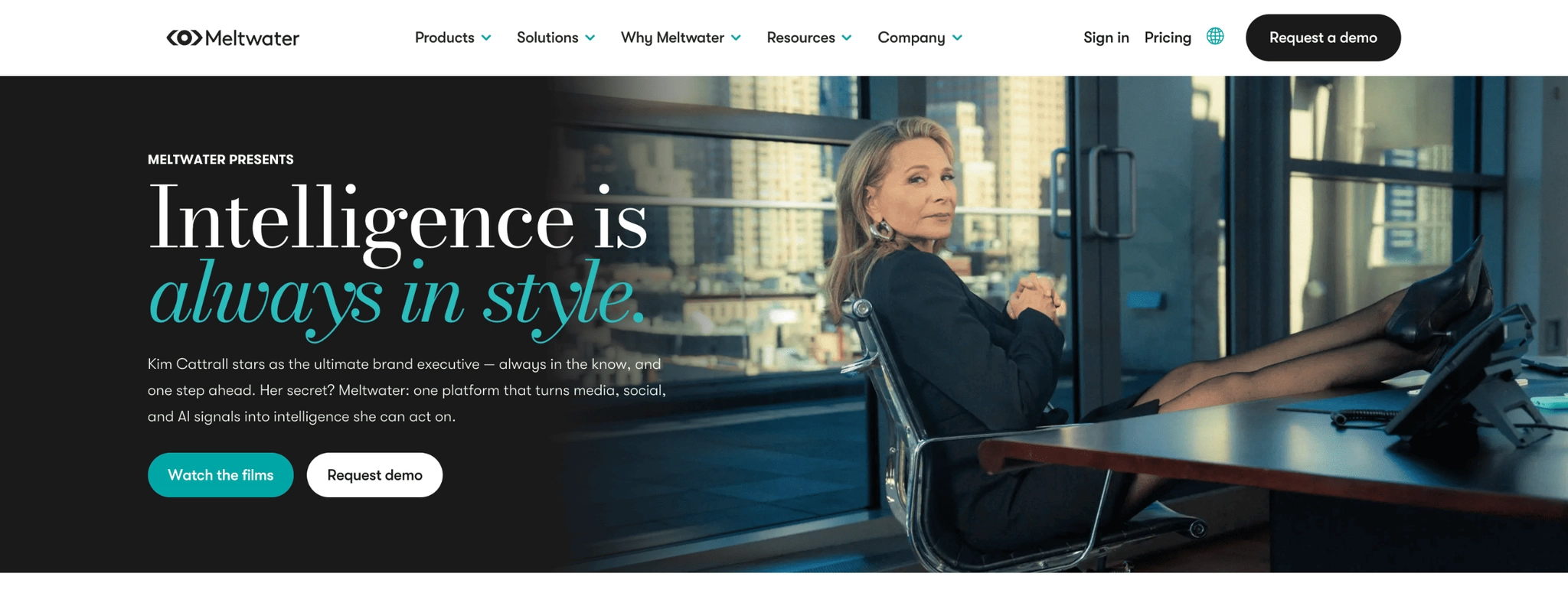
Meltwater media intelligence platform homepage
Standout features
Alerts where you work: Delivers spike-detection and sentiment-shift alerts via Slack or Teams.
Your own data in the mix: Analyzes your surveys and transcripts alongside external conversation.
48-hour forecasting: Forecasts the conversation 48 hours ahead to show where a narrative is heading.
For a PR team, the draw is the single view. A story breaking in the news appears right beside the social reaction to it, and the forecast hints at whether the conversation will grow over the next couple of days. If earned media is part of your weekly report, Meltwater is the closest swap here for that job.
A useful test during the demo: pick a story from last quarter that mattered to your brand, and ask the rep to show the news coverage and the social reaction side by side, Reddit threads included. If the forecast would have flagged it early, the tool earns its place on a comms desk. Ask, too, where the Slack or Teams alerts will land, because a spike alert posted to a shared channel nobody watches at night does the same job as no alert.
For agencies, the fit depends on the retainer. PR retainers make the media side worth paying for, while social-only retainers would use half of what you’re buying.
Meltwater pros & cons
Pros
Cons
Share of voice across earned and social: Benchmarks your brand against competitors across social and earned media channels, so a comms lead can show leadership where the brand stands in press and on social with one measure.
Coverage varies by contract: Sources such as X and TikTok are included depending on your package and region, so confirm the channel list before you sign.
Paywalled coverage: Tristan F., a Director, singled out one practical edge on G2: “I also appreciate its ability to get through pesky paywalls, making access to information hassle-free.”
Busy at high volume: Daniel S., a Co-Founder at a small business, noted in a G2 review: “When there is a large amount of coverage, the dashboard can also feel a bit busy.”
Pros
Share of voice across earned and social: Benchmarks your brand against competitors across social and earned media channels, so a comms lead can show leadership where the brand stands in press and on social with one measure.
Paywalled coverage: Tristan F., a Director, singled out one practical edge on G2: “I also appreciate its ability to get through pesky paywalls, making access to information hassle-free.”
Cons
Coverage varies by contract: Sources such as X and TikTok are included depending on your package and region, so confirm the channel list before you sign.
Busy at high volume: Daniel S., a Co-Founder at a small business, noted in a G2 review: “When there is a large amount of coverage, the dashboard can also feel a bit busy.”
Pricing: Meltwater also sells on custom quotes with no public price list, so the package you negotiate sets both the price and the channels you get.
Best for: PR and communications teams that report earned media and social reaction together and want warning before a story peaks.
4. Brand24: published self-serve pricing for mention tracking
Brand24 publishes its caps next to its prices: Individual allows 3 keywords and 2K mentions a month for 1 user. Pro covers 12 keywords and 40K mentions a month. Brand24 earns a 4.6/5 average on G2 from 368 reviews.
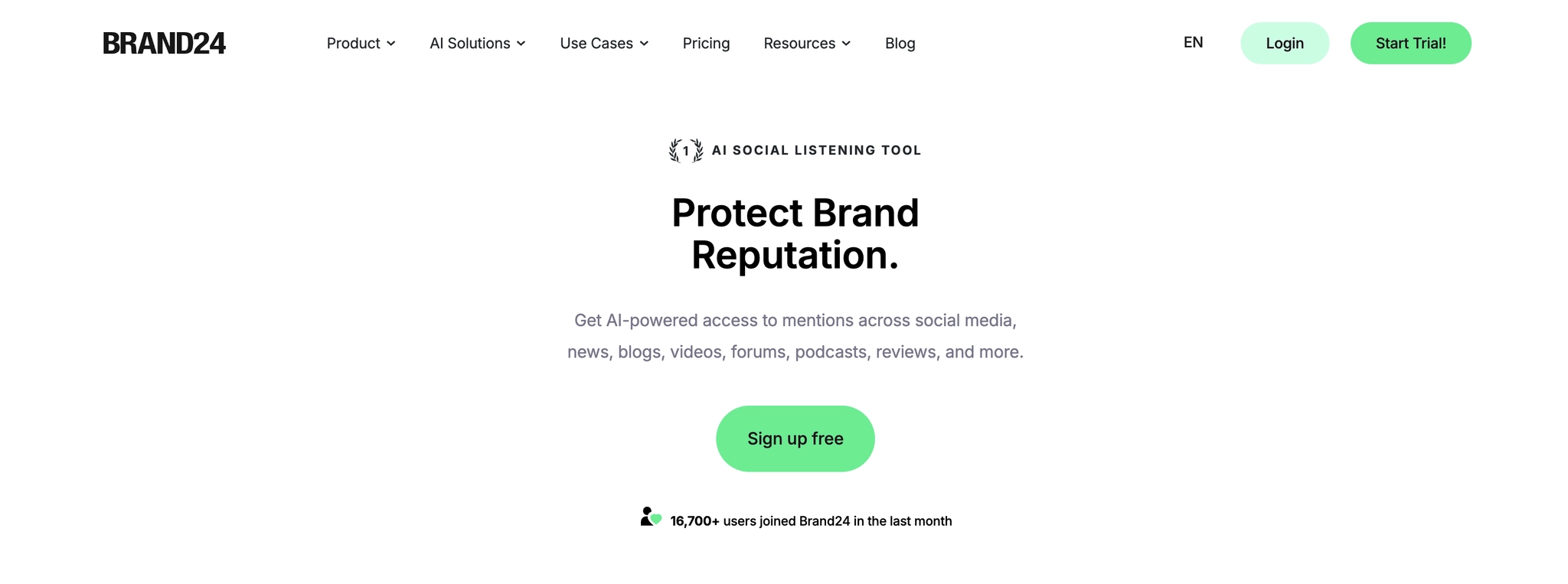
Brand24 homepage
Standout features
Wide source list: Monitors social networks from Facebook to TikTok, plus less common sources such as newsletters and podcasts.
AI Visibility module: Tracks how often and how positively your brand shows up across major AI platforms, sold as an add-on below Enterprise.
MCP access: Gives AI assistants secure access to your live Brand24 data.
The caps are what you’re really buying, so read the tiers as keyword and mention allowances. Business covers 25 keywords and 100K mentions a month. Next to Individual’s 3 keywords, Pro gives you four times the keywords for roughly twice the annual price, and it’s the step you’ll hit once you track a few clients and their competitors.
Self-serve signup is the other half of the appeal: you can trial it on a real keyword before anyone schedules a call, the reverse of a custom-quote renewal. Acting on what it finds is up to you, since the reply or post that follows happens in whatever tool you publish from.
The AI Visibility add-on is worth a look if clients have started asking how AI assistants describe them, a question Lumen by Talkwalker now covers too.
Brand24 pros & cons
Pros
Cons
Money-back guarantee: Brand24 offers a 30-day money-back guarantee, excluding custom plans, so a wrong tier pick is recoverable.
Help learning the tool: Marta M., a Research and Analysis Senior Specialist, gave Brand24 credit for “frequent webinars showing how to navigate the tool.”
API costs extra: API access is available only at an additional fee on top of your plan.
Pros
Money-back guarantee: Brand24 offers a 30-day money-back guarantee, excluding custom plans, so a wrong tier pick is recoverable.
Help learning the tool: Marta M., a Research and Analysis Senior Specialist, gave Brand24 credit for “frequent webinars showing how to navigate the tool.”
API costs extra: API access is available only at an additional fee on top of your plan.
Pricing: Individual costs $199 per month, billed annually, or $249 per month, billed monthly, and Team costs $299 per month, billed annually, or $349 per month, billed monthly. Pro costs $399 per month, billed annually, or $499 per month, billed monthly, Business costs $599 per month, billed annually, or $699 per month, billed monthly, and Enterprise starts from $1,499 per month, billed annually.
Best for: small brand teams and boutique agencies that want to start tracking mentions this week without a sales call.
5. Sprout Social: listening as an add-on to a publishing suite
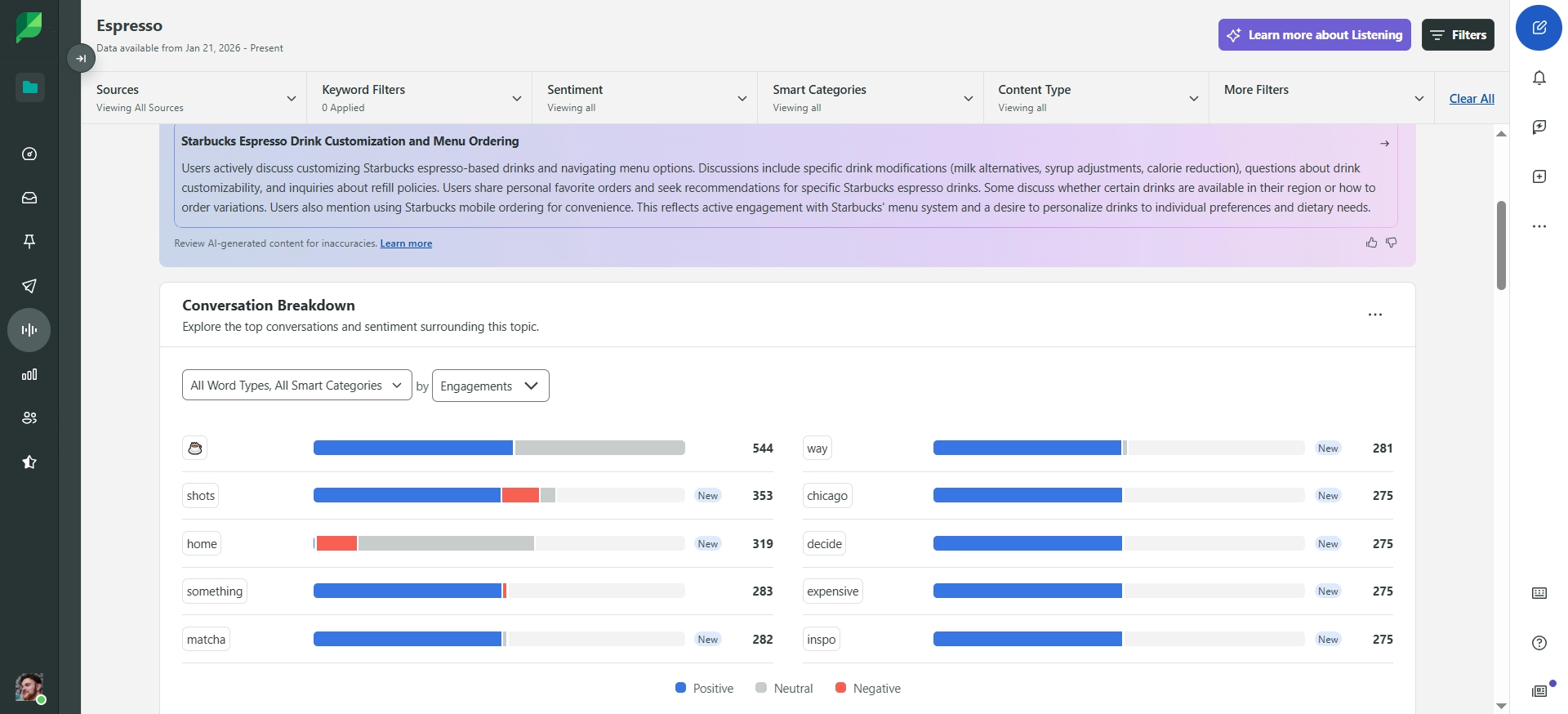
Sprout Social’s Listening module, surfacing influential topics through Smart Categories.
Standout features
Smart Categories: Listening identifies influential topics with Smart Categories.
Spike Alerts: Flags sudden volume or sentiment changes with custom Spike Alerts.
Monitoring on Standard: Standard includes keyword and location monitoring before you add Listening.
API and helpdesk integrations: Advanced adds the Sprout API and helpdesk integrations.
If your team already publishes in Sprout Social, that seat math changes fast as an agency team grows, so set it against per-workspace pricing.
Where Sprout Social’s setup pays off is follow-through. A Spike Alert and the reply to the post behind it happen in one product, which suits in-house teams that run their own community. Whoever sees the alert can answer the post from the same inbox, so the reply doesn’t wait on a hand-off to another person. Agency bills work differently: each seat is a person, so the bill grows with headcount while the number of clients you serve doesn’t move it.
The question to put to a Sprout Social rep is narrow: which of your seats need Listening, and how Listening is priced against them. Until that answer is in writing, any total you build is a floor rather than a budget. For an in-house team of three or four people, the math can still work, because the same seats cover publishing and the inbox that would otherwise sit in separate tools.
Sprout Social pros & cons
Pros
Cons
Replies without switching tools: The consolidated inbox and collaboration tools come with the product that sells Listening, so answering a mention doesn’t need a second login.
Per-seat math: Five Standard seats add up to $995 per month on annual billing, before anyone adds Listening.
Custom dashboards: Heidi E., a Social Media Manager, praised its customization on G2: “Sprout Social does a great job at making it easy and simple to create custom reporting dashboard, calendars, inboxes, etc.”
AI for listening dashboards: Heidi E. also wanted more from the AI: “AI could be more intuitive to creating custom listening dashboards, analyzing these dashboards, pulling our top level insights, etc.”
Pros
Replies without switching tools: The consolidated inbox and collaboration tools come with the product that sells Listening, so answering a mention doesn’t need a second login.
Custom dashboards: Heidi E., a Social Media Manager, praised its customization on G2: “Sprout Social does a great job at making it easy and simple to create custom reporting dashboard, calendars, inboxes, etc.”
Cons
Per-seat math: Five Standard seats add up to $995 per month on annual billing, before anyone adds Listening.
AI for listening dashboards: Heidi E. also wanted more from the AI: “AI could be more intuitive to creating custom listening dashboards, analyzing these dashboards, pulling our top level insights, etc.”
Pricing: Essentials, the entry plan, costs $79 per seat per month, billed annually, or $99 per seat per month, billed monthly. Standard runs $199 per seat per month, Professional $299 per seat per month, and Advanced $399 per seat per month, all billed annually.
Best for: in-house social teams that already publish and reply in Sprout Social and want listening data next to that work, with budget for both seats and the add-on.
6. Mention: monitoring that includes review sites
Mention monitors 75+ review sites, from Google and Trustpilot to Amazon and Glassdoor, alongside social mentions, the only review-site coverage this list puts a number on. It is also progressively deprecating its Publish and Respond features, so posting and replies belong in another tool. G2 users give it 4.3/5 in 442 reviews.
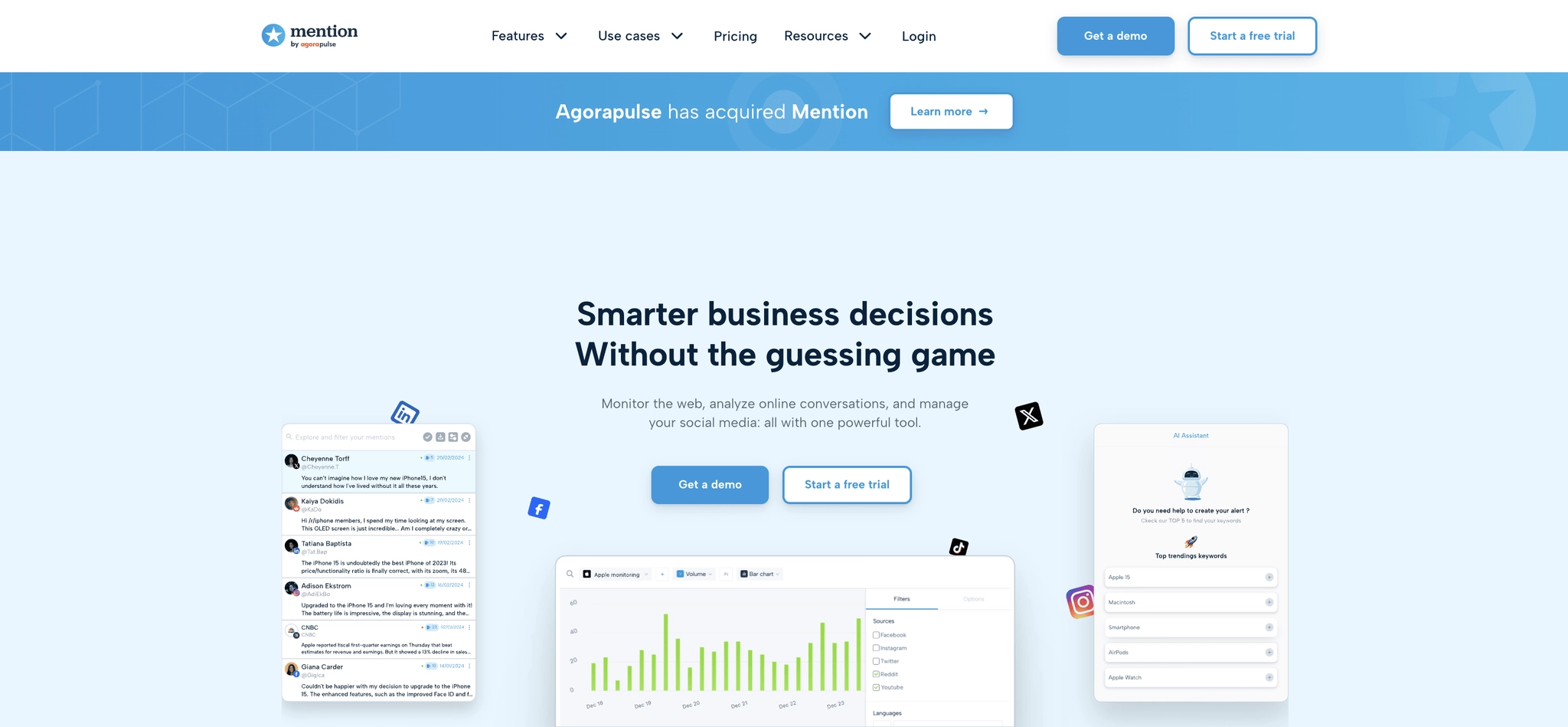
Mention media monitoring and social listening homepage
Standout features
Competitor benchmarking: Benchmarks and analyzes competitors next to your own brand, including your share of voice in the conversation.
Integrations: Connects to Slack and Zapier, among other tools, so mentions can feed workflows your team already runs elsewhere.
White-label reporting: White-label reporting options let an agency send monitoring reports under its own brand.
Mention’s case rests on where your reputation actually lives. For a restaurant group or a retail chain, a one-star review on Google can travel further than a tweet, and a listening tool that skips review sites misses the conversation that moves bookings.
For an agency pitching a hospitality client, share of voice and competitor benchmarking on the same plan let you set the client’s review conversation beside a rival’s in one monthly report.
On speed, the Slack integration is the natural alert route if that’s where your team already talks. On follow-through, plan the reply path up front. Answering reviews from a second tool works fine for a brand with a separate community team, and it adds a hop for an agency that wants one place to act.
Before the demo, list the review sites that matter in your client’s category, so the feed you see on the call reflects the conversation you’ll actually report on.
Mention pros & cons
Pros
Cons
Boolean search: Advanced Boolean search lets you tighten a noisy brand query instead of wading through irrelevant mentions.
Add-ons for history and API: Historical data and API access aren’t included in the Company plan; each comes only as a paid add-on, which matters if your reports compare this year’s reviews with last year’s.
Add-ons for history and API: Historical data and API access aren’t included in the Company plan; each comes only as a paid add-on, which matters if your reports compare this year’s reviews with last year’s.
Noisy out of the box: Victor Z. also flagged the flip side: “Out of the box, you’ll get many irrelevant mentions.”
Pricing: Mention doesn’t publish a price: its single Company plan goes through a demo request, and paying yearly gets you 2 months free.
Best for: hospitality and retail brands that need Google and Trustpilot reviews in the same monthly report as social mentions, and that publish from another tool.
How do you choose between a listening suite and a listening add-on?
Pick a dedicated listening suite when a missed hour costs real money or when your research needs years of history. Pick a listening add-on inside your publishing platform when mentions mostly become client content and competitor benchmarks, because the value comes from acting on a mention where the post and its approver already live.
That rule plays out differently depending on who you are:
Agency running listening for five to ten clients: Take the add-on route. Each client already has its own workspace and approver, so a mention can become a drafted post and a client sign-off without an export. In Planable, Competitor Analytics tracks up to 5 competitors per page for the monthly benchmark slide, and it needs the Analytics add-on. The listening add-on’s free trial lets you test this on one client before you commit the rest. Keep a dedicated suite only for the one or two clients whose brands genuinely need a crisis watch.
Multi-location brand: Split the job. Local teams post and a central team signs off, so keep listening next to that approval chain: Planable’s Enterprise plan supports multiple sequential approval stages, such as team, then legal, then client. If one location’s bad week can reach national press, add a suite for the brand-level watch.
In-house PR or comms team: Choose a suite. You need alerts within the hour and earned media beside social: Lumen by Talkwalker sells real-time alerts, and Meltwater puts media monitoring next to its social listening.
Social team at a regulated brand: Keep a suite for the watch and let the publishing platform’s listening feed the content. When a complaint can turn into a compliance issue, speed matters. So does having legal in the approval chain before anyone replies.
Running both is a normal setup, too. A brand can keep a suite for the crisis watch and an add-on for the daily content loop, and the two answer different questions: what’s happening to us right now, and what are we going to post about it. If you can’t say which of those questions your team asks more often, look at last month’s work: count the mentions that became posts or report lines, and count the ones that became escalations.
When is Lumen by Talkwalker still the right call?
Stay on Lumen by Talkwalker when round-the-clock coverage and global reach matter more than where your content gets approved, and the custom contract fits your budget. If one of the situations below describes your team, negotiate the renewal instead of switching:
You run a crisis desk. Real-time alerts tell you when a crisis might be forming or when sentiment is changing, which is the job a listening add-on with a daily refresh can’t do.
Your brand travels and shows up in pictures. Visual listening detects brand mentions beyond text, in images and video as well as audio. Coverage spans 150+ million sources across 239 countries and regions. Plans cover 187 languages.
A large insights team shares the tool. Every plan includes unlimited users. Amber N., Manager of Strategic Insights, said in her G2 review: “I really love the cluster analysis and how it can synthesize key themes in a huge data set.” Amber N. added one caveat that matters to agencies: “I wish we could share clusters between accounts.”
Rollout support weighs on a renewal too. Jennifer D., the reviewer behind the learning-curve complaint above, also praised the vendor’s team: “The team has also been excellent—very engaged during onboarding and training, making the implementation process smooth and collaborative.”
If you do renew, bring this comparison to the call, along with your actual usage from the last contract year. Published self-serve prices and per-workspace add-ons give you a reference point for the volume you actually use, and the renewal questions from the rename section tell you what to get in writing before you sign another year.
FAQs
Is there a free alternative to Talkwalker?
Not for this depth of listening. The tools in this guide sell it as paid plans, so the free route is a trial. Brand24 offers a 14-day free trial with no credit card required. Planable’s Social Listening add-on also starts with a 30-days free trial. Run the trial on one real brand keyword before you compare quotes.
What is better than Talkwalker for a small team?
Pick by how many brands you watch. For one brand and a handful of competitors, Brand24’s Team plan allows 7 keywords and 10k mentions per month with unlimited users. If you’re a small agency, start from the tool where clients already approve content, because that’s where a mention turns into work.
What’s the difference between Talkwalker and Meltwater?
Lumen by Talkwalker, formerly Talkwalker, tracks keywords and mentions across 30 social media networks and leans on research features such as visual listening. Meltwater pairs its social listening with media monitoring, so news coverage and social reaction sit together. Choose Lumen by Talkwalker for social depth and Meltwater for a PR-first view.
Can ChatGPT do social listening?
No. A chatbot answers from its training data or a live search at that moment, and it doesn’t track mentions over time or alert you when volume spikes. The listening suites are moving the other way: Lumen by Talkwalker’s Core plan adds LLM Insights to monitor how AI assistants talk about your brand and industry.
Which Talkwalker alternative should you choose?
Choose by the job each mention feeds on your team:
Agency with five to ten clients who each sign off: Planable keeps the mention and the approved draft in that client’s workspace. Try Planable for free!
Insights team pitching multi-year category studies: Brandwatch, with history back to 2008.
In-house PR desk reporting press and social reaction together: Meltwater.
Small brand team starting this week, no sales call: Brand24.
In-house team already publishing in Sprout Social: add its Listening.
Hotel or retail group tracking Google and Trustpilot reviews: Mention.
Running a crisis desk around the clock? Lumen by Talkwalker is still worth renewing, with the rename questions answered in writing first. Whichever way you go, run the new tool beside it for one reporting cycle before the old contract ends, and let that cycle’s tally of posts and escalations decide.
Horea is a B2B SaaS content writer and MarTech researcher. He has written for Planable since 2023, covering social media management, scheduling, listening and collaboration software. He's spent 7+ years writing about marketing technology, with work for HubSpot, Surfer and UX Pilot AI on topics from SEO and answer engine optimization to UX and web design tools. His roundups are research-first: he tests the tools and workflows himself, then writes the comparisons that help marketers choose with confidence.







 Creation
 Scheduling
 Planning
 Social Inbox
 Collaboration
 Analytics
 Approval
 Social Listening