Whether you manage one or multiple IG accounts, scheduling posts on Instagram will save you from worrying about what to post on the go and help you focus on the most important aspects of your business. No more last-minute panic attacks trying to whip up a post, just...
Redesign For multi-location brands
all your locations, one content flow
For multi-brand companies
content collaboration at scale
For agencies
impress your clients and take on more
“The team loved it from the start. Planable helps us overview the entire marketing efforts.“
Publishing content is only half the job. The other half happens in the comments sections and DM threads that follow, and for most teams, that part still gets managed the old way: logging into each platform, checking each account’s notifications tab, scrolling past the stuff that doesn’t matter to find the things that do.
When you’re managing one account, that’s manageable. When you’re managing five, or ten, or twenty across Facebook, Instagram, LinkedIn, and TikTok, it’s a full-time job on top of the full-time job. Comments get missed. Responses go out late. A negative comment sits unanswered long enough to look like you don’t care.
Planable social inbox pulls all of it into the workspace where your content already lives. Every comment and direct message, across every connected account, in one place, so the conversation is as organized as the content that started it.
One inbox for everything that needs a response
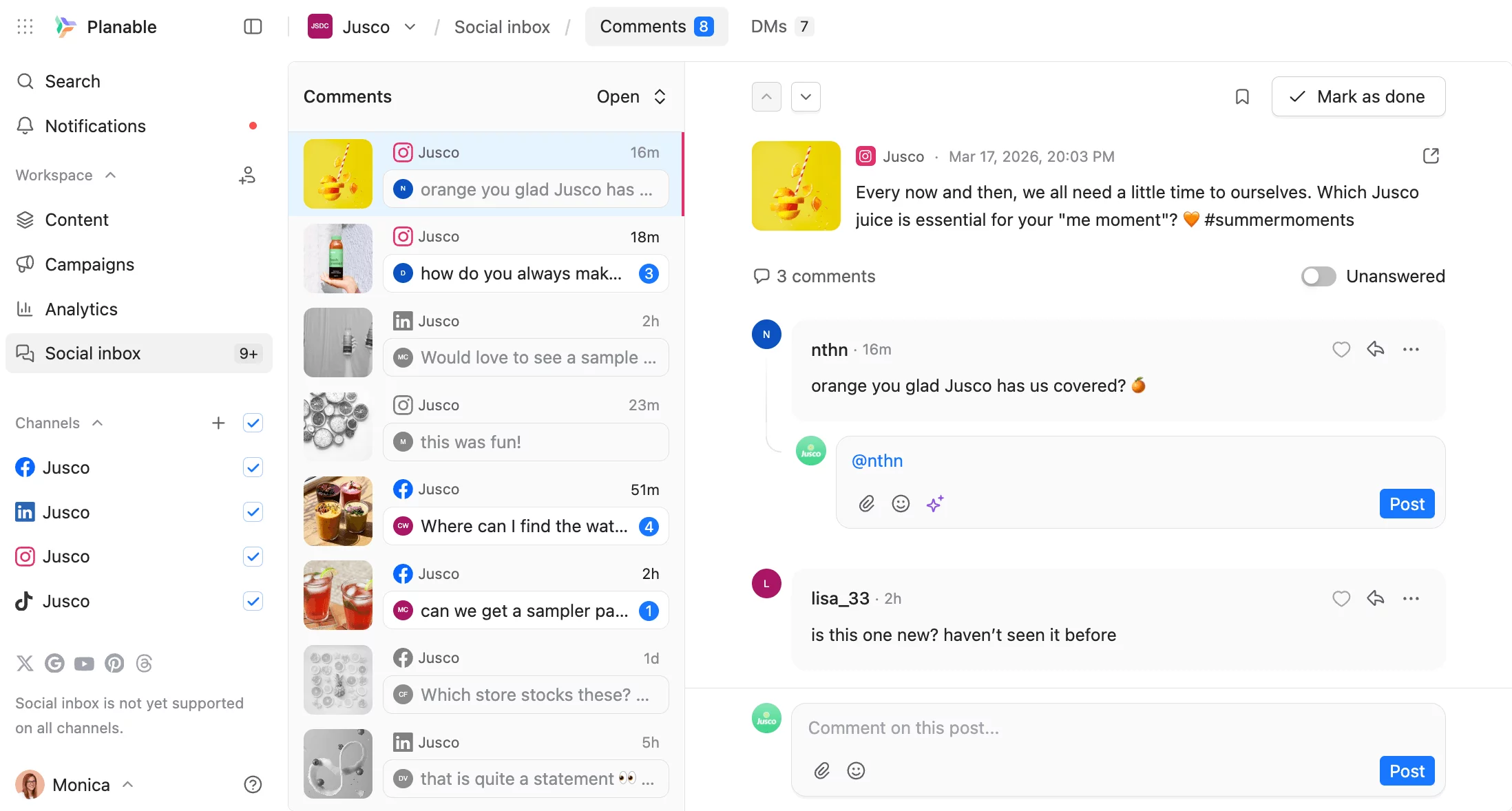
Planable social inbox dashboard with comments and posts across channels
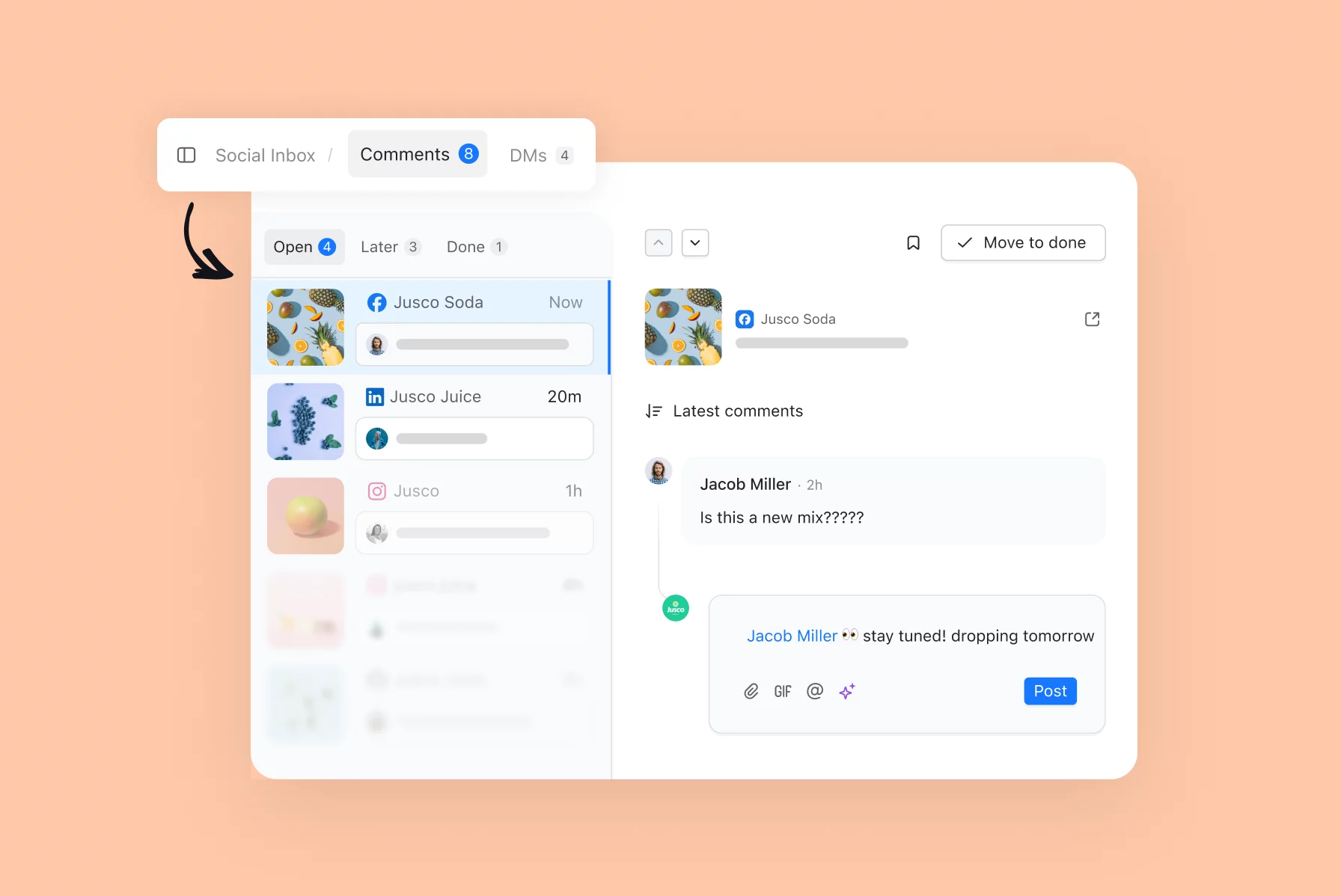
The social inbox pulls all your incoming comments and direct messages into a single view, across all your connected accounts. Everything is organized into three tabs (Open, Later, and Done) so it’s always clear what still needs attention, what can wait, and what’s been handled.
For agencies and multi-brand teams, this matters more than it sounds. The alternative is logging into each platform separately, checking each account’s notifications, and hoping the person responsible for each one is keeping up. That’s not a workflow, that’s a risk.
Comments
eplying to social media comments in Planable inbox thread view
Planable social inbox covers comments on Facebook, Instagram, LinkedIn, and TikTok.
Both organic posts and paid content (ads and boosted posts) are included for Facebook and Instagram, so if a sponsored post is generating questions or reactions, those show up alongside everything else.
What makes comments faster to manage
Sentiment analysis
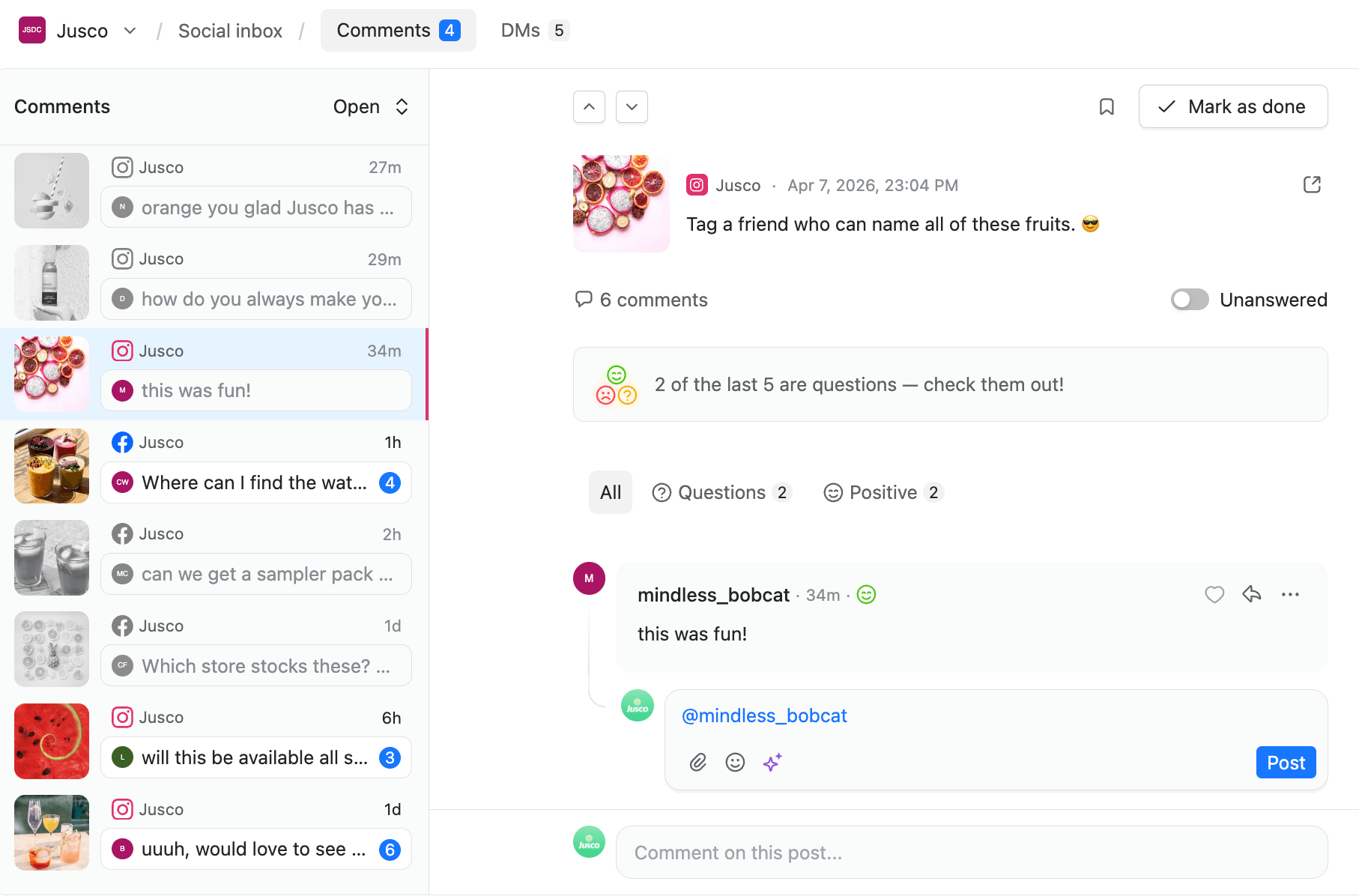
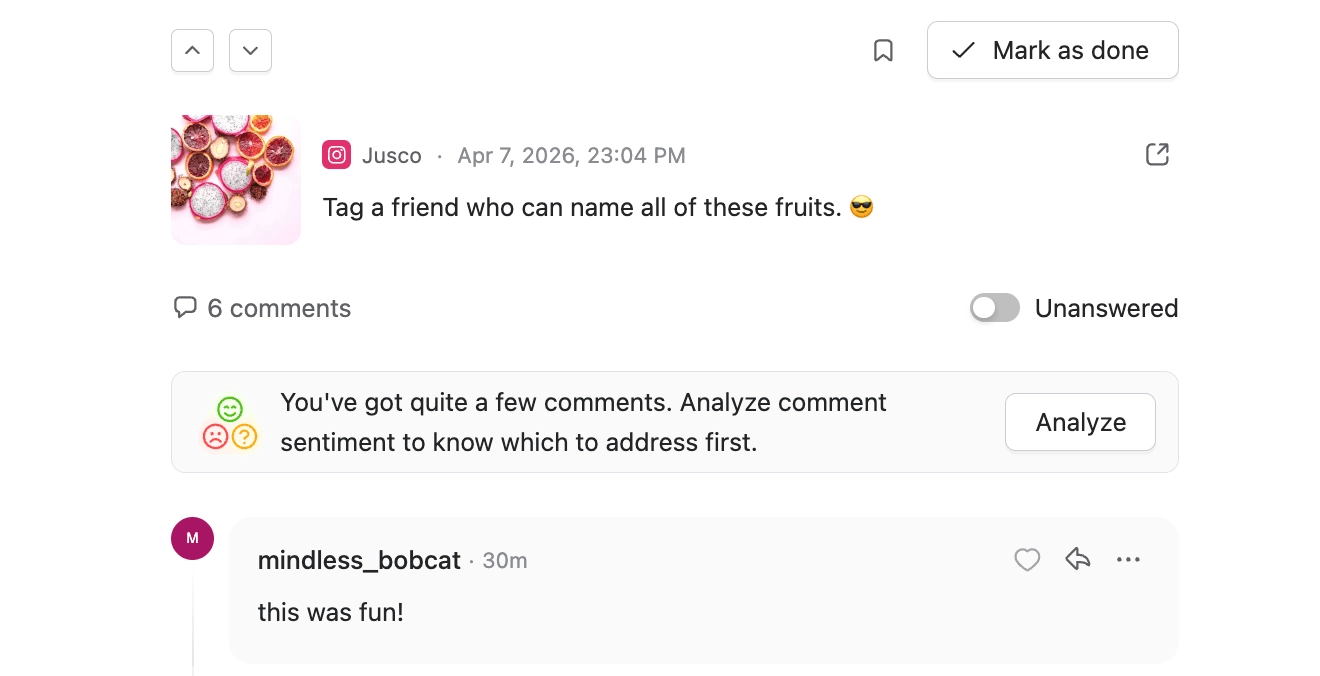
Social inbox showing sentiment analysis and comment prioritization in Planable
Comments are automatically sorted into Negative, Questions, and Positive tabs. You don’t have to read through everything to find the complaint that needs an urgent response, it’s already separated for you.
Sentiment analysis is available for posts with at least 5 comments.
AI replies
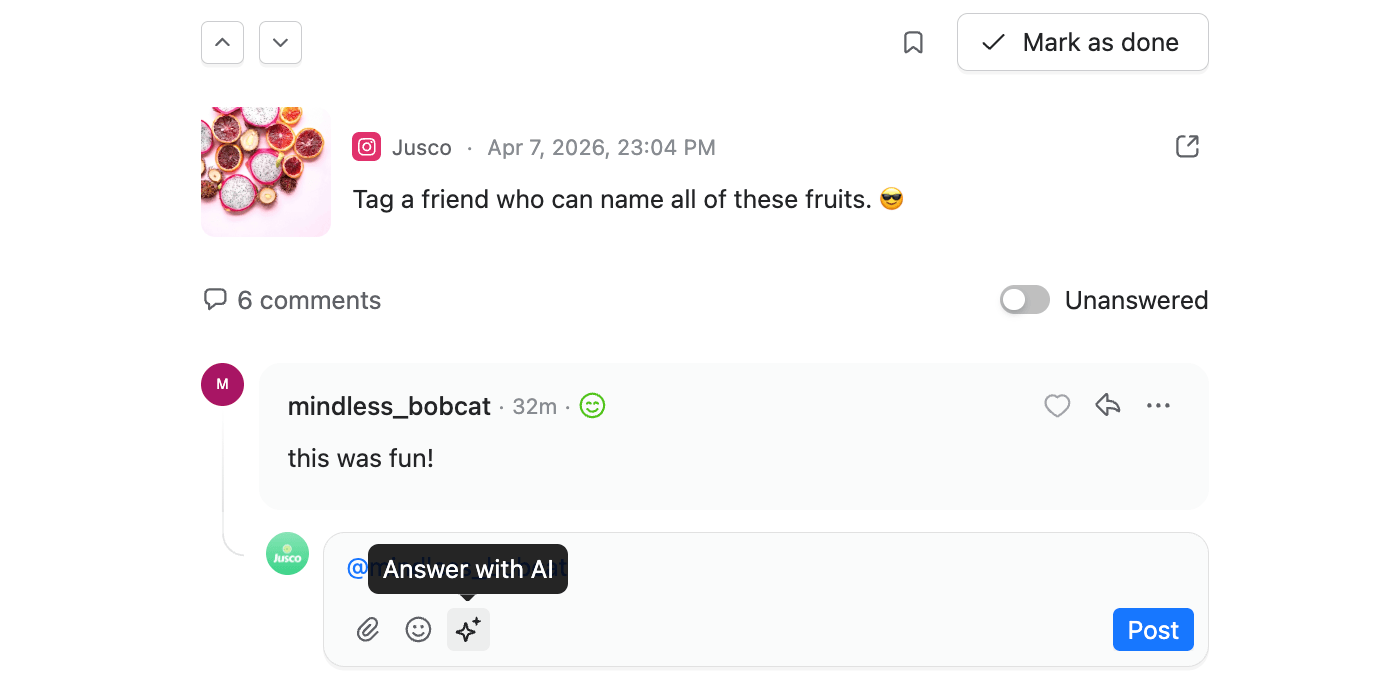
Social inbox comment with AI-generated reply option in Planable
You can generate a response draft on the spot with a single click, then customize it or post as-is. For high-volume accounts, this changes the pace of community management entirely.
LinkedIn personal profiles (important limitation)
Planable can display and manage comments for LinkedIn personal profile posts, but only for posts created through Planable. Posts published directly on LinkedIn won’t sync their comments.
Direct messages
Social inbox comment with AI-generated reply option in Planable
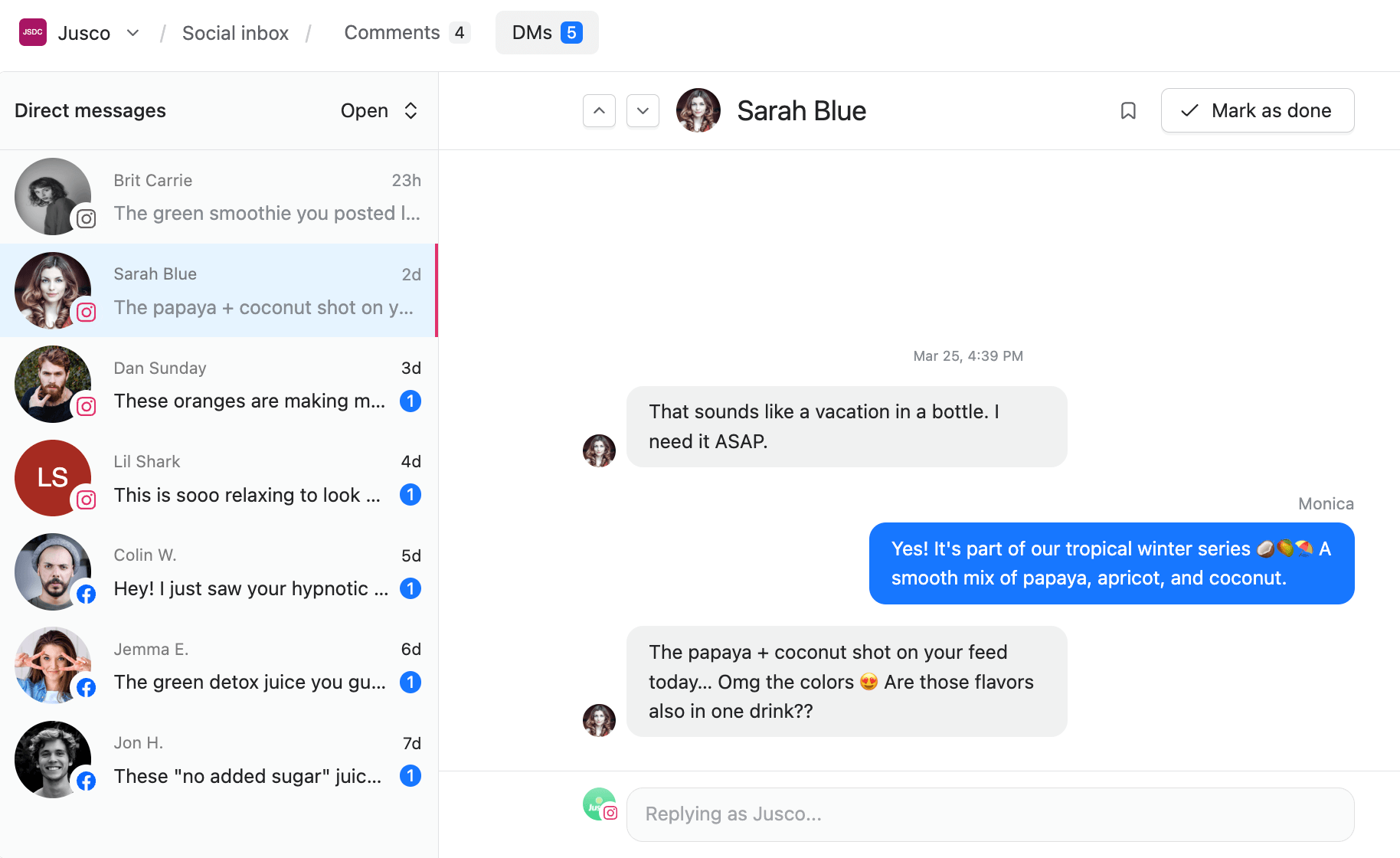
Planable social inbox supports direct messages for Instagram and Facebook, for professional and business accounts on both platforms.
DMs sync automatically once your account is connected. That includes the message itself, sender details and timestamps, image and video attachments, and replies to stories and reels. Messages load in batches, so historical conversations come in gradually rather than all at once.
You reply as the Page (not as a personal profile) which keeps brand voice consistent and prevents team members from accidentally responding from a personal account.
Control who has access
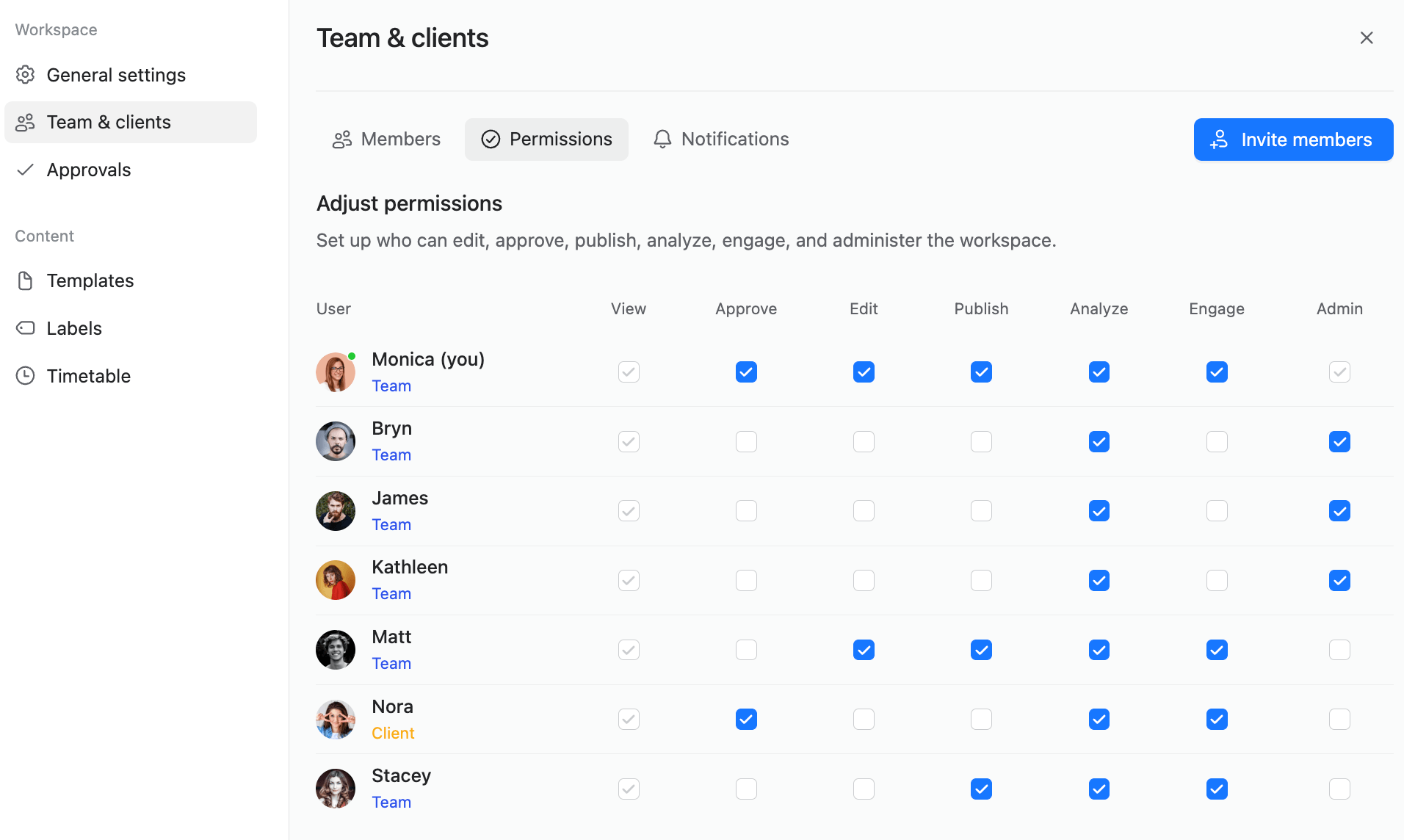
Team permissions panel showing user roles and access settings in Planable
Social inbox access is managed through workspace permissions. Each team member can be granted or restricted from the Engage permission independently, so you can give community managers full access while keeping it off for team members who only need to create or approve content.
This matters for agencies in particular. Not every person on a client account needs to see or respond to that client’s incoming messages. Permissions let you keep things tightly controlled without creating separate workspaces or workarounds.
Pricing
Planable social inbox is a paid add-on, available on all plans and billed separately from your main subscription. You get 30 days for free before being charged, and you can cancel at any time.
$9 per workspace per month
$90 per workspace per year
FAQs
What is Planable social inbox?
It’s an add-on that brings social media comments and direct messages into your Planable workspace, so you can manage all incoming conversations in one place, without switching between platforms.
Which platforms are supported for comments?
Facebook, Instagram, LinkedIn, and TikTok.
Which platforms are supported for direct messages?
Instagram and Facebook, for professional and business accounts. Personal profile messages are not supported due to platform API limitations.
Does social inbox cover paid post comments?
Yes. For Facebook and Instagram, comments on ads and boosted posts are included alongside organic content. For LinkedIn and TikTok, organic posts are covered.
How does sentiment analysis work?
Comments get automatically sorted into Negative, Questions, and Positive tabs, making it easy to prioritize responses. Sentiment analysis is available for posts with at least 5 comments.
Can I use AI to help write replies?
Yes. The AI reply feature generates a response draft on the spot. You can post it as-is or edit it before sending.
How do I track which comments have been handled?
Comments move through three tabs: Open, Later, and Done. You update the status manually as you work through them.
Can I control which team members have access to social inbox?
Yes. Access is managed through the Engage permission in workspace settings. You can grant or restrict it per team member, independently of other permissions like editing or approving content.
What types of direct messages does Planable support?
Direct messages including sender details and timestamps, image and video attachments, and replies to stories and reels. Voice messages, message reactions, and group chats are not currently supported due to Instagram’s API.
Is social inbox included in my Planable subscription?
No. It’s a paid add-on at $9 per workspace per month, or $90 per workspace per year. You can trial the social inbox add-on for 30 days before paying for it.
As a senior product marketer, Monica leads product marketing campaigns, drives competitive intelligence initiatives, and contributes to Planable’s growth strategy through extensive user research and data analysis.







 Create
 Schedule
 Plan
Plan Engage
 Collaborate
 Analyze
 Approve