Whether you manage one or multiple IG accounts, scheduling posts on Instagram will save you from worrying about what to post on the go and help you focus on the most important aspects of your business. No more last-minute panic attacks trying to whip up a post, just...
Redesign For multi-location brands
all your locations, one content flow
For multi-brand companies
content collaboration at scale
For agencies
impress your clients and take on more
“The team loved it from the start. Planable helps us overview the entire marketing efforts.“
If your audience spans cities, continents, or that mysterious in-between region where no one remembers what day it is, managing social media across time zones can feel like a full-time job on top of your full-time job.
I’ve spent over 20 years helping brands navigate the complexities of digital marketing and e-commerce, and one challenge comes up constantly: trying to publish social media posts “at the right time” across global markets. Through building TraceFuse and working with brands across different time zones, I’ve learned that you don’t have to operate in every time zone to maintain an active presence in all of them.
Social media automation tools can take the heavy lifting off your plate, allowing you to plan ahead, publish on schedule, and maintain consistency without burning out.
In this guide, I’ll walk you through how to manage a global audience smoothly, maintain consistent posting, collaborate with your team, and automate tedious tasks.
The challenge of managing social media across time zones
Managing social networks across multiple time zones might seem manageable, until you start studying the behavior of different audiences.
Global followers engage at completely different hours, which means your “best time to post” varies wildly depending on who you’re trying to reach that day.
The first issue you might encounter is missing peak times. Your audience might be most active at 6 a.m. London time, but that doesn’t help much if your team is sipping coffee on the West Coast. Without planning ahead, posts either go out too late or get buried before anyone sees them.
The second problem is inconsistent posting, especially when you’re manually trying to keep pace with multiple regions. And even if your content is polished, delayed responses can stall customer engagement because your team can’t always be awake when comments and questions start rolling in.
Why social media automation is a game-changer for every team
At the beginning, social media management teams tend to be small. The workload stretches far past what their size should handle, according to the remote work statistics.
Managing content, monitoring engagement, tracking brand mentions with the help of social media analytics tools, and publishing across multiple regions can be overwhelming when every task requires hands-on attention.
Automation planning helps lighten that workload by handling the repetitive, timing-sensitive, or operational parts of the job. It includes:
Scheduling posts in advance
Automating publishing across time zones
Routing approvals
Organizing assets
Standardizing internal social media workflows
Supporting automation processes that reduce manual work
This process helps your team stay focused on the work that actually requires human decision-making. You also get better consistency, because your posting schedule stays intact no matter where your audience lives.
You gain better efficiency because the routine clicks and uploads are handled for you. And most importantly, you save time for creative tasks: the part of the job that moves your brand forward.
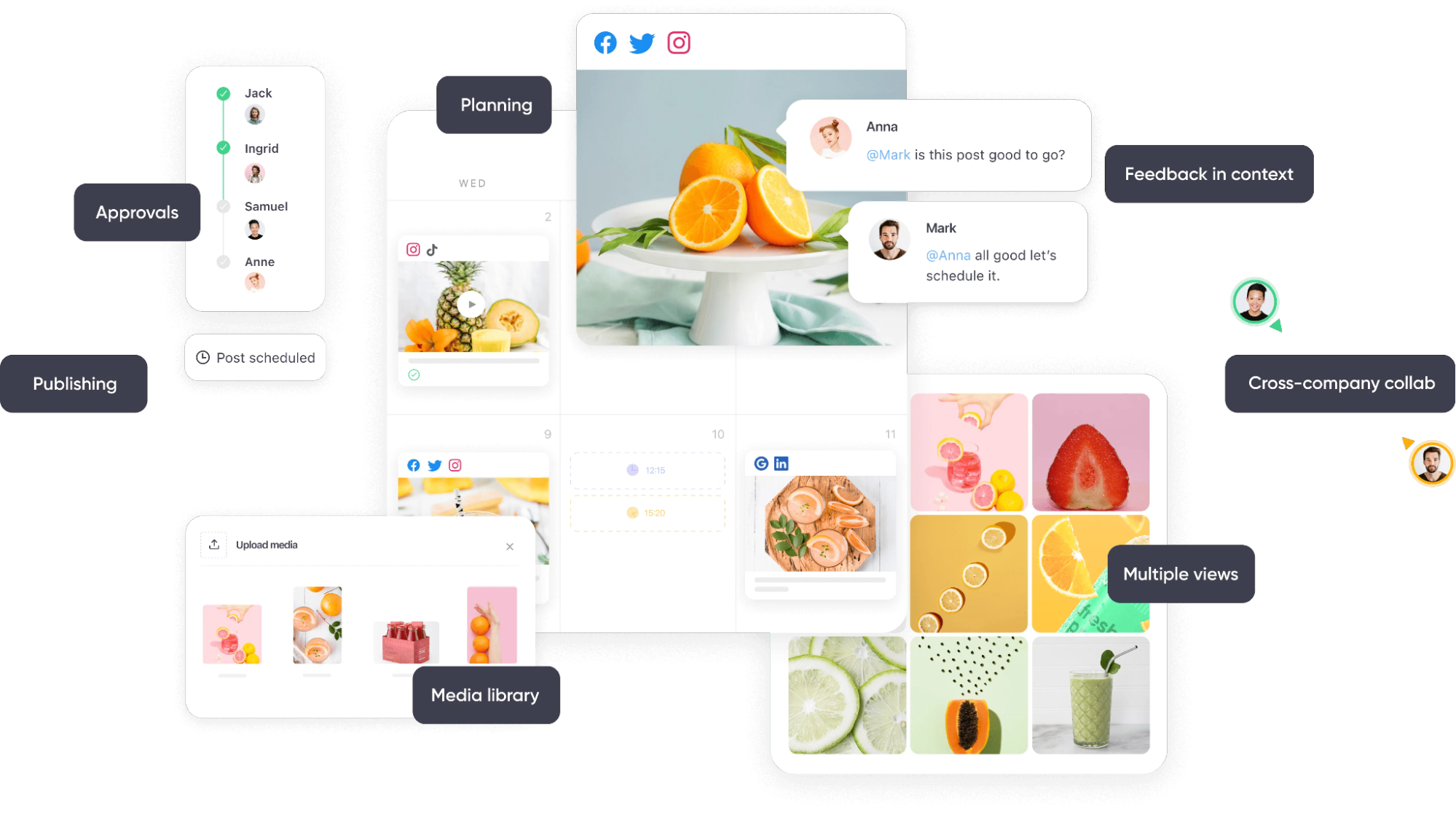
With Planable, you can schedule posts for global audiences in advance, coordinate approvals, and manage everything inside a shared workspace.
Planable’s key features at a glance
Smart scheduling strategies for global teams
To find the right posting times for each region, you must understand when your audiences are most active. Different time zones come with varying peaks of engagement, and what performs well at noon in London won’t necessarily land the same way in Los Angeles or Sydney.
The easiest way to pinpoint your best windows is to review platform insights and look for patterns in your audience’s behavior. Engagement metrics, comment bursts, and video retention trends all reveal when your followers are paying attention.
This keeps your posting consistent across the map and helps you boost organic reach without working odd hours.
Need help getting started? Here are a few tips to get the ball rolling:
Use analytics data. Historical performance shows exactly when your posts resonate strongest in each region.
Stagger posting times. Spread posts across multiple time zones to avoid content bunching and reach broader slices of your audience.
Reuse content effectively.Content repurposing lets you adapt a strong piece of content for different markets, formats, and time frames. No need to reinvent the wheel for every region.
Use a visual content calendar. This helps you map out global posting.
You can create region-specific channels for smoother handoffs, schedule messages to land at the right local time, and pin quick-reference templates so no update gets missed.
Note: Automation makes global social media scheduling manageable. However, it doesn’t replace the need for authentic engagement. Always make an effort to respond thoughtfully, join conversations, and keep a human presence in the comments.
The goal is to let automation handle routine timing, allowing your team to focus on meaningful interactions that build trust across every region you serve.
Bonus tip: When your team works across multiple time zones, information gaps and delays can quickly slow projects down. Using a trusted internal communications app as your command center helps streamline collaboration and keep everyone aligned.
Collaboration across time zones without chaos
When your team works across multiple time zones, collaboration can get pretty complicated. But it doesn’t have to be. With the right asynchronous setup, your team can plan, review, and coordinate content without needing to be online simultaneously.
Plan content asynchronously. Everyone works on their own schedule, and the workflow does the heavy lifting of keeping your team aligned.
Use a unified content calendar. A single source of truth shows upcoming posts, approvals, and open tasks in one place.
Lean on approval workflows. No nudging stakeholders in five different chats. Everyone reviews posts in context and signs off when it’s their turn.
Centralize everything in a content library. Assets, drafts, templates, and guidelines live in one tidy place, so no one loses time digging through chats or emails.
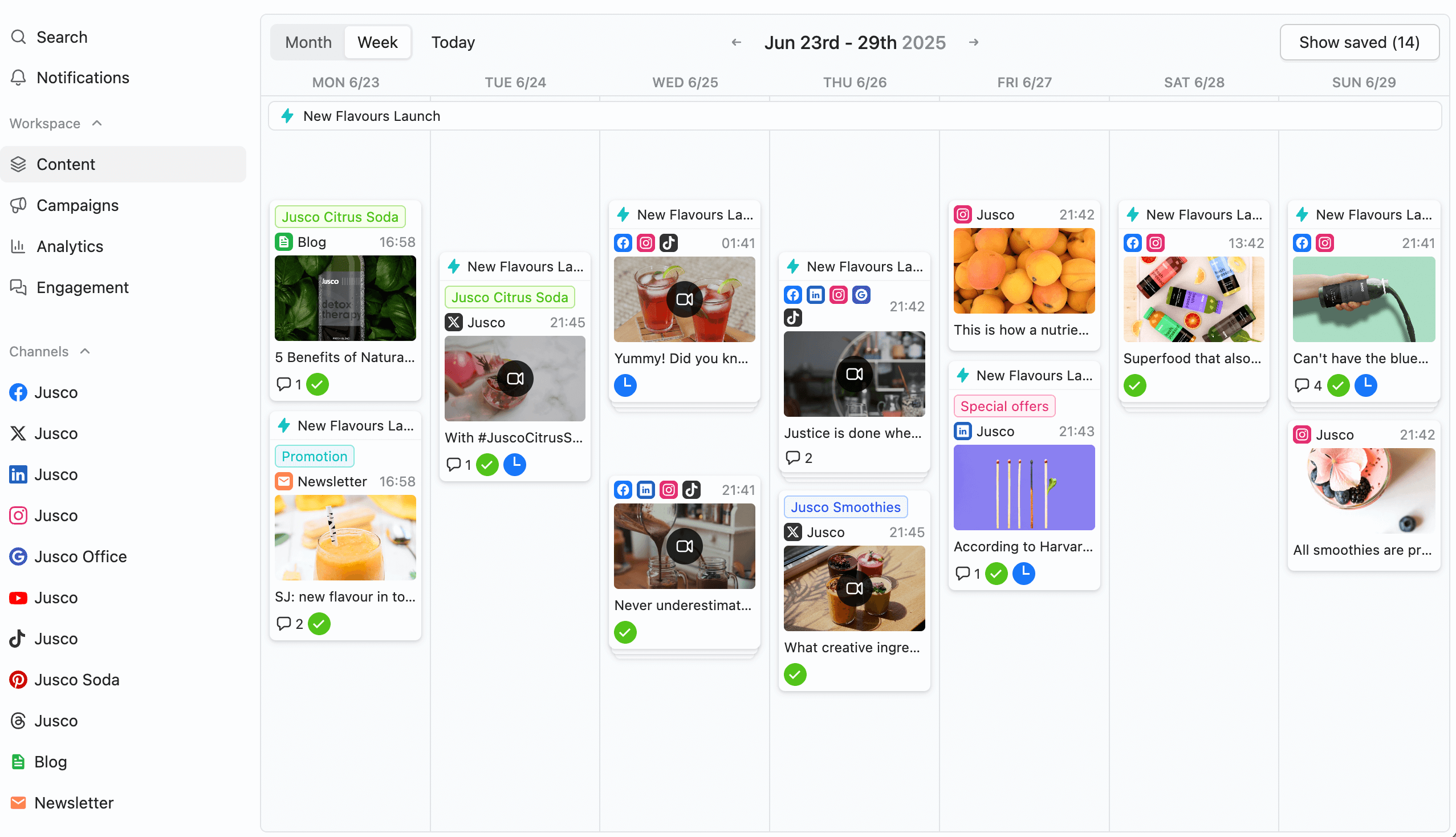
Planable calendar showing scheduled weekly posts for a new product launch across multiple platforms
Remote work software can help you manage social operations even when your team is offline.
It keeps chats, briefs, assets, and your content calendar in one centralized workspace, lets you tag time-zone owners for each post, and adds “who’s on” or “who’s off” indicators to prevent missed messages and keep workflows smooth.
Maintaining real-time engagement while automating
Social media automation keeps your publishing on track, but engagement still needs a human touch. Your audience expects conversations (not scheduled replies), even when your team is asleep.
Here’s how you can achieve real-time engagement without being online 24/7:
Create a simple coverage plan. Split responsibilities by region, availability, or role so someone’s always “on,” without expecting round-the-clock vigilance.
Use smart notifications. Instead of constant pings, set up alerts that highlight priority comments, customer questions, or any other issues that require immediate attention.
Let AI tools assist. Modern AI assistant features can reveal urgent messages, flag sentiment shifts, and help your team prioritize what matters most.
Document responses for recurring questions. This keeps customer support consistent across time zones.
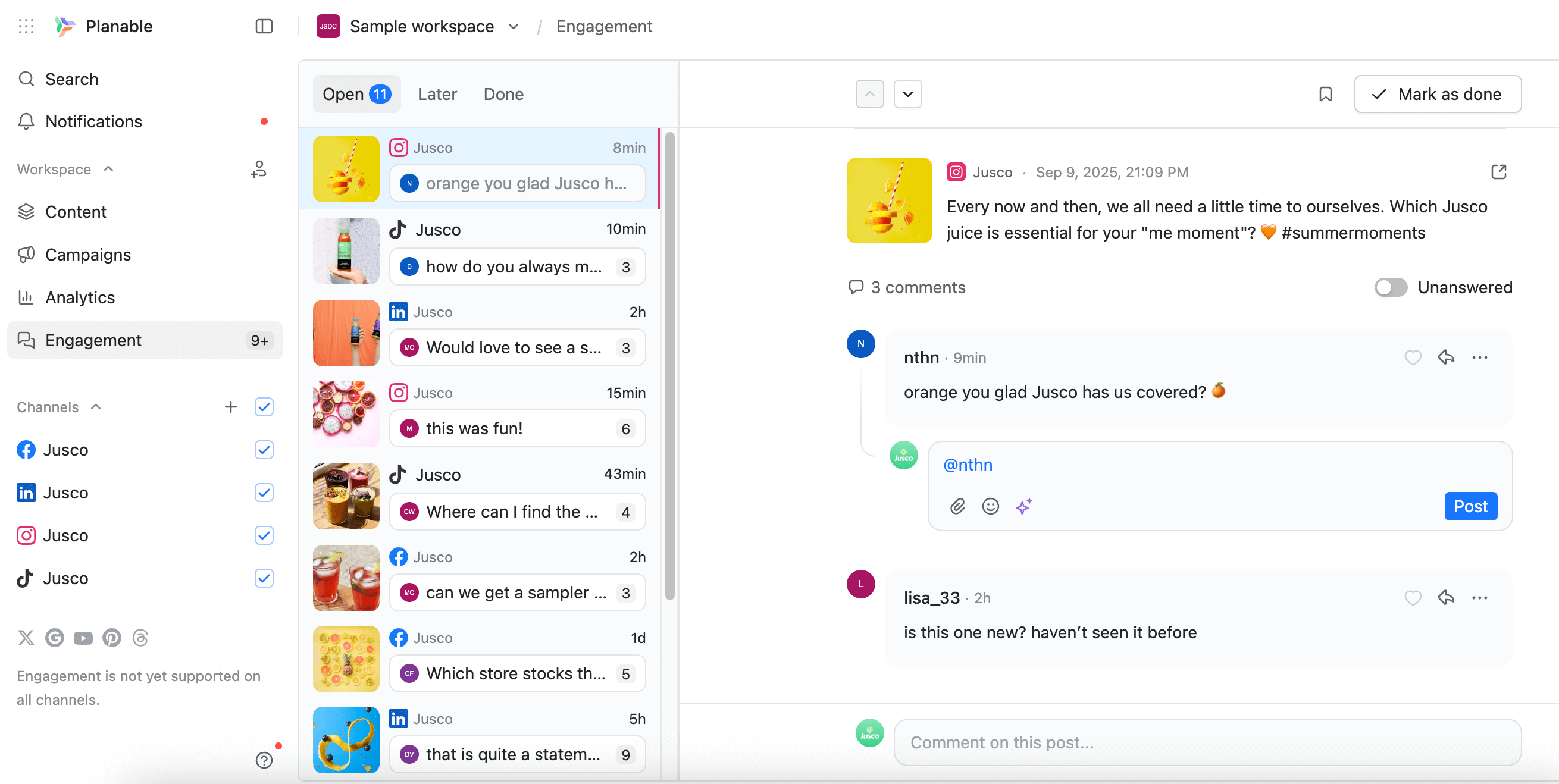
Planable’s unified social inbox brings all your conversations into one dashboard, so you can manage engagement across platforms without jumping between apps.
Engagement inbox in Planable for replying to comments and messages across social platforms in a single view.
Assign conversations to team members, add internal notes for smooth handoffs, and use filters to surface priority interactions first.
Your team focuses on what matters most, making real-time engagement efficient without the burnout.
4 best practices to avoid over-automation
Your audience should always feel like they’re interacting with a brand with a personality, not a machine. Keep your automation human with these habits I follow as well:
Give your scheduled posts a quick once-over
Tone, context, and phrasing can be different across regions. And automation won’t catch subtle differences or phrasing that might land the wrong way. Review upcoming posts in your calendar each week and make any necessary adjustments before they publish.
Double-check accuracy before anything goes live
The landscape evolves quickly, and a post that felt right last week can feel out of place today. Add a final review step the day before publishing to catch outdated references, links, or examples.
Add manual touch-points
Automated publishing handles the timing, but planned check-ins from your team keep your voice natural, personal, and aligned with real conversations. Either usesocial media automation tools or assign someone to manually scan comments, replies, and mentions during their regular work hours so every region gets some real interaction.
Avoid “set it and forget it”
Automation should lighten your workload, not replace the judgment calls your team makes each day. Set a monthly audit to make sure your automated sequences, recurring posts, and scheduled drafts still reflect your strategy.
Conclusion
If you made it this far, you’re clearly ready to take global social media off “constant hustle mode” and bring some calm into your workflow. You learned how to use automation smartly, collaborate smoothly across regions, and keep your brand sounding like a real team.
With the right setup, social media automation gives you global consistency without stretching your workday to match every time zone.
If you’re ready to streamline scheduling, approvals, and cross-team coordination, take Planable’s automation features for a spin. It’s free.
With over 20 years of digital marketing and e-commerce expertise, Shane Barker founded TraceFuse. He is well-versed in the Amazon ecosystem and brand reputation management. His insights have been featured on platforms like E-Com Engine Partner Spotlight and the 2 Sellers and a Microphone Podcast, highlighting his significant impact on these industries.







 Create
 Schedule
 Plan
Plan Engage
 Collaborate
 Analyze
 Approve