AI productivity tools have changed how marketing teams and agencies work, turning hours of manual tasks into minutes of automated bliss. From generating social media content to analyzing campaign data, AI marketing tools are helping marketers streamline tasks and...
Redesign For multi-location brands
all your locations, one content flow
For multi-brand companies
content collaboration at scale
For agencies
impress your clients and take on more
“The team loved it from the start. Planable helps us overview the entire marketing efforts.“
Planable is built to fit your entire social media workflow. From content planning and review, to approvals and scheduling, all in one place.
But as agencies scale, and team structures grow complex, a new need arises: the possibility for Planable to work alongside other specialised apps — be it design tools, task managers, or various internal systems. Getting content from all of those into Planable smoothly makes a real difference.
That’s why we’ve built and continue to expand the Planable x Zapier integration, shaped by what our customers actually need.
Connect Planable with 8,000+ apps and let automation handle the heavy lifting, so your team can focus on what matters: creating great content and engaging with your audience.
What you can do with the Planable and Zapier integration
The Planable x Zapier integration enables specialized teams to work in their desired tools, while keeping Planable as the visual content calendar where posts come to life and get the final approval from clients.
The integration supports four core triggers and actions:
Triggers (things that kick off a Zap in Planable):
New Activity: fires whenever something happens in your workspace (a post is approved, a comment is added, etc.)
New Media Uploaded: fires whenever a new image or video lands in your Planable media library
You can choose whether these triggers apply to a specific workspace or your entire company, which is perfect for agencies and multi-brand teams.
Actions (things Zapier can do in Planable):
Create Post — automatically creates a new post in a Planable workspace and page, complete with content and media
Upload Media — sends an image or video directly to your Planable media library
These four building blocks unlock an enormous range of automation possibilities. Let’s look at some of the most useful ones.
How to set it up
Getting started takes just a few minutes.
Step 1. Connect Planable to Zapier
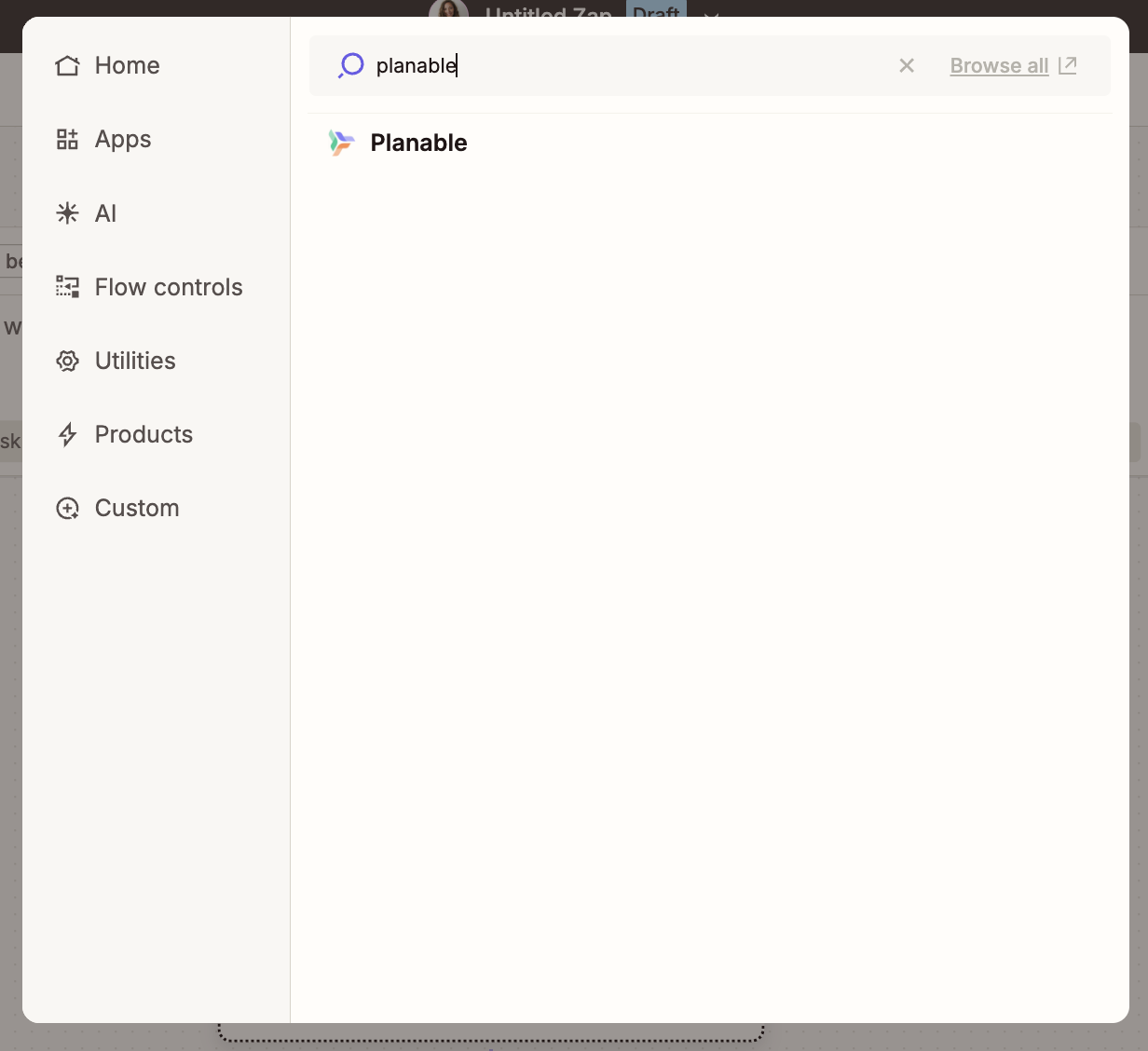
Head to Zapier and search for Planable in the app directory. Connect your Planable account in just a few clicks. Once connected, you’ll be able to use Planable in any Zap you create.
Step 2: Choose your trigger
Pick the app that will kick off your workflow and select the event that should start the Zap — a new spreadsheet row, a new Airtable record, a new file in Dropbox, whatever fits your workflow.
Step 3: Add your Planable action
Choose Planable as your action app. Select either New activity or Upload Media, then map the fields: which workspace, which page, what content, and which media URL.
For the New activity trigger, you can choose between the following:
Created post
Approved a post
Scheduled a post
Published a post
Marked a post as published
Publishing error on a post
Updated label on a post
Comment added
Step 4: Test and turn it on
Run a test to make sure everything works as expected, give your Zap a name, and hit Publish. That’s it — your workflow is live.
💡You can set up Zaps at the company level, not just per workspace. That means if you manage multiple workspaces under the same company (like different brands or clients), you don’t have to recreate the same automation over and over again. Just select your company from a simple dropdown in Zapier, and you’re good to go.
5 ways to use the Planable x Zapier integration
Once your accounts are connected, you can start automating right away.
With Planable x Zapier, you’re not starting from scratch. You can use ready-made Zap templates to launch common workflows in just a few clicks, or build your own automation from scratch.
In both cases, Zapier’s AI Copilot can guide you, suggesting the right steps, mapping fields, and helping you configure everything correctly.
Here are five practical ways to use the Planable x Zapier integration.
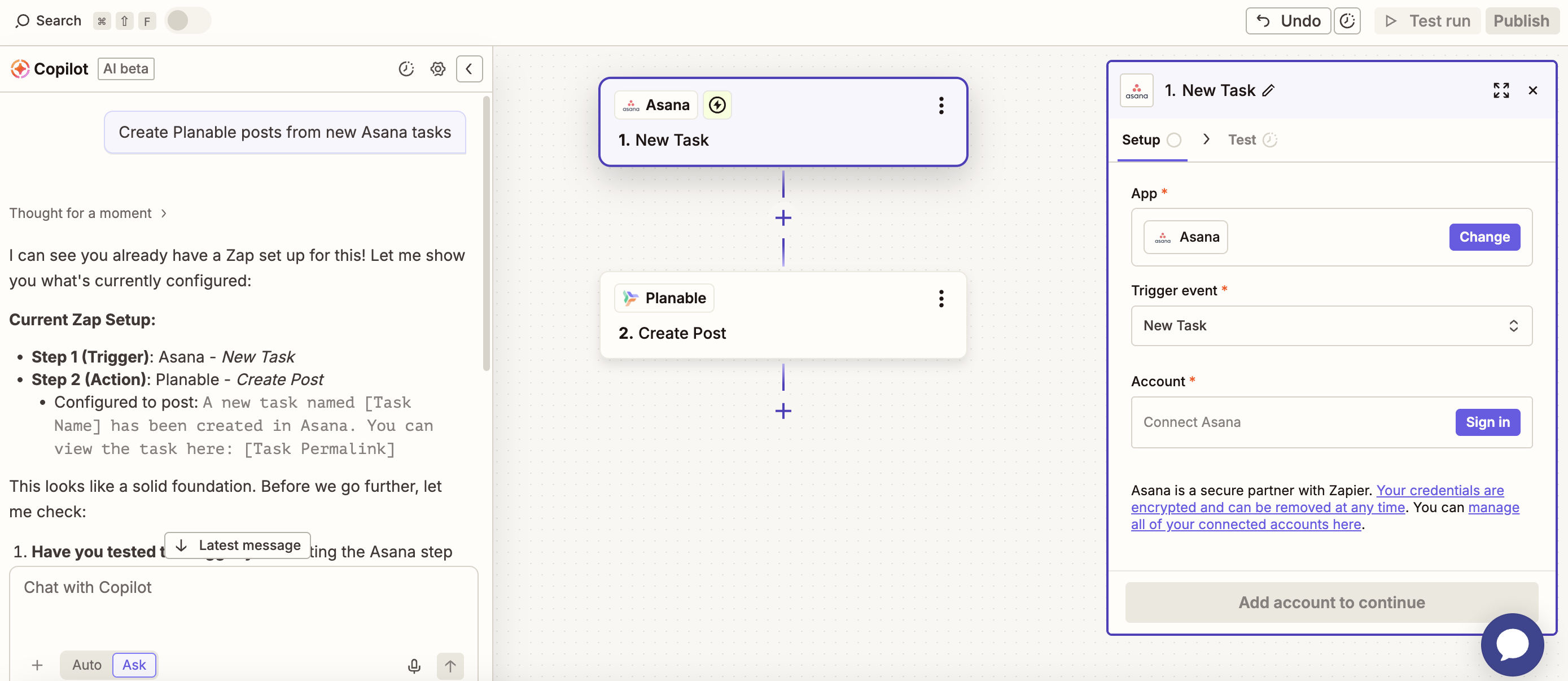
1. Create Planable posts from project management tasks
Using Asana, ClickUp, Monday, Notion, or Trello to manage your content pipeline? When a task moves to “Ready for Scheduling” (or whatever status your team uses), automatically create the corresponding post in Planable.
No more translating task descriptions into social posts by hand. The content travels with the task.
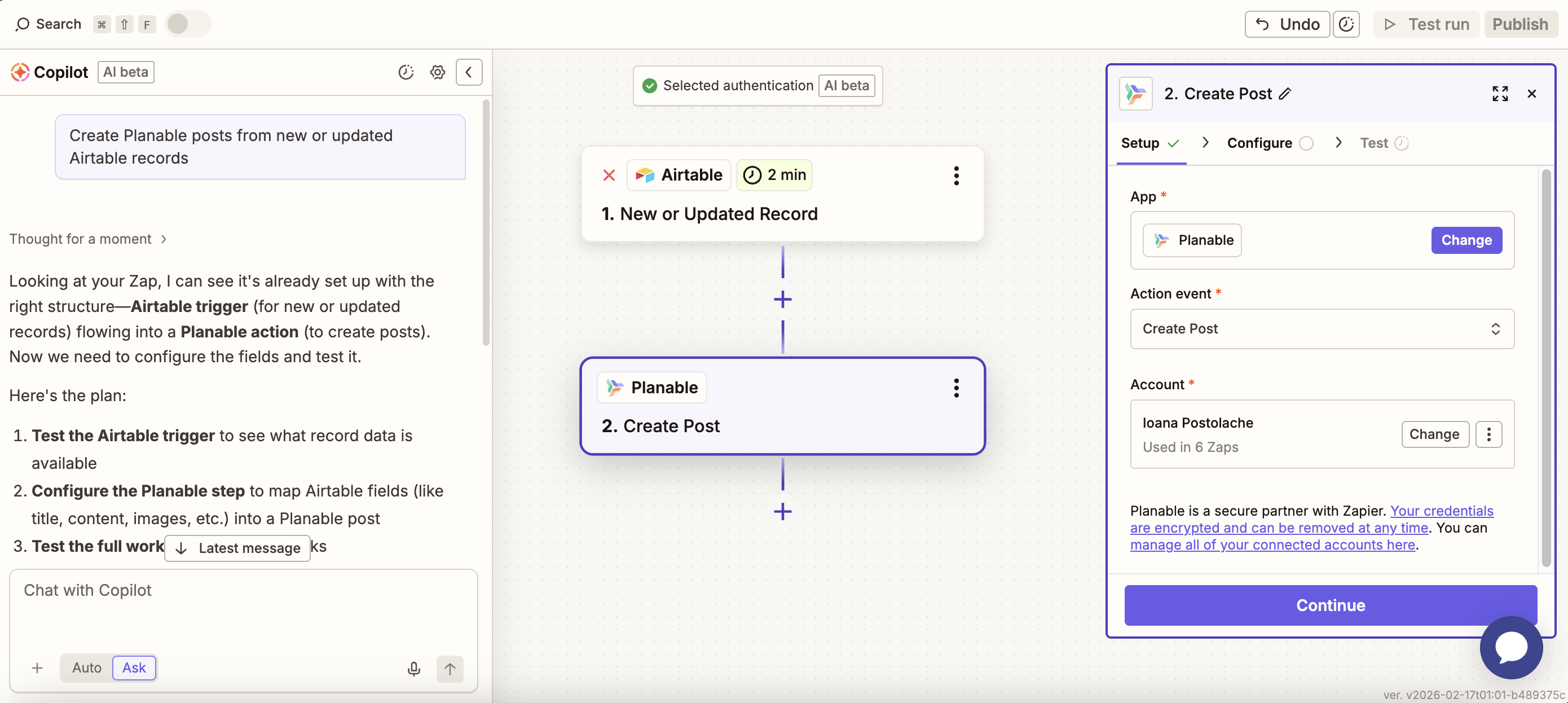
Running a content database in Airtable? Same idea. When a record is added or updated in your Airtable base — say, a new content brief or campaign idea is ready to go — Zapier automatically creates the corresponding post in Planable for review and scheduling.
This is a game-changer for agencies that manage content briefs and production in Airtable but want their review and client approval workflow to live in Planable.
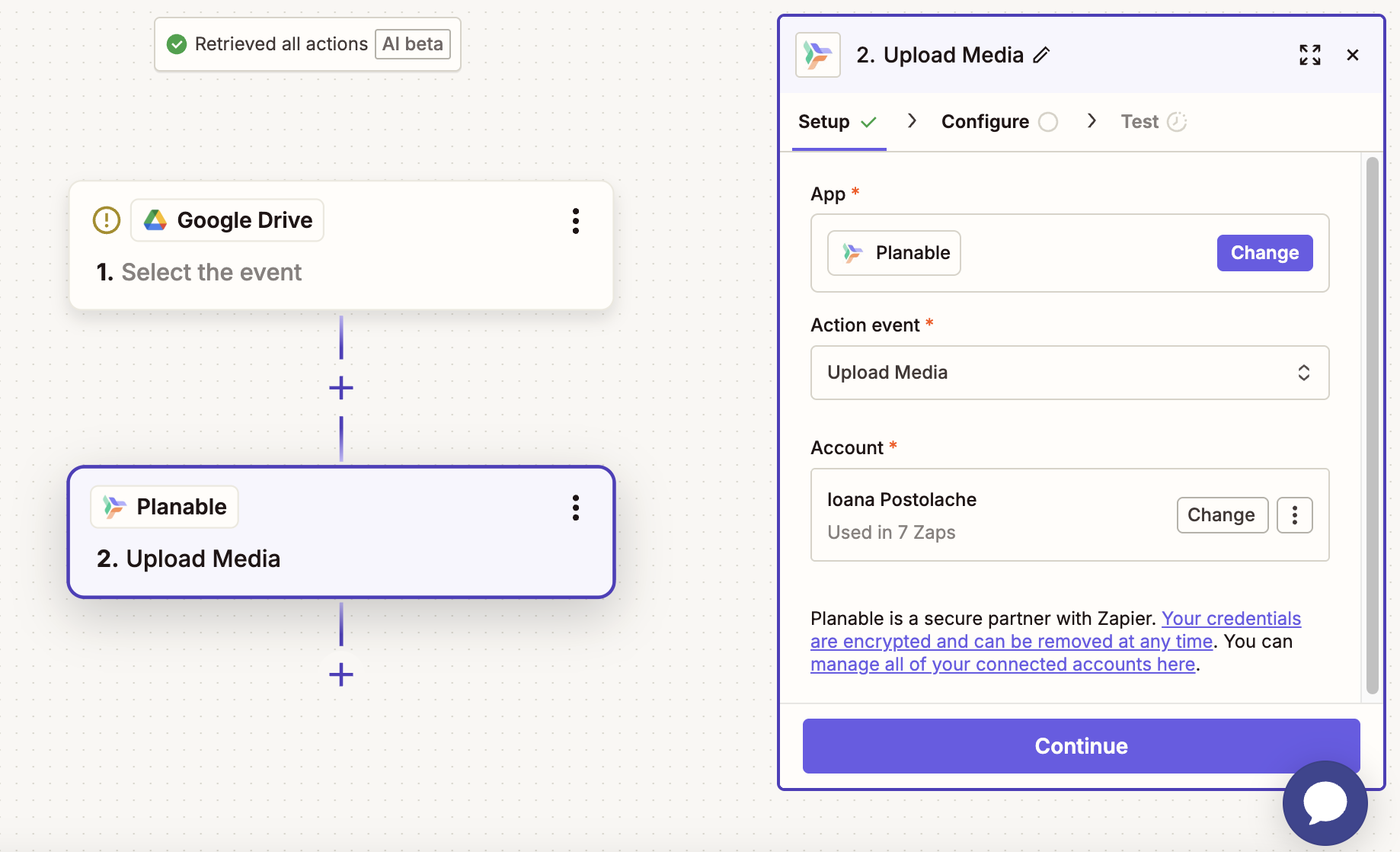
3. Push new Google Drive files to your Planable media library
Designers drop assets into a shared Google Drive folder. Your social team needs those assets in Planable. Right now, someone is downloading and re-uploading manually.
With Zapier, every new file added to your designated folder automatically gets uploaded to your Planable media library — tagged and ready to use in your next post. No more hunting for the final version of a file.
Approvals, comments, and status changes happen in Planable, but your team lives in Slack.
Bridge the gap by sending a Slack message every time something important happens in your Planable workspace: a post gets approved, a comment is added, or a new piece of media is uploaded.
Planable has a native Slack integration that makes this seamless straight out of the box. But if your team prefers a different setup, or you want more customized notification rules, you can use Zapier to tailor exactly what triggers a message and where it lands.
Prefer a different channel? The same workflow is also available for Microsoft Teams and WhatsApp Business(beta).
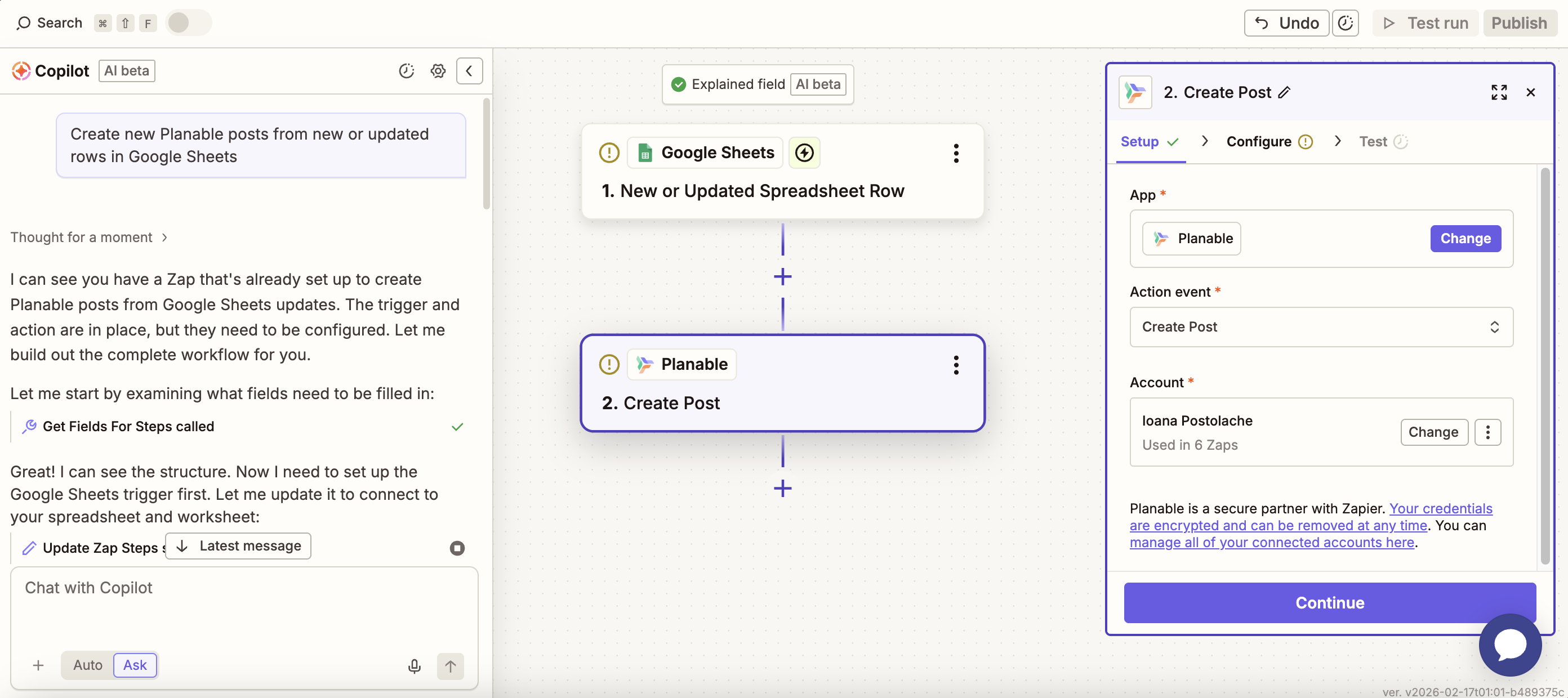
5. Turn a Google Sheets row into a Planable post
If your content team is planning posts in a spreadsheet (content, caption, date, platform), you can now automate the handoff to Planable. That said, we really recommend you try Planable’s calendar for planning, which is way better 😃.
Set up a Zap so that every time a new row is added (or updated) in your Google Sheet, a post is automatically created in Planable with the right content and assigned to the right page.
Your team keeps working in the tool they know; Planable gets populated without any extra steps.
Why agencies and teams love Planable x Zapier integration
For agencies
Scale your operations across the tools your team already uses. Connect your project management tools, CRMs, and content sources to Planable, so your existing workflows keep running, just better.
Manage content across multiple clients without switching between platforms, and bring everything together in Planable where clients get beautiful post previews and know exactly what they’re approving.
For brands
Your content creation workflow gets supercharged. Blog posts, product updates, events, they all become social posts without anyone lifting a finger. Your team focuses on strategy while automation handles distribution.
For teams
Everyone stays on the same page. Notifications flow to where your team already works. Approvals trigger automatic publishing. Data syncs everywhere it needs to be.
Get started in minutes
The Planable and Zapier integration requires no technical knowledge. Pick a pre-built template or create custom automations using Zapier’s simple visual builder.
Start with one automation. See the time you save. Then expand to automate your entire social media workflow.
The Zapier integration is available on all Planable pricing plans, including for the first 50 free posts, so you can test it at full capacity. Zapier also offers a free plan with 100 tasks per month, a solid starting point before committing to a paid tier.
So whether you’re just getting started or running a full agency operation, you can start automating your content workflow right away.
Not a Planable user yet? 👉 Try Planable and your first 50 posts are on us, no credit card required.
Zapier is the world’s leading no-code automation platform. It lets you connect apps and create automated workflows called Zaps, each one consisting of a trigger (something that happens) and an action (something that gets done in response).
Do posts created via Zapier still go through Planable’s approval workflow?
Yes, and that’s exactly the point. Posts created automatically through Zapier land in your Planable workspace just like any other draft. They still go through your team’s full review and approval flow before anything gets published. Zapier handles the intake; Planable handles the quality control. Your approval process stays intact no matter where the content originates.
As a senior product marketer, Monica leads product marketing campaigns, drives competitive intelligence initiatives, and contributes to Planable’s growth strategy through extensive user research and data analysis.







 Create
 Schedule
 Plan
Plan Engage
 Collaborate
 Analyze
 Approve