Google and AI search engines love companies with strong omni-channel visibility, and Semrush’s tool suite seems to make that possible. If you use Semrush for AI, organic, and paid search strategies, it probably makes sense to upgrade to its Social Media Toolkit too. I...
Redesign For multi-location brands
all your locations, one content flow
For multi-brand companies
content collaboration at scale
For agencies
impress your clients and take on more
“The team loved it from the start. Planable helps us overview the entire marketing efforts.“
As they grow, agencies get to a point where the coordination gap between Planable and the rest of their stack becomes a real cost. Content lives in your CMS, your internal tools, your AI pipelines, but getting it into Planable, in the right workspace, and with the right media, means someone has to do it by hand. The approval flow is already there. The bottleneck is everything upstream of it.
The Planable Public API exists to cut the manual labor. It’s a REST API that gives external tools and custom scripts direct, programmatic access to your Planable account. Your technical team can build the integration your workflow actually needs, not retrofit the one someone else built.
Think of it as issuing a set of keys to a trusted tool: you decide the scope of access, which workspaces it can touch, and how long the keys are valid. You can revoke them instantly if anything changes.
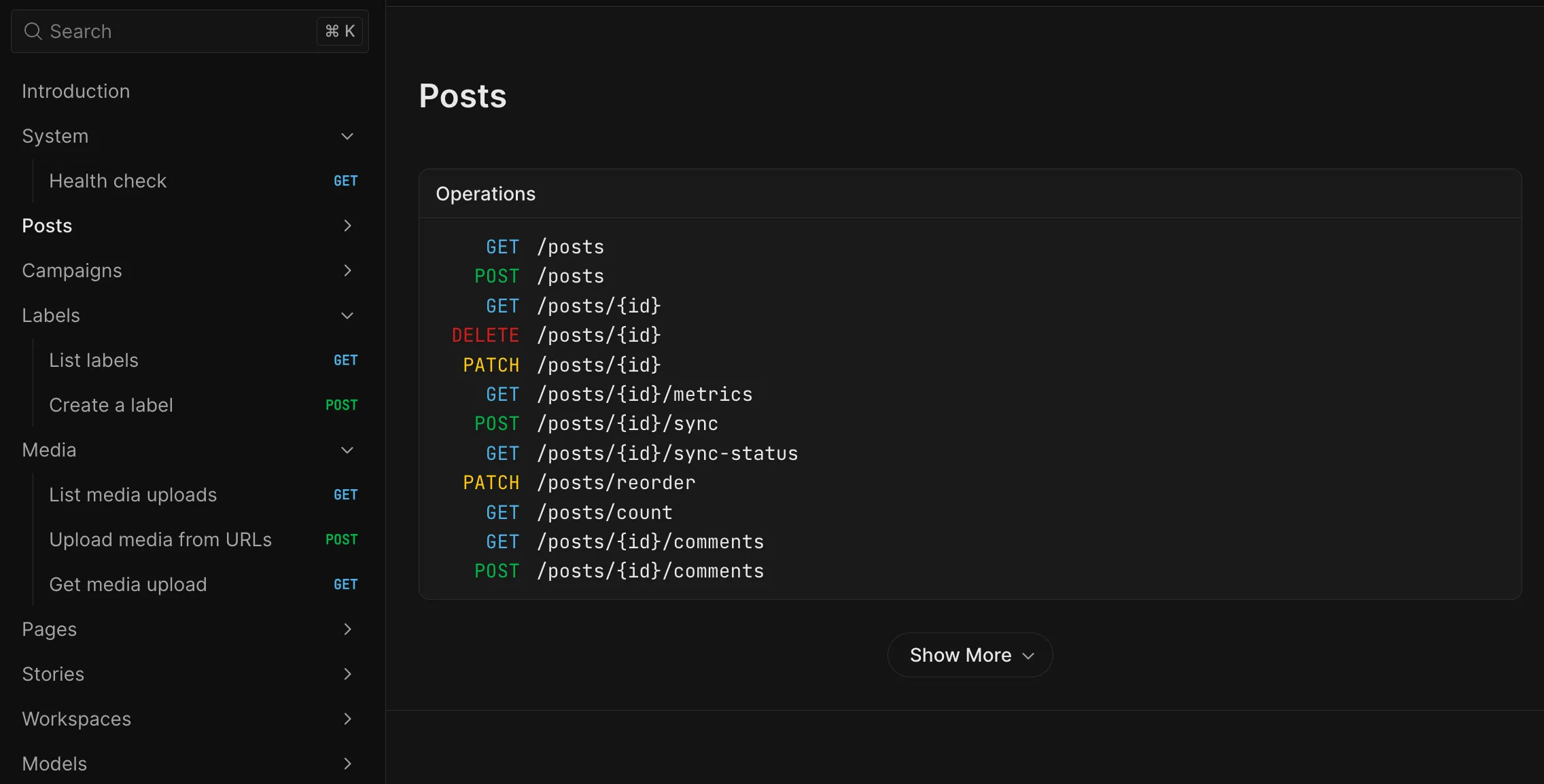
The API is versioned, all endpoints live under /api/v1, and comes with interactive docs at api.planable.io/api/v1/docs where your developer can explore every endpoint and run test requests directly.
What you can do with it
The Planable Public API v1 covers the core data model. Here’s what’s available:
Area
What you can do
Workspaces
List, create, and delete workspaces
Pages
List connected social channels, pull analytics, trigger a metrics sync
List media and upload new assets from a URL, up to 100MB per file
Labels
What you can do
List and create labels in a workspace
Stories
What you can do
Create Instagram stories
A few things worth knowing before you build:
Published posts are immutable. You can create and update posts in draft or scheduled state. Once a post publishes, the API rejects edits with a POST_ALREADY_PUBLISHED error.
Posts created via API land as drafts. The normal Planable approval flow applies, nothing goes live without the usual sign-off. If your workspace has auto-publish on approval enabled, a post will publish once it’s approved, even if it was created via API.
Grouped (cross-platform) posts are supported. Pass multiple pageIds in a single create request and the API creates a grouped post, the same way Planable’s in-app CSV import works.
Post and page analytics are accessible. Use the metrics endpoints to pull performance data into your own dashboards or reports.
Workspace lifecycle is covered. You can create and delete workspaces via API; useful for agencies that onboard and offboard clients programmatically.
For the full, always-current list of endpoints, parameters, and response shapes, the interactive reference at api.planable.io/api/v1/docs is authoritative. It also exposes the OpenAPI 3.1 spec as a downloadable file at /api/v1/openapi.json.
How to generate an API token
You need to be a company Owner or Administrator in Planable to create or manage API tokens. This isn’t a delegatable permission, it’s a security boundary.
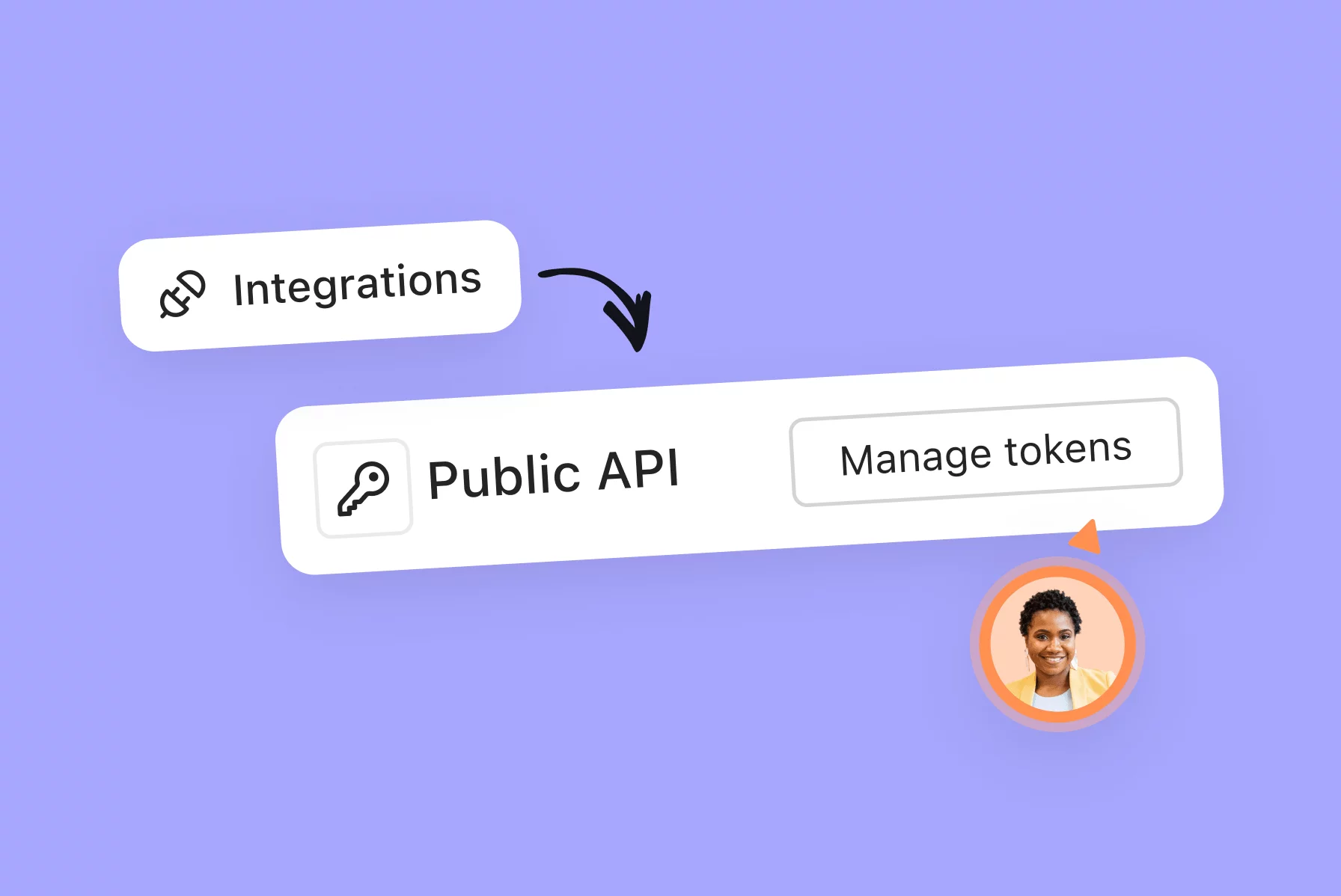
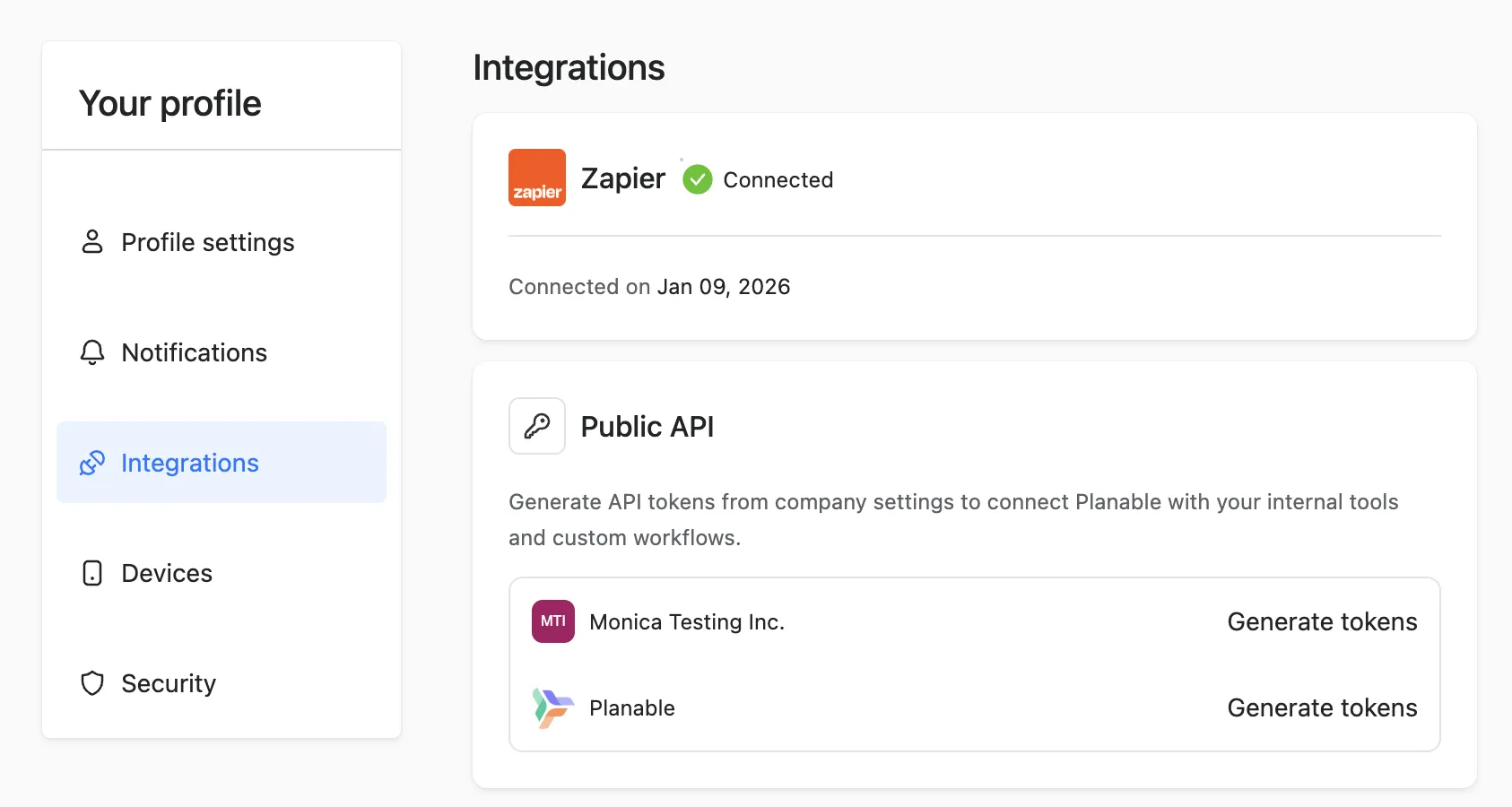
Click your avatar in the bottom left of the sidebar and open Profile settings
Go to the Integrations tab
Find the Public API card and click Generate tokens (or Manage tokens if you’ve already created some)
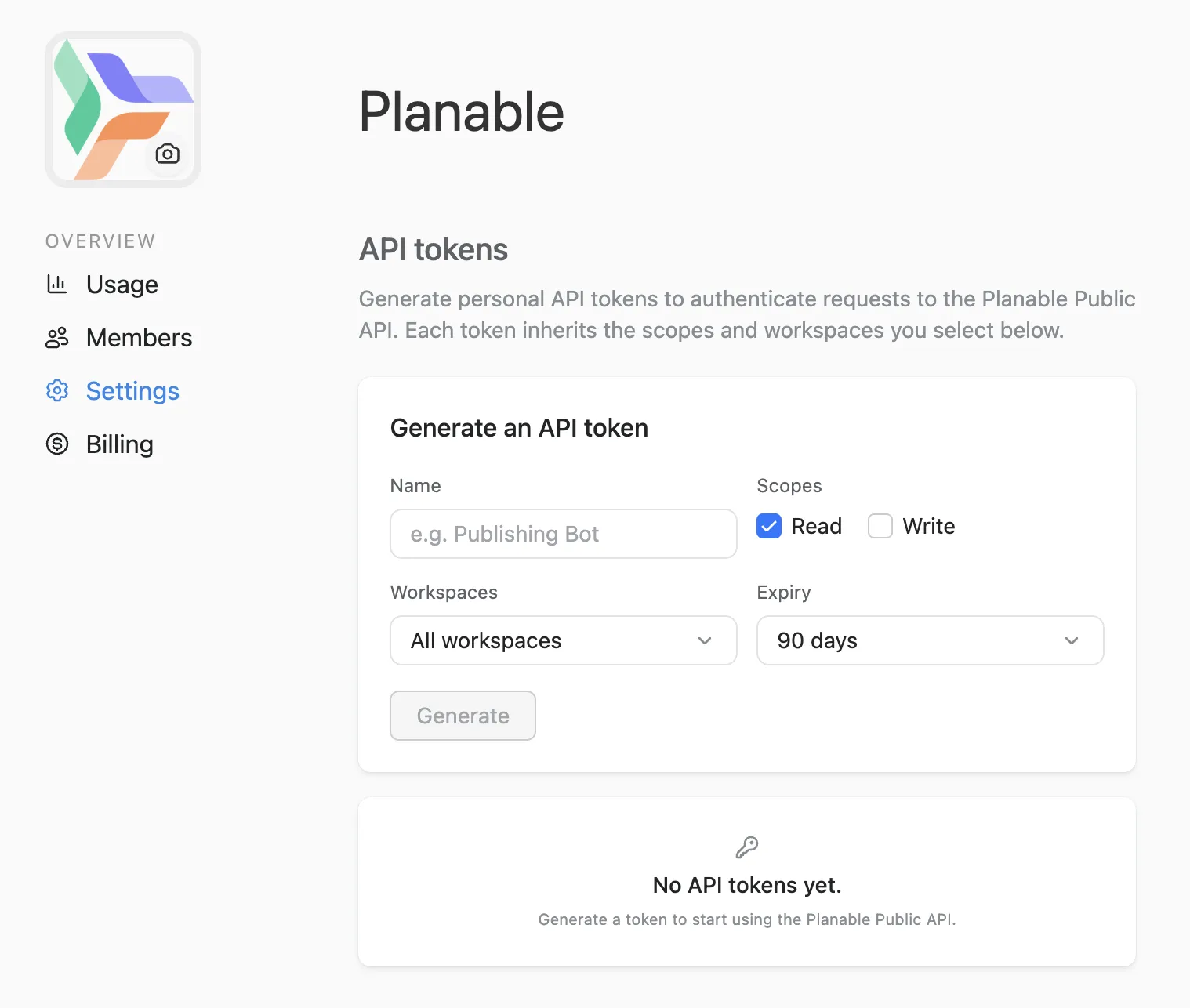
You’ll land in Company settings → API tokens. Fill in the form:
Name – a recognizable label for this integration (e.g., “Internal dashboard,” “Publishing bot,” “Asana sync”)
Scopes – what this token is allowed to do (see the next section)
Workspaces – all company workspaces, or specific ones
Expiry – 30 days, 60 days, 90 days, 6 months, 1 year, or Never
Click Generate
Copy the token and store it somewhere safe (a password manager works well). The token starts with pln_ and is always visible in the token list — but treat it like a password: anyone with the token can use the API on your behalf.
Pro tip: Use the minimum scope your integration actually needs. If a tool only reads data, give it a Read-only token. If you only need it to touch one client workspace, restrict it to that workspace. Smaller scope = smaller blast radius if a token is ever mishandled.
Understanding scopes and access
Every Planable API token has two dimensions of access control: scope and workspace access.
Scope
Read: the token can fetch data: workspaces, pages, posts, media, labels, analytics. It cannot create or modify anything.
Write: the token can create and update content. A Write token can also read — write implies read.
Use the minimum scope your integration actually needs.
Workspace access
By default, a token has access to all company workspaces. When creating a token, you can restrict it to specific workspaces. This is worth doing for any integration that only needs to touch one or two clients.
Rate limits
Rate limits apply per token, enforced via a Redis-backed sliding window:
Endpoint type
Limit
Read (GET)
600 requests per minute
Write (POST / PATCH / DELETE)
120 requests per minute
Read (GET)
Limit
600 requests per minute
Write (POST / PATCH / DELETE)
Limit
120 requests per minute
Every API response includes X-RateLimit-Limit, X-RateLimit-Remaining, and X-RateLimit-Reset headers so your developer can handle rate limits gracefully in code.
Managing your tokens
All token management lives in Company settings → API tokens. Every company Owner and Administrator can see and manage all company tokens — there’s no per-user token isolation.
From this view you can:
See every active token: name, scope, workspace access, expiry date, the user who created it, and when it was last used
Revoke a token: the token stops working immediately. Any tool using it loses access at that moment. Revoked tokens are removed from the list and cannot be restored.
Rotate a token: generate a new token, update it in your tool, then revoke the old one. There’s no automated rotation in v1; this is the intended flow.
Each company can have up to 10 active tokens at a time. If you hit the limit, revoke one you no longer use before generating a new one.
Security note: API tokens are powerful — treat them like passwords. Never paste a token into a public document, a Slack message, or a Git repository. Store them in a password manager, use read-only scope whenever possible, and limit workspace access where you can. If you suspect a token has been exposed, revoke it immediately and generate a new one.
How to hand off to your developer
Most people generating tokens aren’t the ones writing the integration code. When you hand a token to a developer, give them:
Standard HTTP status codes apply: 401 for an invalid or expired token, 403 for a scope or workspace access violation, 429 for rate limit exceeded, 400 for validation errors, and 404 for resources that don’t exist.
Public API vs. MCP vs. Zapier which one do I need?
Planable offers three ways to connect to other tools. They’re complementary and can all run simultaneously.
Public API
MCP
Zapier
What it is
REST API with token auth
AI protocol connecting Claude, ChatGPT, and Gemini to Planable
No-code automation between Planable and 5,000+ apps
AI-assisted content drafting and workspace management
Pre-built automations without writing code
Who sets it up
Your developer or technical team
Anyone — takes minutes
Anyone — no developer needed
Plans
Pro and Enterprise
All plans, including free
All plans
If you need Planable data inside your CRM, project tracker, or internal dashboard — that’s the Public API.
If you want your team to brief Claude on a client and have posts land in Planable as drafts — that’s MCP.
If you want to trigger an action in another app when a post is approved — that’s Zapier.
Plan availability
The Planable Public API is available on Pro and Enterprise plans only.
The MCP connector — which gives Claude, ChatGPT, and Gemini read/write access to your workspaces — is available on all plans including the free trial. If you want AI-assisted content creation rather than custom code integration, we prepared a guide for where to start.
FAQs
What is the Planable Public API?
The Planable Public API is a REST API that gives external tools and scripts direct access to your Planable account. Using token-based authentication, it lets you read workspace and post data, create and update content, manage media, and more, without logging into the Planable app. All endpoints are at api.planable.io/api/v1.
Who can create and manage API tokens in Planable?
Only company Owners and Administrators can create, view, and revoke API tokens. The token management UI is in Company Settings, which is not accessible to Editors, Contributors, Writers, or Approvers.
What plans include the Planable Public API?
The Planable Public API is available on Pro and Enterprise plans. It is not available on the Basic plan. The MCP connector, a separate product, is available on all plans including free.
Can I restrict an API token to specific workspaces?
Yes. When creating a token, you can select All workspaces (the default) or restrict it to specific workspaces. Limiting a token to specific workspaces is recommended for integrations that only need to touch one or two clients.
Does the Planable API bypass the approval workflow?
No. Posts created via the API land as drafts in your workspace and follow the same approval settings as posts created in the Planable UI. If your workspace has auto-publish on approval enabled, a post created via API will publish once it’s approved, but nothing goes live without sign-off first.
Can I update a post that has already been published?
No. Published posts are immutable in the Planable API. Attempting to update a published post returns a 400 error with code POST_ALREADY_PUBLISHED. You can only update posts that are still in draft or scheduled state.
What happens to API tokens when a workspace is deleted?
If a workspace is deleted, it is automatically removed from any tokens that reference it. Tokens scoped to all workspaces are unaffected — the workspace simply no longer exists in scope. No tokens are revoked automatically.
Does the Planable API support webhooks?
No. Webhooks are not available in v1. To track changes in post status or approval state, your integration will need to poll the relevant endpoints. Webhooks are on the product roadmap.
How many active API tokens can a company have?
Each Planable company can have up to 10 active (non-revoked) tokens at a time. To add a new one when at the limit, revoke a token you no longer use.
What are the API rate limits?
The Planable Public API enforces per-token rate limits: 600 requests per minute for read endpoints, 120 requests per minute for write endpoints. Rate limit headers (X-RateLimit-Limit, X-RateLimit-Remaining, X-RateLimit-Reset) are included in every response.
What is the difference between Planable MCP and the Planable Public API?
The Planable MCP connector lets AI tools like Claude, ChatGPT, and Gemini interact with your Planable workspaces directly through conversation. It requires no code. The Planable Public API is a REST API for developers building custom integrations and automation pipelines. MCP is available on all plans including free; the Public API requires a Pro or Enterprise plan.
Ready to build? Go to Profile settings → Integrations → Public API → Generate tokens, then hand your developer the base URL (https://api.planable.io/api/v1) and the interactive docs.
Monica leads product marketing at Planable. She owns go-to-market for new features and shapes how Planable fits into the broader SE Ranking product family. She joined in 2023 as Planable's first product marketer, built the function from scratch, and now runs the team's competitive intelligence program. With a background in product management and Romania's startup scene (How To Web, MVP Academy), she writes about competitor analysis, product launches and marketing workflows from the builder's side. Before Planable, she spent almost five years managing Orange Fab Romania, Orange's startup acceleration program, where she supported 40 startups and helped generate over €2.2M in commercial value.







 Creation
 Scheduling
 Planning
 Social Inbox
 Collaboration
 Analytics
 Approval
 Social Listening