Whether you manage one or multiple IG accounts, scheduling posts on Instagram will save you from worrying about what to post on the go and help you focus on the most important aspects of your business. No more last-minute panic attacks trying to whip up a post, just...
Redesign For multi-location brands
all your locations, one content flow
For multi-brand companies
content collaboration at scale
For agencies
impress your clients and take on more
“The team loved it from the start. Planable helps us overview the entire marketing efforts.“
I’ve been in social marketing for 5+ years now. I started Grad Girl Marketing back in 2020, during the COVID-19 pandemic, and grew it to 400K+ members. I partnered with 70+ brands, including Adobe, Kate Spades, Bright Network, and others.
And if there’s one thing that slows social projects down, I know it’s not the creative process.
It’s communication.
Every campaign starts with good intentions, excitement, and enthusiasm. But somewhere between drafts, reviews, and approvals, things start to break down.
Comments get lost, feedback conflicts, deadlines drift. You waste hours trying to piece everything together. Clients start to lose trust because the process feels disorganized. This turns into lost margins and opportunities.
The problem usually comes down to poorly communicated processes, roles, and boundaries.
I’ve been there, and that’s exactly why I built the social media client communication kit. These tips, scripts, and templates helped me organize how I communicate with clients, and they’ll help you do the same. Grab the kit for free and make your client communication more productive. 👇
Get the free client communication kit
As for the tech side of collecting feedback in one place and keeping everyone aligned, the solution is already here, thanks to Planable’s guest view links. Clients can see posts, leave comments, and approve content, all in one place, no login required. This makes communication so much easier.
Before we dive into my tips for agencies and in-house teams, let’s talk about why I believe using guest view links can truly change your client communication for good.
Why I’m obsessed with Planable’s guest view links
Without a centralized content collaboration, client communication is chaotic. Feedback is scattered in email threads. Approvals hide in Slack messages. Everything is everywhere, except for where it needs to be.
And it always gets messiest at the start. When you’re trying to impress during onboarding, and your client is still deciding if you’re worth the trust.
So, asking them to create an account in a tool they’ve never used before? You can feel the hesitation through the screen. And no, that’s not because clients are trying to be difficult; they’re just overwhelmed.
That’s why I love that Planable solved this with something so simple: A link. That’s it.
With guest view links, I can:
✅ Share content, campaigns, or calendars without forcing logins.
✅ Collect feedback in one place, not in email threads.
✅ Keep control of my workflow, without juggling five file versions.
No logins. Clients just click → see → comment → approve. Done.
Hassle-free client feedback in one place. Review, comment, and approve content without logins or friction.
It works so well because I can shape it around every project:
Sometimes I need feedback on one post. Sometimes my client wants to see the entire content plan. I can share anything and set up who sees what. Control stays with me.
When they open the link, my clients can see the post, labels or tags I applied, and existing comments, so they don’t repeat feedback. It looks clean and professional.
Feedback happens right there (not in my inbox). Guests can add comments directly on the post without signing up. Faster responses and less confusion.
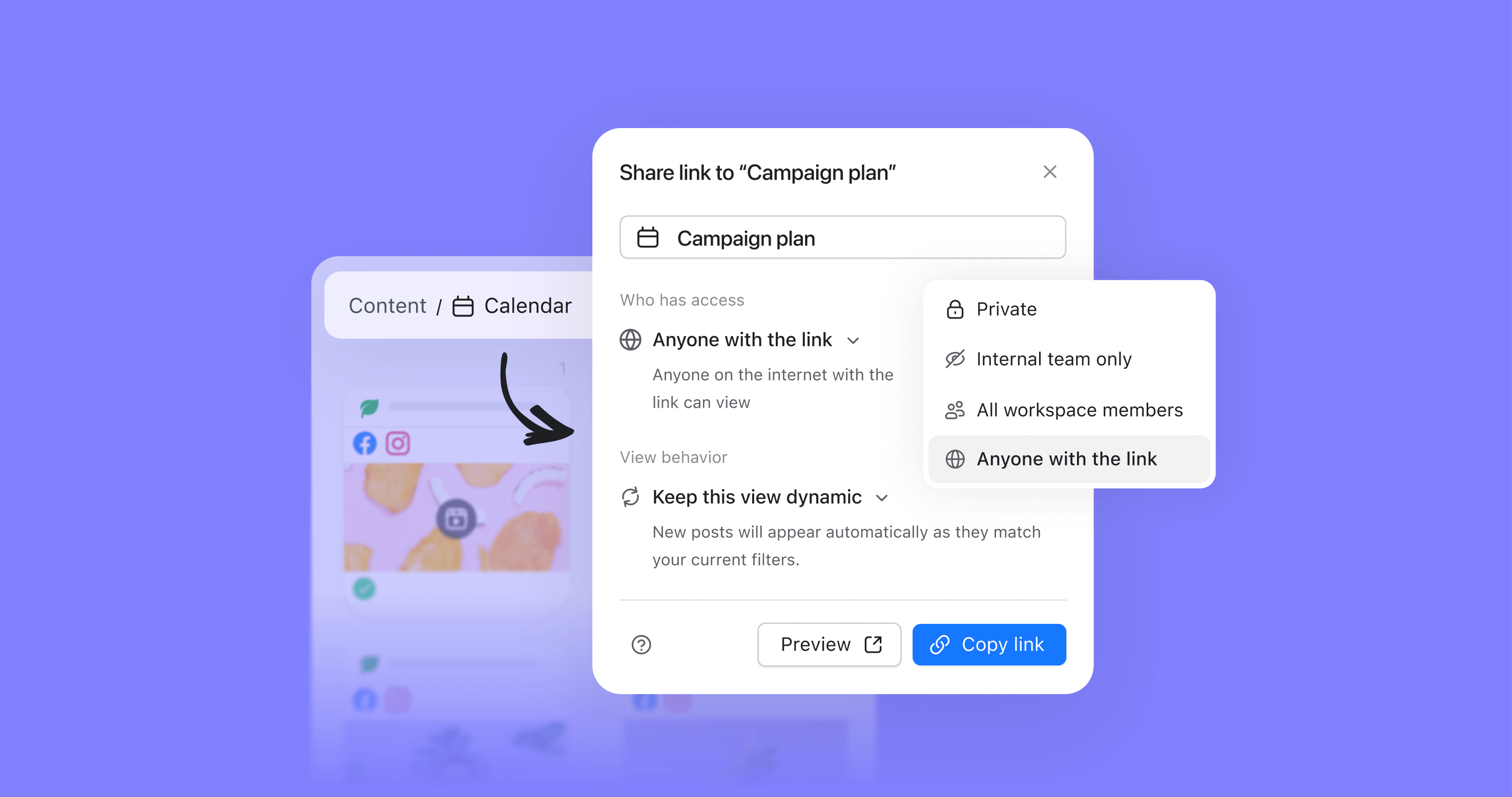
I decide what my clients can see, for how long, and who has access. I can disable the link anytime, update the view, or create a new one in seconds.
But features will only take you halfway. The successful client relationship is all about your communication approach, from day 1. Here’s mine (straight from my agency days):
Agency edition: Mastering client communication
How to prevent 90% of future headaches? Onboard with confidence
When I first started managing clients, I’d jump straight into explaining tools, timelines, and dashboards. Everything at once.
But clients didn’t care about tools. They cared about clarity. They wanted to know how we’d work together, not where to click.
Once I shifted my focus to preparation and communication, everything changed.
Do pre-onboarding homework
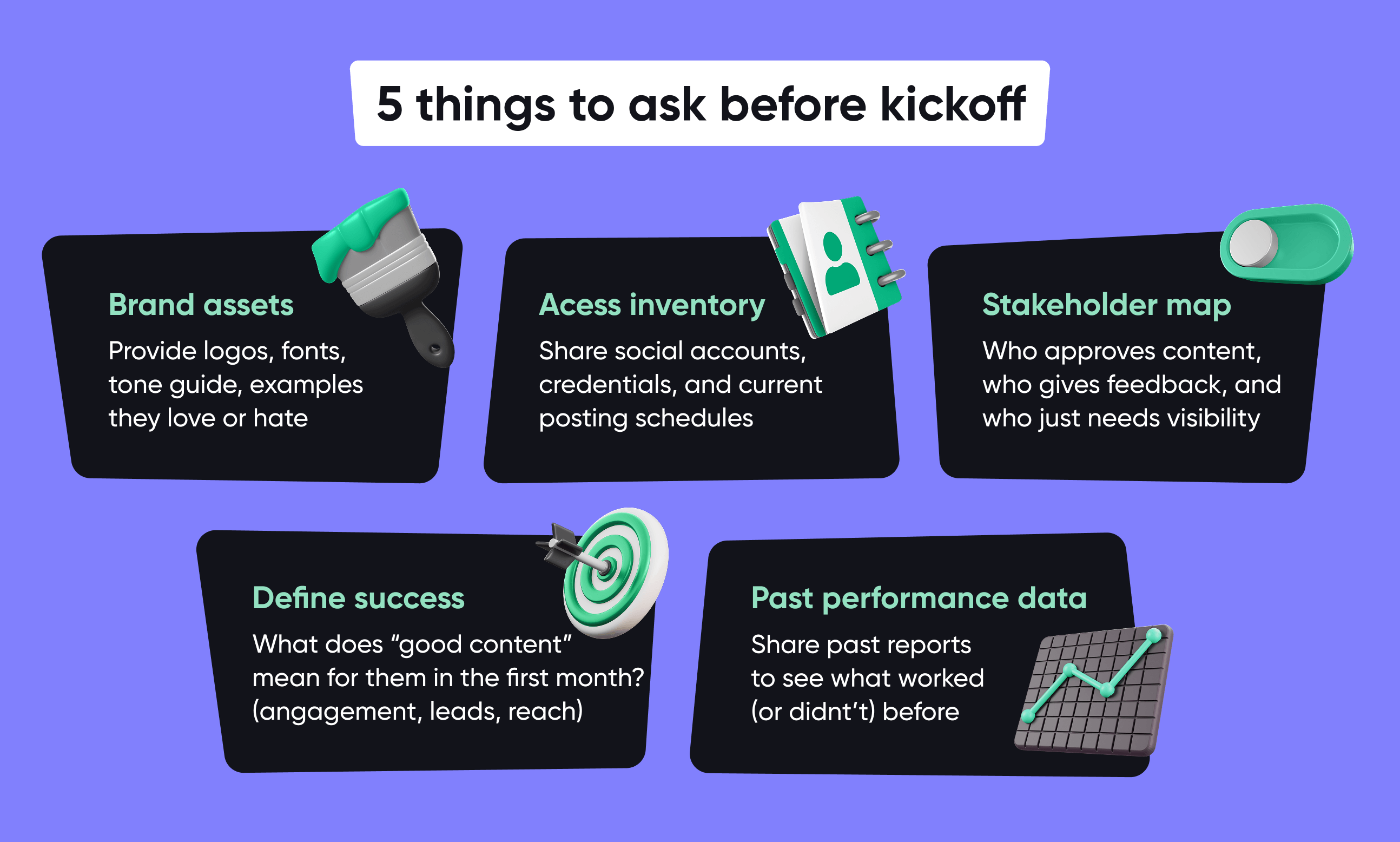
Before the kickoff call, I send a tiny homework checklist. Just the essentials, to get organized and avoid 12 follow-up emails.
I ask for:
Brand assets: Provide logos, fonts, tone guide, and examples they love or hate.
Access inventory: Share social accounts, credentials, and current posting schedules.
Stakeholder map: Who approves content, who gives feedback, and who just needs visibility.
Define success: What does “good content” mean for them in the first month? (engagement, leads, reach)
Past performance data: Share past reports to see what worked (or didn’t) before.
Client onboarding prep and what to ask before you begin
Make it short and simple. The less homework feels like homework, the better.
Introduce workflow in layers
Nothing loses a client faster than a 10-minute tour of buttons. When you lead with tools, clients feel like they need to learn software just to review posts.
Start with how collaboration will work. Explain the process, not platforms. And once they see how easy it is to collaborate, the tool will become a bonus, not a barrier.
Here are my 5 rules for kick-off that I always follow:
Show the big picture first
Map how content moves from brief → draft → approval → live
Add only the details they need
Skip the feature tour and focus on what happens next and what you need from them
Use familiar language
“You’ll get a guest view link” sounds better than “You’ll receive access to the workspace”
Clarify response times
I recommend 24–48 hours for feedback. It keeps things moving without pressure.
End with reassurance
Tell clients the system’s designed to save their time, not steal it, and keep feedback visual and centralized.
Keep it simple. Your goal is calm confidence, not feature overwhelm.
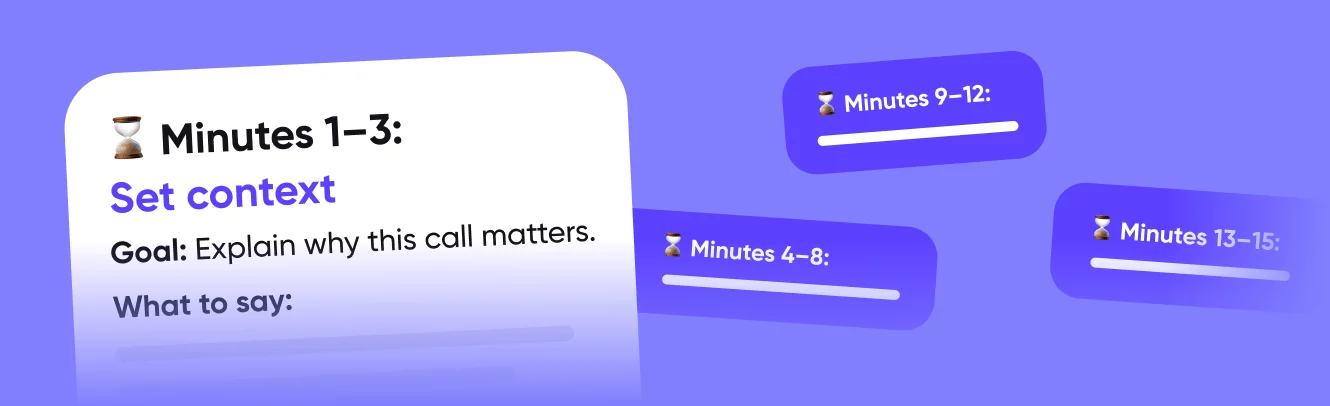
The 15-minute kick-off call framework
My experience shows that fifteen minutes is enough to align on expectations, explain how you’ll share content, discuss feedback, and clarify next steps.
Here’s the preview of the framework I always use:
Minutes 1–3: Set context
Explain the goal: to clarify how you’ll work together and spot potential roadblocks early
Give a quick overview of what you’ll cover: workflow, feedback, and next steps
Minutes 4-8: Workflow walkthrough
Show how content moves from idea to published post
Explain that the client will see posts and content plans through a guest view link
Mention that no login is required
Show one live example in Planable to make it visual
Minutes 9-12: Feedback ground rules
Ask about their ideal and realistic response times
Clarify who gives approvals and who has final say when feedback conflicts
Mention how you’ll track revisions and confirm when something’s approved
Minutes 13–15: Confirm next steps
Recap key takeaways and action items
Schedule your first content review or check-in
Download the free communication kit to get the expanded version of the kick-off call framework and follow-up email template.
Get the free client communication kit
Segment clients the smart way
One of the biggest lessons I learned after working with 70+ brands is this:
You can’t change a client’s personality, but you can change how you collaborate with them.
Every client has a collaboration mindset. Spotting it early saves hours of emotional labor and prevents you from rewriting the same caption several times because “it doesn’t feel like us yet.”
I pay attention to patterns during the first 2-3 reviews. And once I know their type, I adjust my approach.
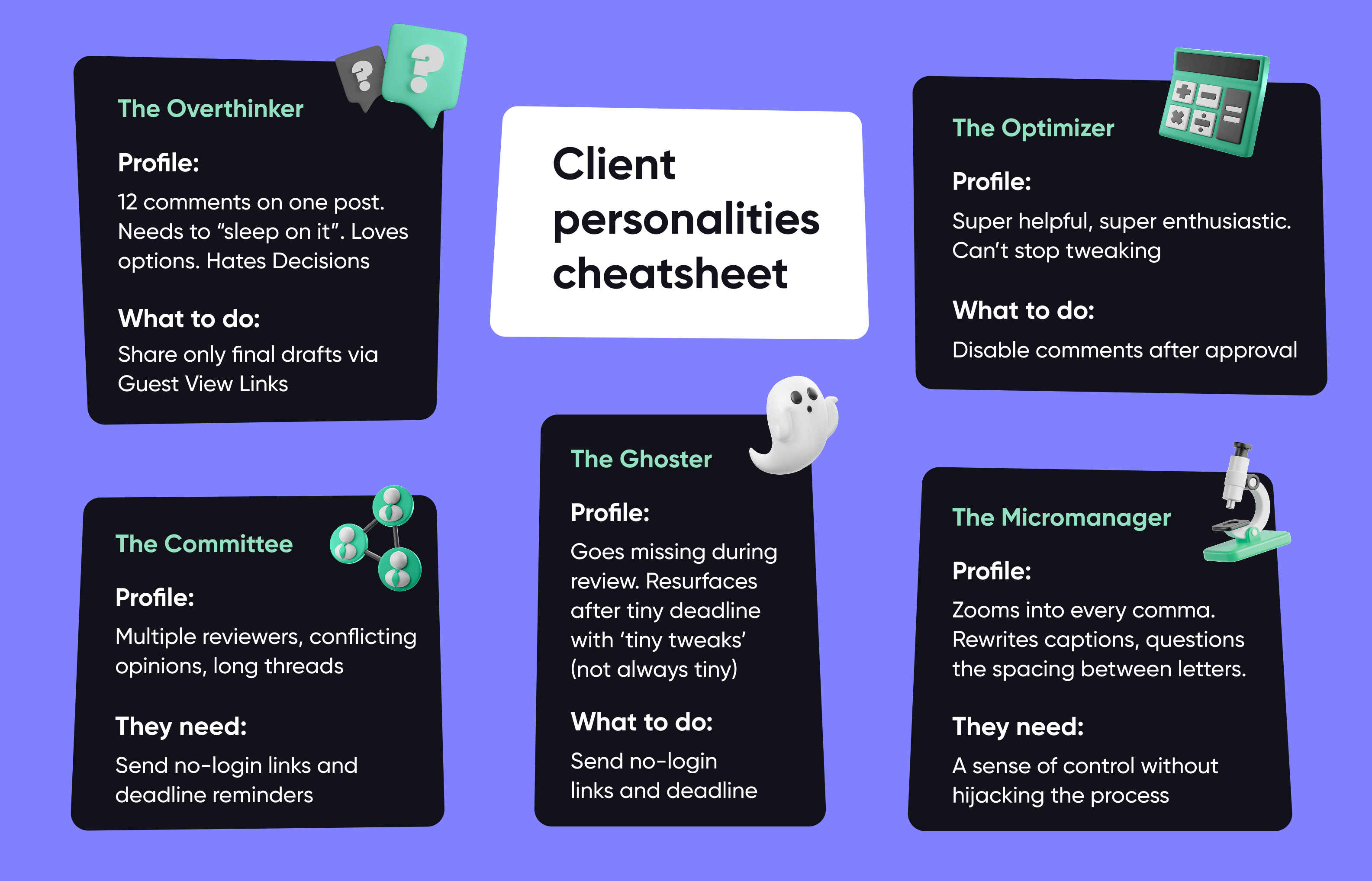
5 collaboration personalities I see most often
The Overthinker
Profile: 12 comments on one post. Needs to “sleep on it.” Loves options. Hates decisions.
What they need: Reassurance and limited choices.
What I do: Narrow it to two concepts and ask which direction feels more on-brand. Share only final drafts through guest view links so they don’t spiral over early drafts.
The Micromanager
Profile: Zooms into every comma. Rewrites captions. Questions the spacing between letters.
What they need: A sense of control, without hijacking the process.
What I do: Involve them at the strategy level, not the pixel level. Give them controlled visibility via a guest view link. Set boundaries, but make it polite.
The Ghoster
Profile: Goes missing during review. Resurfaces after the deadline with “tiny tweak” (not always tiny)
What they need: Simplicity and reminders.
What I do: Share no-login guest view links and send follow-up emails with clear deadlines and gentle nudges.
The Committee
Profile: Multiple reviewers. Conflicting opinions. Long threads.
What they need: A single source of truth.
What I do: Ask who gives feedback and who gives final approval. Funnel feedback into one guest view link per stakeholder group.
The Optimizer
Profile: Super helpful. Super enthusiastic. Can’t stop tweaking.
What they need: Closure.
What I do: Acknowledge their attention to detail (because it’s genuinely valuable), then bring it back to the goal. Disable commenting on that post or make the content calendar view-only.
This applies to in-house stakeholders too. They are your internal ‘clients’ and often fit these types.
Common client personalities I’ve met in my social media journey
Once I understand who I’m working with, the next step is to understand how ready they are to collaborate smoothly. That’s where my red-yellow-green flag system comes in.
The red/yellow/green flag method
I always take 10 minutes to score every new client.
Green flags (smooth sailing): clear goals, single approver, respects deadlines, open to process.
Yellow flags (potential turbulence): lots of questions, chaotic comms, but the intentions are good.
Red flags (brace yourself): vague briefs, too many approvers, scattered and unclear feedback.
Want to know which type you’re working with? Grab the client communication kit with my quick test for client personalities and a scorecard to rate your clients from red to green.
Get the free client communication kit
Here’s how I adjust my workflow based on the flags:
For green-flag clients, I try to move faster and keep the process light. Use standard feedback windows and give them autonomy; they’ll handle it. Guest view links work perfectly here for quick approvals, and once they’re comfortable, I bring them fully into Planable.
Yellow-flag clients need a bit more structure. I usually add short mid-week check-ins, simplify what I ask for, and summarize every decision in writing. I start with guest view links to make collaboration effortless, then introduce Planable once they’re familiar with the workflow.
With red-flag clients, boundaries are everything. I put expectations in writing, limit the number of communication channels, and clearly label each feedback round. Keep all comments centralized in guest view links to avoid confusion and version chaos.
Manage content feedback like a pro
I once worked with a brand in the beauty space. Great product. Great mission. Intense feedback energy. Every version of a post led to one more idea, two more captions, and going back to the first version at the end. And the problem was that all that feedback came through email, Instagram DMs, and a random Google Doc.
I was spending more time tracking those than creating content. One night, I realized I’d spent three hours chasing “final comments.” That’s when I knew something had to change.
So, I decided to start using guest view links with this client, and guess what? Life changed.
Here’s the approach I have used ever since to convert my clients into my workflow with Planable:
How I use Planable’s guest links with clients
Step 1: Start with visibility, not complexity
I start small: one post view link. No login or “create account.” They just clicked the link, saw the post exactly as it would look live, and left their thoughts right there.
It’s fast, frictionless, and makes me look organized from day one.
Step 2: Expand visibility gradually
Once they feel comfortable with single posts, I step it up:
They get the big picture without having to learn a new tool. Moreover, when clients see everything in one place, the overthinking slows down.
Step 3: Maintain control
This is my favorite part. Clients only see what I choose to show.
No internal notes
No draft mess
No chaos behind the curtain
I decide:
What’s visible
Who can comment
When the link expires
We keep everything transparent while keeping boundaries.
How I transition clients into Planable without pressure
Once my client experienced that clarity and control, they started asking for more. That’s when I knew they were ready to step inside the tool.
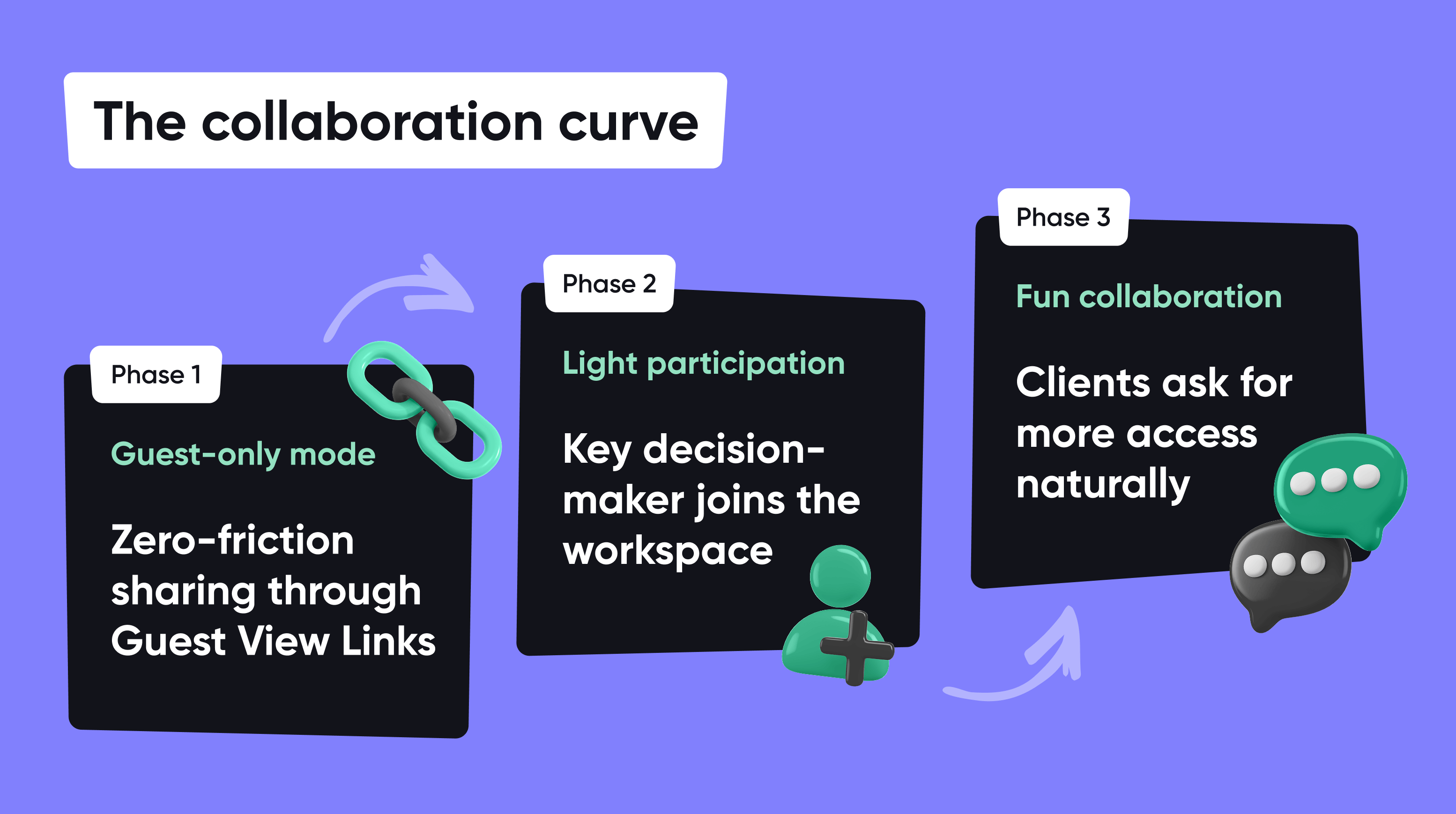
Here’s my zero-pressure transition plan:
Phase 1: Guest-only mode
During the first 2–3 weeks, use guest view links only. Let clients experience the workflow with zero friction.
Phase 2: Light participation
When they start saying, “This is actually really easy,” that’s your cue. Invite one person (usually the key decision-maker) into Planable to track content directly, give fast one-click approvals, and start getting automatic email reminders.
Phase 3: Full collaboration
Once they naturally start saying, “Can I also see next week’s content?” or “Can you invite my marketing manager as well?”, that’s your moment of full transition. Now they’re asking for more access because they’ve already experienced the value and visibility without friction.
Client collaboration key phases
The goal isn’t to force clients into your process. It’s to make your process so effortless that they want to stay in it.
Bonus: My go-to email templates (included in the kit)
All this still lives by how you communicate it. That’s why I always keep a few go-to email scripts ready. I’ve packed five practical email templates inside the free client communication kit for you:
Sharing weekly content plan: A short, confident note with a guest view link and review deadline.
Requesting approval or feedback: A polite reminder that nudge action without nagging.
Post-onboarding check-in: A light-touch follow-up to keep collaboration healthy after the first few weeks.
“Gentle nudge” reminder: A friendly note when a review deadline slips by.
Monthly analytics report: A quick overview of how the content is performing.
Bonus: transition invitation: Invitation into Planable once clients are ready.
Get the free client communication kit
The unspoken questions you should ask every client
Asking the right questions can prevent misalignment three months in, reveal blind spots, and set expectations before they turn into problems. My experience in marketing shows that these five questions and must-ask:
What’s your internal definition of engagement?
I once had a client who was obsessed with comments. Another? Only cared about link clicks. Another? Tracked shares. Everyone says they want “engagement,” but no one means the same thing.
Until you ask this question, you might be serving the wrong goal without even knowing it. Define it early.
What topics are off-limits, even if they’re trending?
Politics, religion, and controversial social issues. Every brand has boundaries. I document them and make sure these aren’t touched.
How much creative risk are you comfortable with?
Some brands want safe visuals + safe copy + zero surprises.
Risk tolerance determines tone, visuals, humor, and trend participation. If you don’t ask this early, you end up stuck in the “I love it… but my boss won’t approve it” loop.
When you say “brand voice,” can you show me three examples of posts you love and three you hate?
Clients say words like: fun, authentic, playful, etc. Yet everyone defines those differently. One brand’s “playful” is sparkle GIFs. Another’s “playful” is humor.
Ask for examples because they turn vague adjectives into actual creative direction.
How involved do you want to be in approvals?
Some clients want to see every draft. Others just want to sign off on the final. Either way, I tailor the workflow: if they want light visibility, I share posts through guest view links. If they want deep collaboration, I invite them into the Planable workspace.
Brand edition: Giving visibility without chaos
Everything I’ve shared so far is based on my experience working with agency clients. But here’s the thing: those lessons apply just as much in-house.
Because if you think about it, your stakeholders are your internal clients. They have opinions, deadlines, and feedback cycles too. So, the same principles of clarity, visibility, and boundaries still win.
Combine them with the following strategies and habits to make collaboration even smoother inside your company walls.
Customize the way you share content
When your content involves multiple departments, keeping everyone updated can quickly turn into full-time chaos management. That’s why I love using guest view links.
I know I repeat myself, but there’s nothing I can do about this. When it works, it works. They let you share exactly what each person needs to see, and nothing else.
Here’s how I recommend sharing your content with different stakeholders:
Executives: They want to “just take a look” without sitting through another walkthrough. Share a read-only campaign view. They see what’s scheduled, not what’s still in progress.
Local teams: Give them a filtered view of their market’s content.
Communications/PR teams: They want social messages to match press releases or brand communication guidelines. Share posts connected to announcements only, not the full calendar. Tag posts with labels like “PR-sensitive” so they know where to focus.
Campaign managers: They want to see how the social media plan fits into the full campaign plan. Send them a calendar or timeline view so they can visualize the rollout.
External partners: Share guest links for them to comment directly on visuals or texts, without sending screenshots back and forth.
This way, every group gets clarity, while you stay in control.
Find the balance between visibility and micromanagement
There’s a fine line between keeping stakeholders informed and inviting them to redesign your social calendar.
Early in my marketing career, I was giving everyone full visibility. Guess what happened? Too many opinions. Conflicting feedback. Six versions of the final.
Now I know that visibility doesn’t always equal effective collaboration.
Here’s how I keep the balance now:
✅ Do’s
Give visibility to strategy and upcoming campaigns, not every draft.
Define clear review stages: strategy, content draft, final check, etc.
Use guest view links for big-picture oversight, not line-by-line edits.
Set deadlines for feedback to prevent projects from stretching.
🚫 Don’ts
Add every stakeholder as a reviewer. Some just need to see, not say.
Over-onboard. Not everyone needs a tool tutorial. Sometimes a simple link does the job.
Assume silence means approval. Confirm decisions in writing.
There’s one particular don’t that I want to dive deeper into: over-onboarding. It’s a real thing. If your marketing director has to sit through a tool walkthrough just to glance at a calendar, you’ve already lost them. They want visibility, not training.
Use guest view links instead to keep things effortless. You send a link, they click, they see what matters.
Use onboarding only where it adds value. For the people actively creating or approving content. Everyone else? A link will do.
Another thing is too much visibility. When every idea is pre-approved by ten people, teams stop creative experimenting and start second-guessing.
You can prevent that with structure and transparency:
Set review boundaries: Define which stages are open for feedback and which are for visibility only.
Protect creative space: Keep early brainstorming internal; share polished drafts once they’re ready for feedback.
Use guest view links strategically: Send curated views, like “This week’s approved posts” or “Q4 campaign preview”.
This way, stakeholders stay informed without being intrusive. And your content team keeps ownership of the creative process without feeling micromanaged.
Collaboration etiquette checklist
Every workflow needs etiquette. Because when multiple teams, departments, and stakeholders get involved, the smallest process cracks can turn into major slowdowns. A simple etiquette system keeps everything moving.
Here’s my checklist for every campaign:
Clear roles
Define who does what
Document roles in your campaign brief or plan
Share a Guest View Link that matches each group’s role
Expected response times
Agree on turnaround times for everyone
Add response deadlines directly to your guest view link email
Mutual accountability
Set expectations both ways. If you ask for timely reviews, deliver timely drafts
Keep progress visible in one shared guest view, no hidden updates
Confirm decisions in writing to close each round of feedback
Version control
Label feedback rounds clearly
Disable guest links for approved campaigns
Store all approvals in one central workspace
Tone and clarity in feedback
Encourage feedback that explains the why, not just the what
Ask for specific input instead of vague notes
Keep all comments in one place, no scattered email threads
Avoid micro edits unless you’re the final reviewer
Share a short “how to give feedback” guide with first-time reviewers
Feedback boundaries
Define a polite “feedback cutoff” date for every campaign
Stick to it. Boundaries protect quality and timelines
I’ve put together a full etiquette playbook for you. Find it in the free kit.
Get free tools & resources inside the client communication kit
Everything in this free kit is designed for agencies and in-house teams to remove friction, speed up approvals, and help keep things organized:
The 15-minute kick-off call framework and follow-up email template
Quick test to identify client personality
Client readiness scorecard
5 email templates for every stage of the collaboration
Collaboration etiquette playbook
Use them as-is or tweak to match your tone, clients, and situation.
Get the free client communication kit
The power of clarity and connection
The strongest agencies and brand teams win because they collaborate better, not because they post more often. And every smooth campaign, every on-time launch, every happy client comes down to one thing: clarity.
Clarity in roles
Clarity in feedback
Clarity in how we connect
But the problem is that most social management tools are built for features rather than clarity and collaboration with clients or teams. Planable is different. They built a simple solution that solves the complex problem: guest view links.
They strip away the noise and make collaboration feel organized without endless email threads, logins, or barriers. Now me and my clients have a clean, simple way to see content, comment on it, and move forward together.
So if you’re ready to make client collaboration smoother, share your next campaign with a guest view link and use the tips and templates I’ve packed in the client communication kit. Try Planable for free and see how guest view links work in your workflow.
I started Grad Girl Marketing in 2020 to build the go-to global community for marketers who love what they do. Every Monday I drop my top 5 campaigns, host buzzing London networking events, collaborate with brands on killer content, and share daily career + marketing insights across socials. Let’s make marketing more human (and a lot more fun).







 Create
 Schedule
 Plan
Plan Engage
 Collaborate
 Analyze
 Approve