If your Instagram keeps disconnecting, your scheduler swallows the post and silently fails, your support ticket has been “with the team” for a week, or your monthly bill creeps up every time you add a channel, you’re not the only one running out of patience with...
Redesign For multi-location brands
all your locations, one content flow
For multi-brand companies
content collaboration at scale
For agencies
impress your clients and take on more
“The team loved it from the start. Planable helps us overview the entire marketing efforts.“
Most AI writing tools are general-purpose. They can produce text, but they do not reliably account for social platform conventions, post formats, or the reality of working inside a content approval workflow.
Planable AI is designed for social media teams and agencies using Planable. It shows up where you already work:
In the composer: generate captions, hashtags, and rewrites while drafting.
In the Social inbox: generate comment replies in the thread where the comment lives.
There is no copy-pasting between tools and no repeated context-setting. You generate, edit, and publish from the same workflow.
Why teams use Planable AI instead of a separate AI writing tool
Using AI in a separate tab adds friction: switching contexts, re-explaining the post, and moving text back into your content workflow.
Planable AI reduces that friction by:
Putting generation and rewriting inside the composer (where the post is written).
Putting reply generation inside the Social inbox (where community management happens).
Letting you iterate safely: retry options are available, and you can revert because your original copy stays intact until you apply a change.
What Planable AI can do
Planable AI supports five common social media tasks:
Generate captions from a prompt.
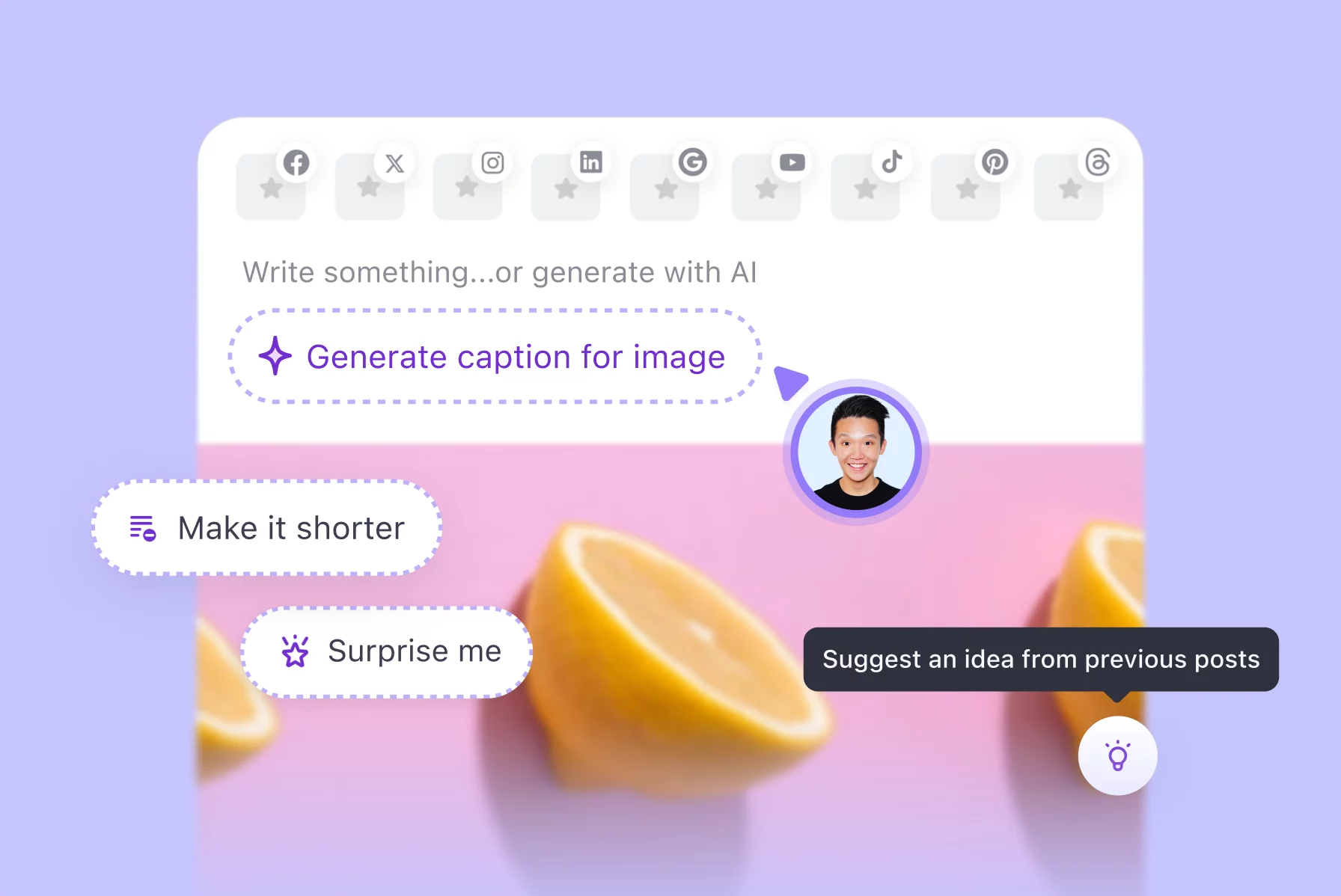
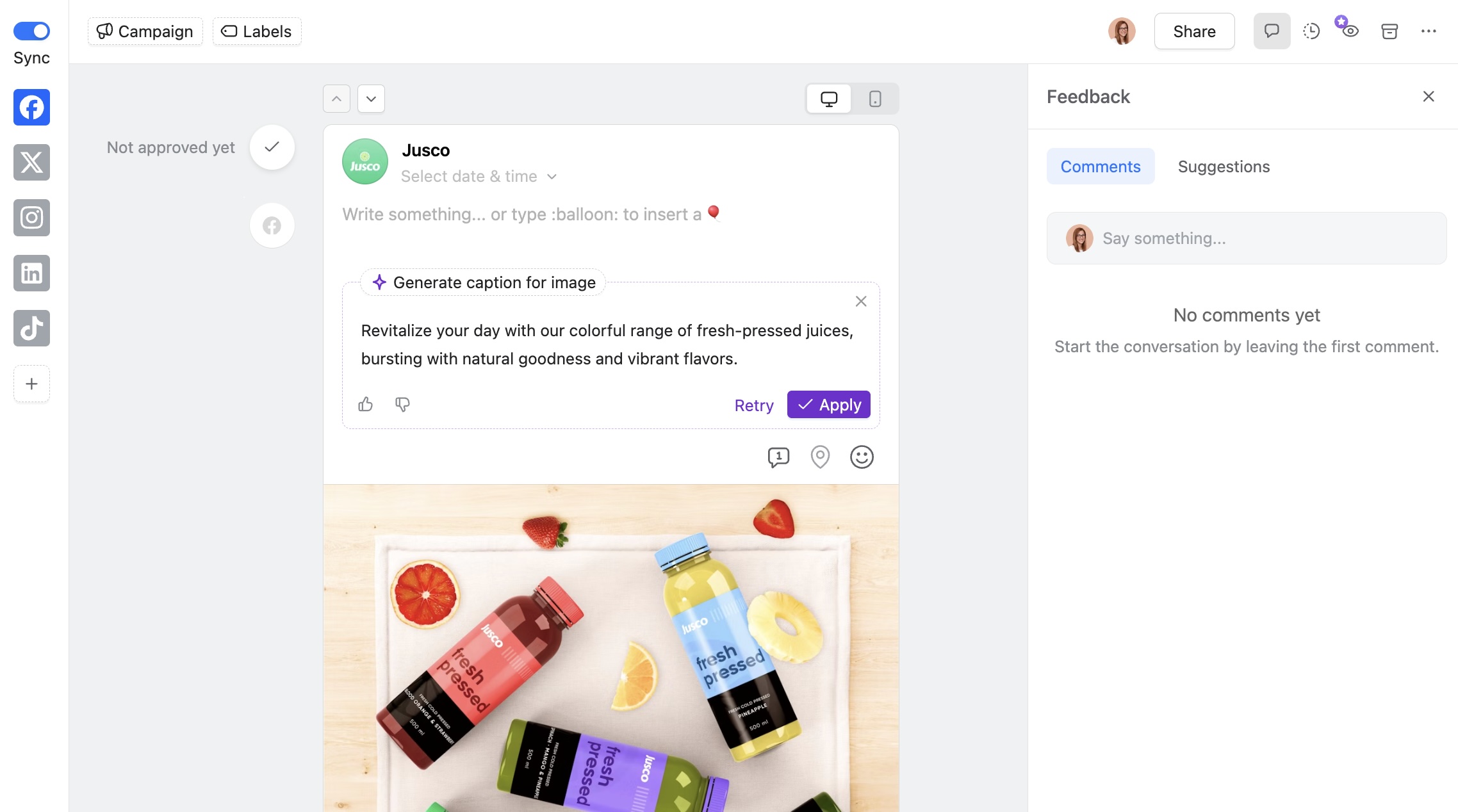
Generate captions from an image or video.
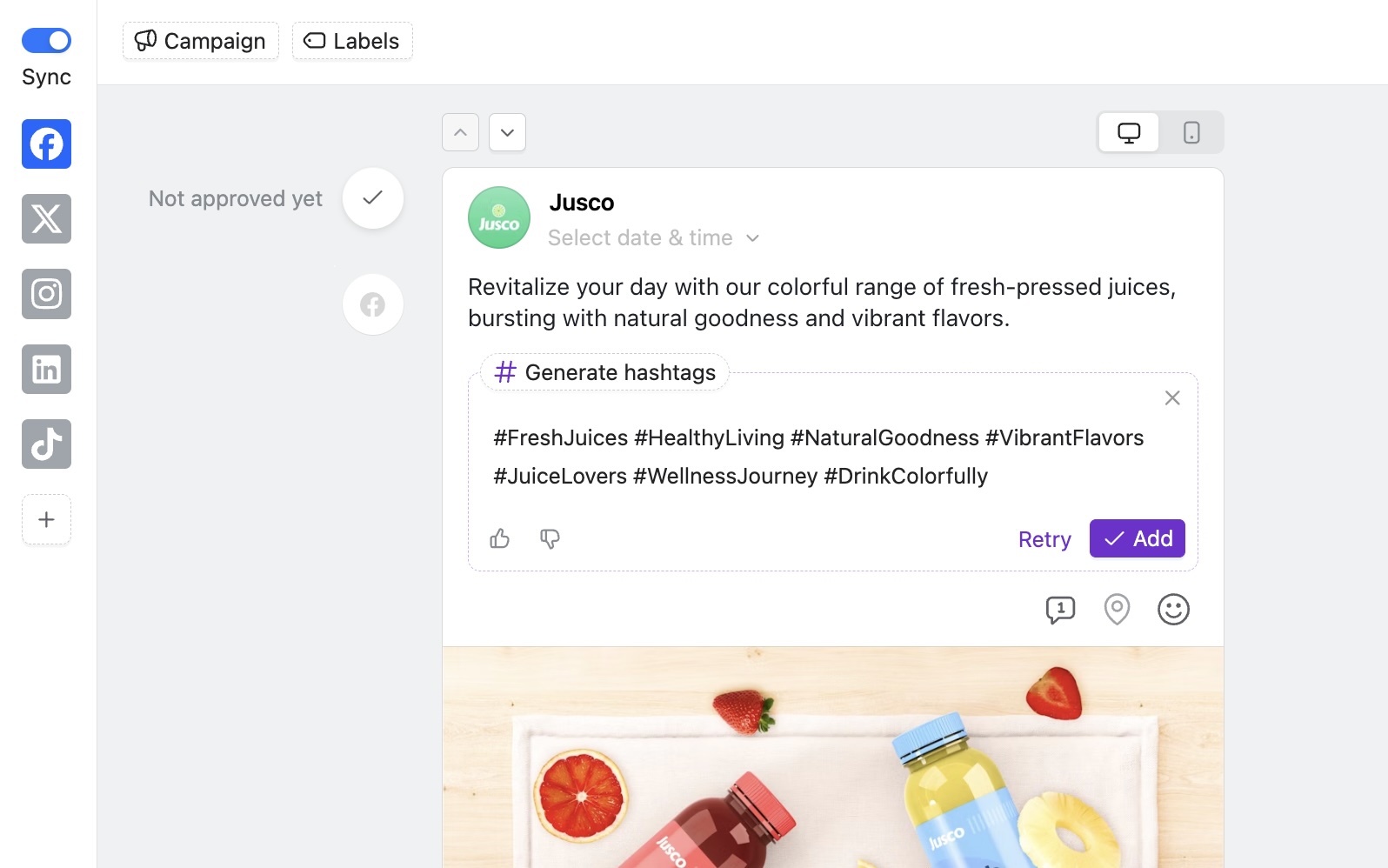
Generate hashtags.
Generate ideas for new posts.
Rewrite existing copy with specific transformations.
Draft replies to comments in the Social inbox.
1. Generate captions from scratch (from a prompt)
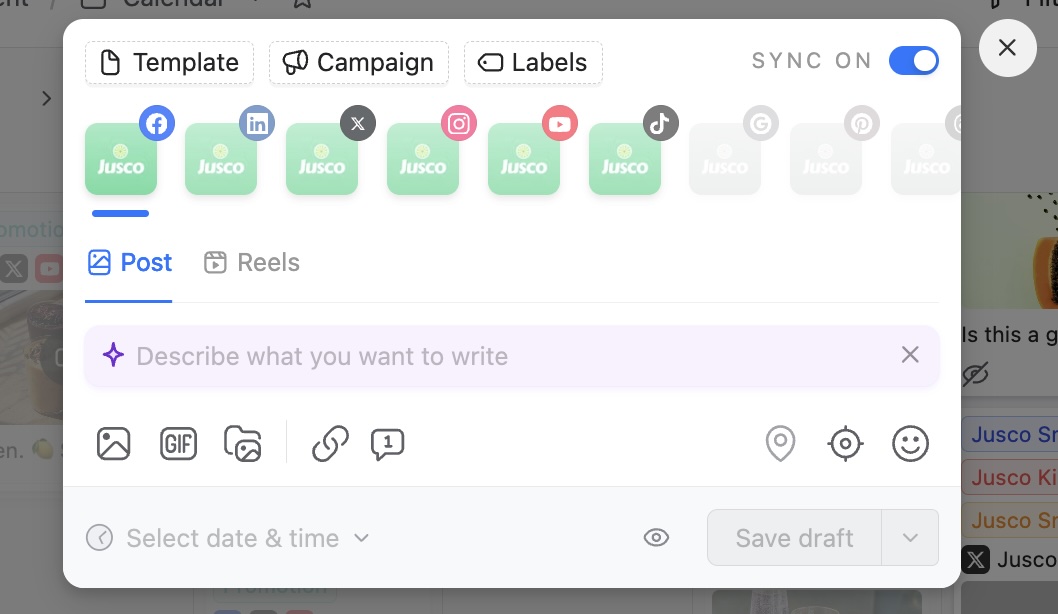
When you open the composer, you can generate a caption from a prompt instead of starting from a blank field.
How it works
Describe what the post is about (product, message, angle, tone).
Planable AI generates a draft caption.
You edit and finalize the post as usual.
Optional: match your existing voice
When generating new posts, Planable AI can reference your previously published content to better match your style instead of producing generic-sounding text.
2. Generate captions from visuals (image or video)
If you already have the asset, you can generate copy from the media itself.
How it works
Upload an image or video to the composer.
Click the option to generate a caption from the visual.
Planable AI produces a caption based on what it detects in the file.
When this is especially useful
When creative assets arrive from a client or creative team without copy attached.
When you want a fast first draft to edit rather than writing from scratch.
Planable AI can also include relevant hashtags based on the media, so you are not starting that part from zero.
3. Generate hashtags
Hashtags can be generated in three ways:
Standalone: generate hashtags without changing your caption.
Added to existing copy: generate hashtags for a caption you already wrote.
Included during caption generation: when generating from a prompt or visual.
You can retry until the set feels right, then add them to the post in one click.
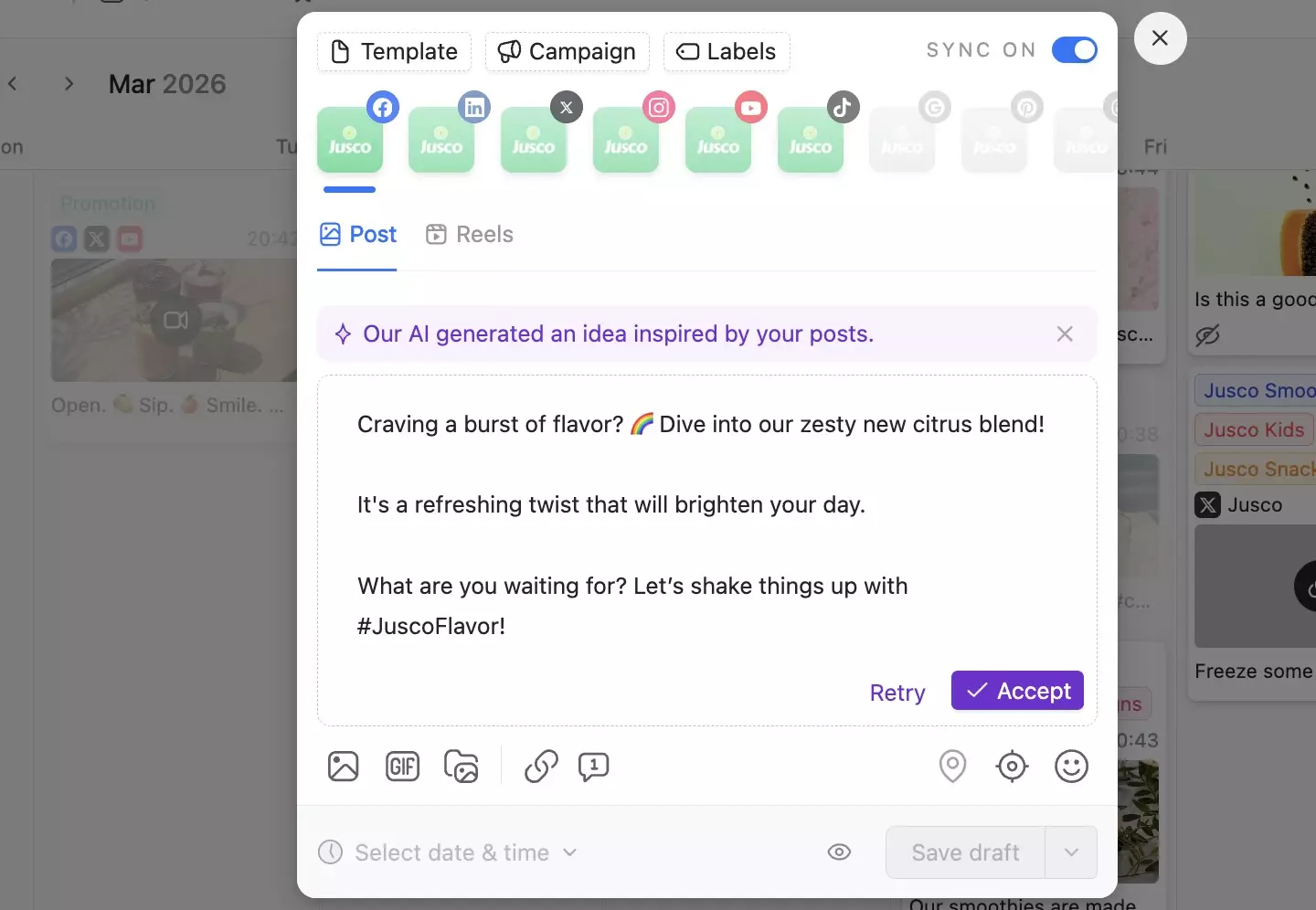
4. Generate ideas for new posts
When the brief is vague or your content calendar has holes, idea generation gives you workable starting points.
Planable AI can suggest post concepts based on:
Your prompt (topic, campaign, audience, objective), or
Your previous posts (to better match your existing content style).
Use the ideas as-is, develop them into full drafts, or adapt them into a different angle.
5. Improve existing copy
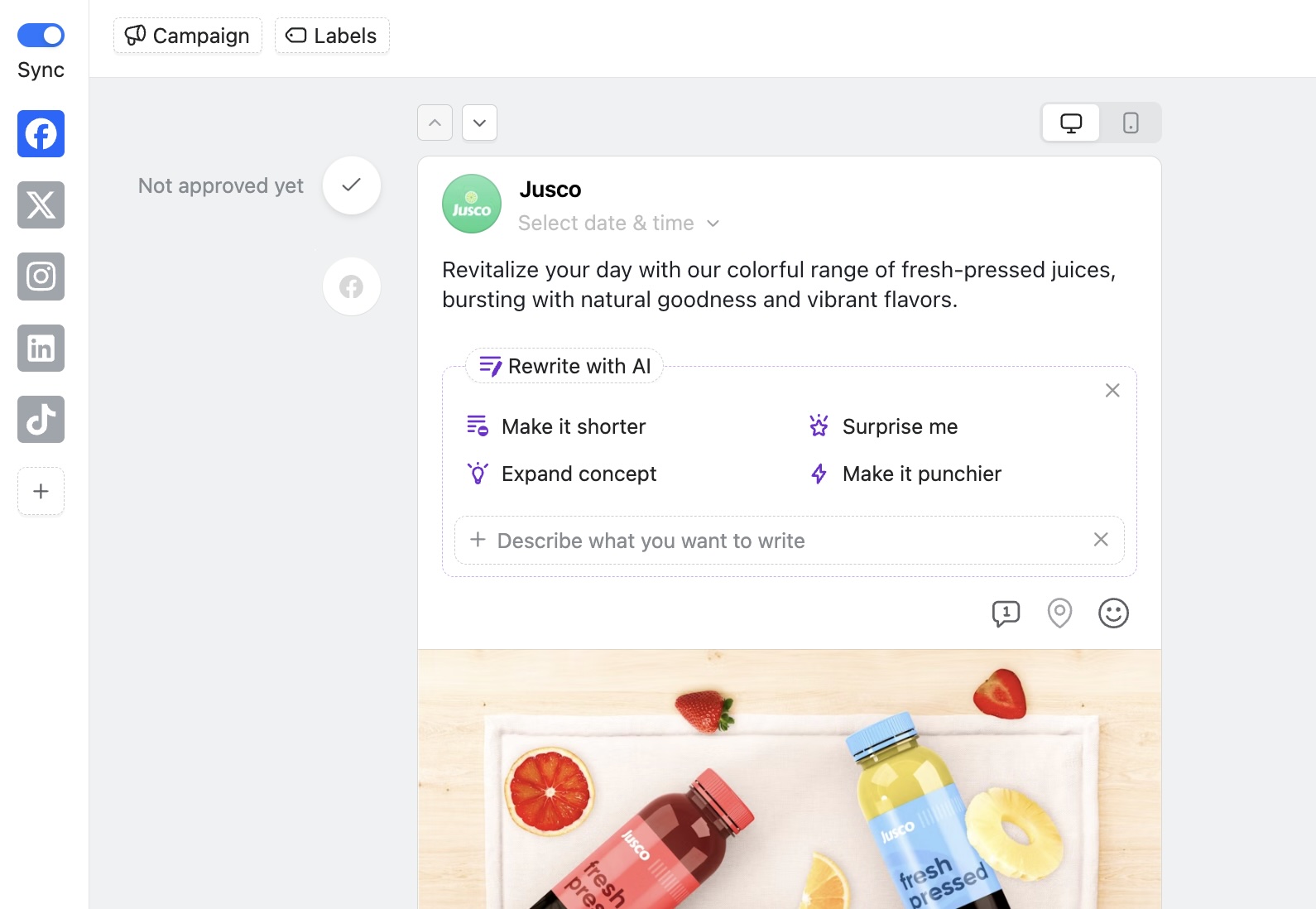
If your draft exists but is not quite right, Planable AI provides rewrite modes that operate on your current text without forcing a full replacement.
Rewrite options
Make it shorter: trim without losing the point.
Expand: add depth or detail to a thin post.
Surprise me: let the AI choose a direction.
Make it punchier: tighten language and sharpen impact.
Custom instructions: tell the AI exactly what to change.
Non-destructive workflow: You can retry variations or revert. Your original copy stays intact until you choose to apply a change.
6. Answer comments with AI (inside the Social inbox)
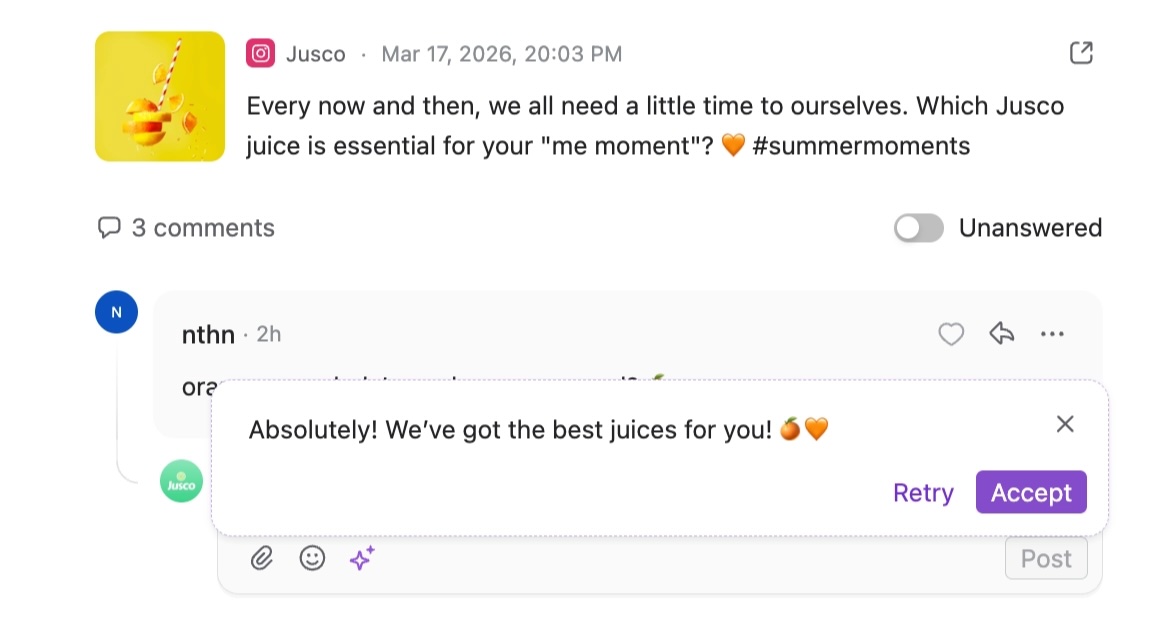
When a comment comes in, an “Answer with AI” option appears directly in the reply composer in the Social inbox. Planable AI generates a response based on:
The comment content
The context of the post the comment is attached to
You stay in control:
Post the reply as-is.
Edit before posting.
Dismiss it and write your own.
This can help high-volume accounts move faster while keeping human judgment in the loop.
Pricing and availability
Planable AI is included on all Planable plans at no extra cost, with no usage limits.
There is no add-on to activate and no usage cap to manage. It is available as soon as you use the post composer or the social inbox.
FAQs
What can Planable AI do?
Planable AI can generate captions from prompts, images, or videos; suggest new post ideas; generate hashtags; rewrite existing copy using multiple rewrite modes; and draft comment replies directly in the Social inbox.
Does it learn from my previous content?
Yes. When generating new post ideas, Planable AI can reference your previously published content.
Can it generate captions from images or videos?
Yes. Upload an image or video in the composer and use the caption generation option for visuals. Planable AI generates a caption and can include relevant hashtags based on what it detects in the media.
What rewrite options are available?
You can shorten, punch up, expand, simplify, make it more creative, try a new angle, use a surprise mode, or give custom instructions for a specific change.
Does it work for comment replies too?
Yes. In the Social inbox, “Answer with AI” appears in the reply composer and drafts a response based on the comment and the post context. You review and edit before posting.
Will the AI-generated content sound like my brand?
It can reference your previous posts to suggest suitable content. For more specific requirements, use the custom instructions to guide tone and phrasing. A global setting to give it brand voice instructions is not yet available.
Is Planable AI available on all plans?
Yes, Planable AI is included on every plan with no usage limits and no add-on required.
Monica leads product marketing at Planable. She owns go-to-market for new features and shapes how Planable fits into the broader SE Ranking product family. She joined in 2023 as Planable's first product marketer, built the function from scratch, and now runs the team's competitive intelligence program. With a background in product management and Romania's startup scene (How To Web, MVP Academy), she writes about competitor analysis, product launches and marketing workflows from the builder's side. Before Planable, she spent almost five years managing Orange Fab Romania, Orange's startup acceleration program, where she supported 40 startups and helped generate over €2.2M in commercial value.







 Creation
 Scheduling
 Planning
 Social Inbox
 Collaboration
 Analytics
 Approval
 Social Listening